

Follow the steps
Check whether the page is hidden
A page you have hidden stays hidden from pupils until you show it. Pages that arrive from your Library come in hidden. Look at the button above the top right of the page: it says Hidden or Shown. Tap it to show the page.
Reveal the next page
Tap the Space bar to show the next hidden page and go to it, one at a time.
Or send a page
In the Pages strip, press Send current page to send the page you are on, or Send all visible pages to send every page you have already shown. To move everyone to the page you are on, choose Take pupils to this page.

Check for an extension page
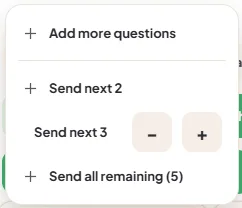
Extension questions stay hidden from the class until you send them to a pupil who has finished. See send extension questions.
Ask the pupil to look again
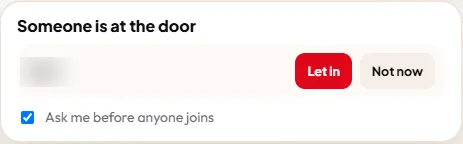
Check the pupil is in your lesson. Outside a lesson, the class link shows a pupil only their own page. If they have not got in yet, see a pupil cannot join.
Good to know
- Add a hidden page in advance, then reveal it at the right moment.
- Hidden pages, answers and AI suggestions never reach pupils’ devices, so there is nothing to peek at.
- Use Eyes on me when you want every pupil to look up before you reveal the next page. See reveal, timer, Eyes on me and Pens down.
Common questions
Why is my page hidden?
Pages from your Library come in hidden, and you can hide any page yourself, so you control what pupils see and when.
What is the difference between revealing and Send current page?
Space reveals the next hidden page, one at a time, in order. Send current page sends the page you are looking at.
Why can a pupil not see an extension question?
Extension questions stay hidden until you send them to a pupil who has finished.
Can pupils see answers I have hidden?
No. Hidden pages, answers and AI suggestions never reach pupils’ devices.
Related guides
 A pupil cannot join: what to checkTroubleshooting
 What happens when the Wi-Fi drops?Troubleshooting
 Why did a pupil’s tile disappear?TroubleshootingHow to get started with JotoroGetting started
Cannot find an answer?
Tell us what was missing and we will improve this guide.
Suggest an improvement