

Follow the steps
Each pupil types their name and PIN
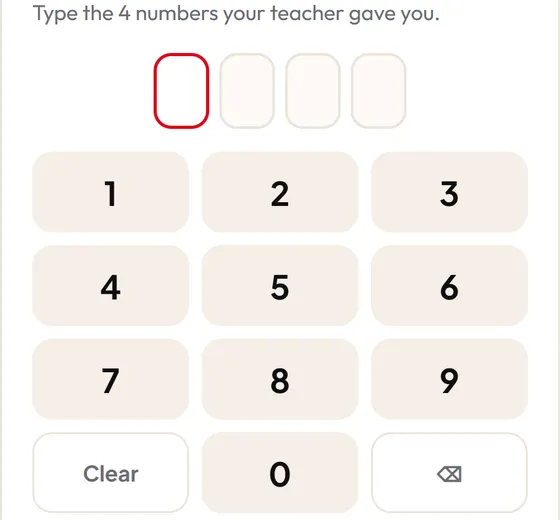
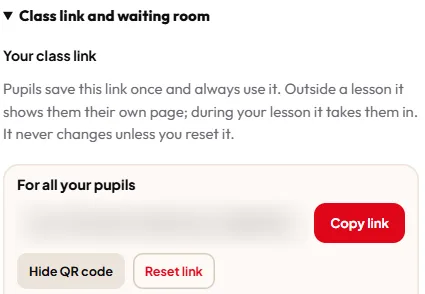
A pupil opens your class link, types their first name, then taps their own four-number PIN on a big keypad. Younger pupils can tap a picture code instead. There is no app and no account to make.
A stranger sees no names
Pupils type their own name, so the login page never shows a list of who is in your class. Someone who finds your link by accident cannot see your pupils, and they wait in the waiting room.
If a pupil comes back, they get their own board
A pupil whose iPad died, or who closed the tab, logs in again with the same name and PIN. They reclaim their own board on the new device, and nothing is lost. On a shared device, “Not you?” lets the next child sign in.
The old device stops
The first device is told and stops, so two devices never write on one board at the same time.
Offline tiles fold into Away
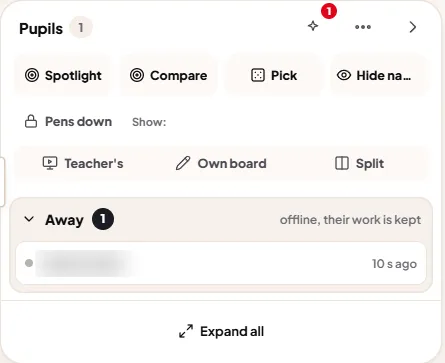
While a pupil is offline, their tile is not lost. A pupil who never wrote anything leaves your list after a short while. A pupil with work moves into a small Away group that says “offline, their work is kept”.
Use Tidy up to merge the strays
If a pupil typed their name slightly differently and ended up with two tiles, choose Tidy up in the Pupils panel menu. It appears when there is something to tidy. It clears the empty offline tiles and offers to merge the tiles that belong to one child. Nothing is deleted, and you can undo it.
Good to know
- Tell pupils their PIN privately, and ask them not to share it. Use Hide names before you share your screen.
- A stranger who finds your class link still sees no pupil names, because pupils have to type their own.
- The first time a pupil joins, you may see them in the waiting room. After that, they can rejoin without fuss.
- Pupils can log in from home with the same name and PIN.
Common questions
What happens if a pupil logs in on a second device?
They get their own board back on the new device. The first device is told and stops, and nothing is lost.
Does a pupil lose their work if their device dies?
No. Their work is kept. While they are offline, their tile moves to the Away group, and it is waiting for them when they come back.
Can a stranger see my pupils’ names?
No. Pupils type their own name and PIN, so the login page does not list anyone.
What does Tidy up do?
It clears the empty tiles of pupils who have left, and offers to merge two tiles that belong to the same child. It archives, never deletes, and you can undo it.
Do pupils need an account?
No. A name and PIN is all they need, on any device with a browser.
Related guides
 How pupils join with the class linkPupil boardsWhat can pupils see on their board?Pupil boardsHow does the class link work?Pupil boards
 How to get started with JotoroGetting started
Cannot find an answer?
Tell us what was missing and we will improve this guide.
Suggest an improvement