
You’re invitedto teach with Jotoro first.
Here’s your first week, day by day. One new thing each day, nothing to rush, and you’re in charge of the pace.

Your first week
- Day 1Say hello and get set upClass link
- Day 2Your first live lessonLive boards · Hands up
- Day 3Let the work mark itselfAnswer boxes · RobAIn
- Day 4Bring the thinking to the classSpotlight · Teaching tools
- Day 5Keep what workedRecord · SnapJot · Library
Then two short check-ins, at week 1 and week 4.
In short
Founding partners are the teachers and tutors who use Jotoro first and help shape it. Your first week is planned day by day, with two short check-ins, one at the end of week 1 and one at week 4.
- Your own classes
- You set the pace
- Your feedback is read and credited
Made by teachers, and shaped by the ones who join first.
Jotoro began in real lessons, with real classes. Now we would like other teachers and tutors to teach with it first, with your own classes, and tell us honestly what helps and what gets in the way. Come and help.
Created with the Singapore Maths Academy team, for every subject.
Your first week, something new each day.
Pupils can join with the class link from your classroom or from home, so this plan works either way.
Say hello and get set up
Get your class ready in about ten minutes.
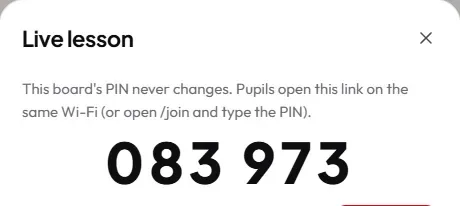
Join with your class link
One link to join. Nothing for pupils to install. Only your pupils get in.
- Open your class and copy the class link, or show the QR code.
- Share it once. Pupils open it and type their first name and PIN.
- Anyone unexpected waits at the door until you say OK.
Your first lesson in about ten minutes
- Create your className it. Add pupils if you like, or start with none.
- Copy your class linkSend it once. Pupils can bookmark it.
- Join as a pupilOpen the link on your phone and type any name.
- Open a worksheetDrop in a PDF you already teach from.
- Add three answer boxesType the right answers. They mark themselves.
- Press RecordSay one sentence. Stop. See it saved with the lesson.
Your first live lesson
Pupils join. You see every board.
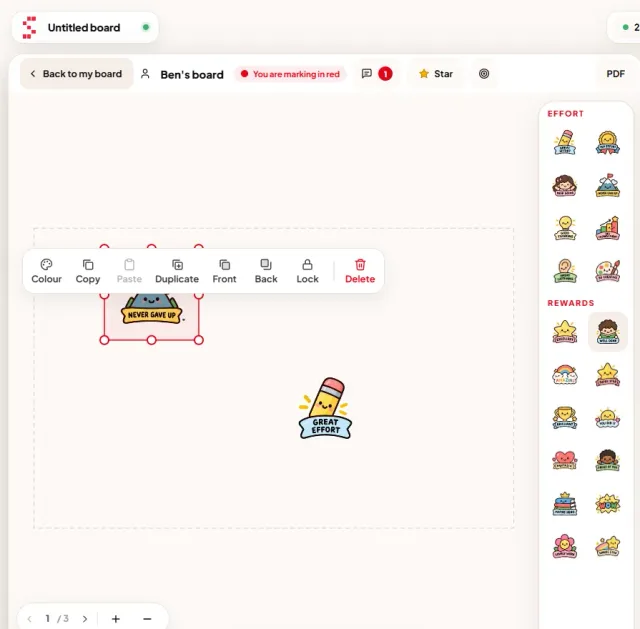
Every pupil’s live board
See each pupil’s thinking as it happens, from your own seat. A raised hand never gets lost, even online.
- Open the pupils panel.
- Watch each board fill as pupils write.
- Tap any board to step in and mark in red while they watch.
Let the work mark itself
Answer boxes do the ticking. RobAIn keeps you in the picture during the lesson, if it is part of your plan, and RobAIn Pro gets things ready before it, from a photo of your timetable to answer boxes on your worksheets.
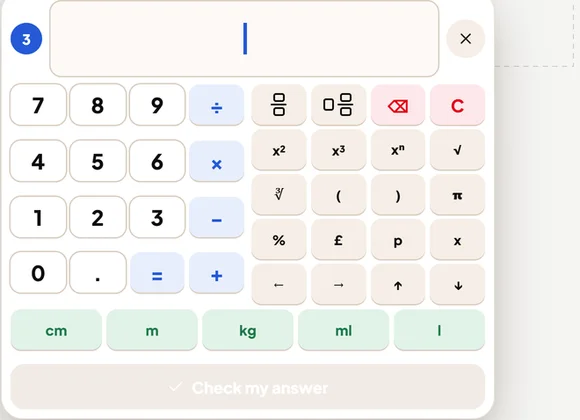
Answer boxes and Check my answer
Answers mark themselves, so you know who is stuck before the bell.
- Drop an answer box on any worksheet and type the right answer.
- Pupils type theirs and press Check my answer.
- Ticks and crosses land in your results as pupils finish.
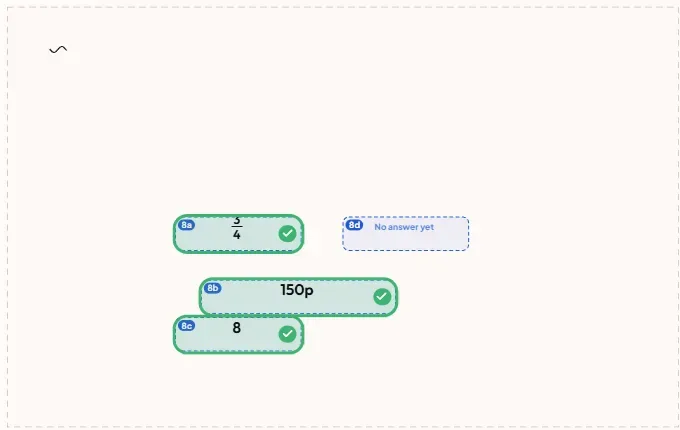
RobAIn places the answer boxes
Your own AI gets a worksheet ready before the lesson and waits for your OK. You decide what pupils see.
- Connect your own AI once. Disconnect switches it off.
- Ask your AI to read a worksheet. Answer boxes appear, marked as suggestions.
- Nothing reaches a pupil until you press Accept.
Works on the online board, from anywhere you teach.
Bring the thinking to the class
Show one pupil’s idea to everyone, and reach for a teaching tool.
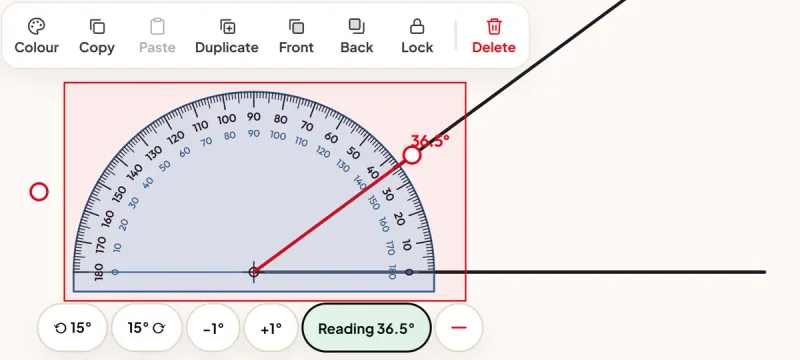
Spotlight and teaching tools
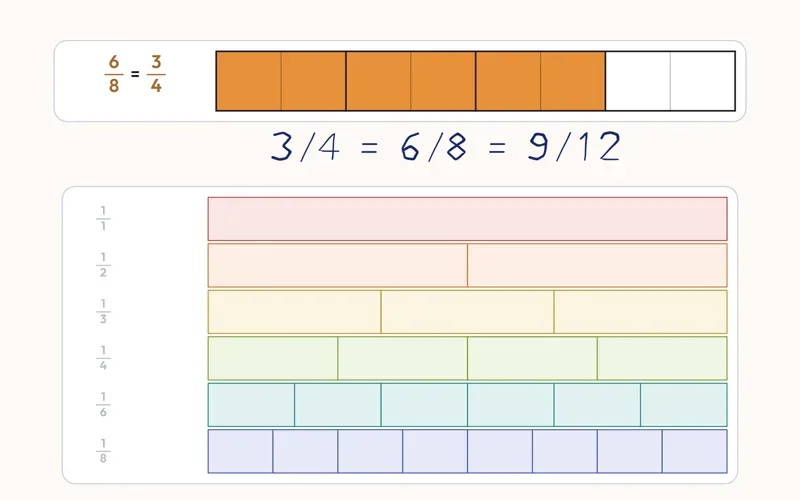
Put a good idea on the big screen, then use a ruler, protractor or fraction wall to make it click.
- Open a pupil’s board and press Spotlight, with their OK.
- Open the tool tray and pick a protractor, clock or fraction wall.
- Drag it onto the board and teach with it.
Keep what worked
Record the lesson, snap the moment, save it to your Library.
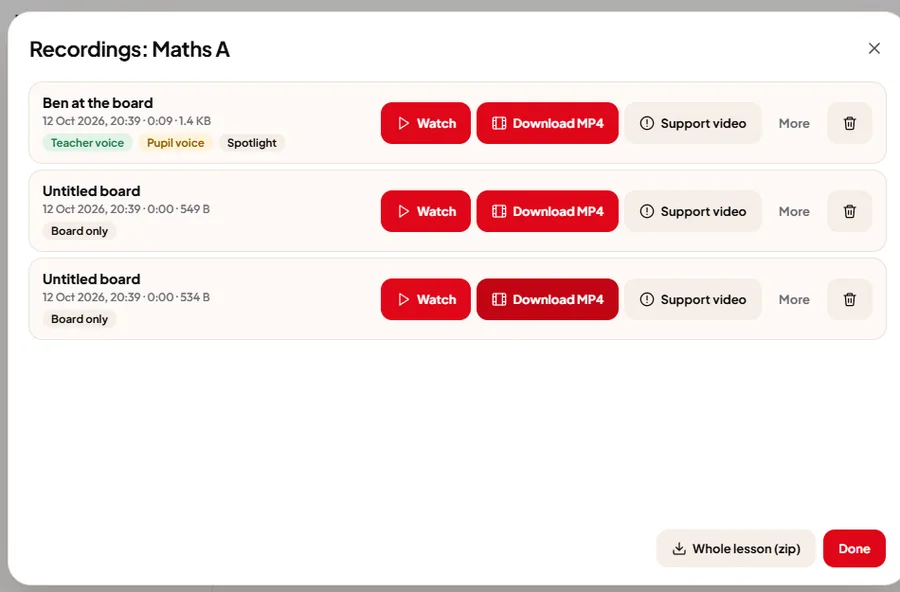
Record and replay
The lesson is saved with the board, so you can watch it back or share it as a Watch how video.
- Press Record before you start, and Stop when you finish.
- Open your recordings from the class.
- Watch it back, or download it as an MP4.
SnapJot and your Library
Keep a picture of a good page with SnapJot, and file the whole lesson to use again.
- Tap SnapJot to capture a page, or use JotClips for a few seconds of video.
- Find it later in your JotMoments library.
- Save the lesson to your Library and reuse it next week.
Two short check-ins by email, at week 1 and week 4.
How did the first week go?
A few questions about what worked and what got in the way. About two minutes.
What has become part of your lessons?
The same short questions a few weeks on, so we can see what sticks.
What you get, and what we ask.
Free use of Jotoro until 1 January 2027, with all the features of our top plan, including RobAIn Pro, and a direct line to the team. Founding access ends on 1 January 2027, with no grace period. A space that has not chosen a paid plan by then moves to the Free plan: the Free limits apply, it is not frozen, and nothing is deleted.
Feedback on your lessons each week, the short check-in inside Jotoro, and telling your pupils Jotoro is new software we are trialling. We may quote your feedback, and we only use your name if you say yes.
Read the news: our first founding partners.
We read and reply to your feedback, and credit you if you wish.
- 1
Read
A real person on the Jotoro team reads it.
- 2
Reply
We write back to say what we make of it.
- 3
Build
Good ideas go onto the roadmap, and some get built.
- 4
Credited
If your idea ships, we tell you. We name you only if you say so.
Accept the invitation with a short form.
The form is at the bottom of this page. Stuck on something in the first week? Jotoro Academy has plain step-by-step guides, and you can see the plans and prices any time.
What a head of school said
Read more reviews →But to develop tools like this, I don’t know that anybody else has this.
Questions about founding partners.
Who can be a founding partner?
Teachers and tutors we have invited to use Jotoro early and help shape it.
Do I need to commit?
No. You set the pace. Do as much or as little of the first week as suits your timetable.
Can I use my own classes?
Yes. Jotoro is made for your own classes, and you choose how and when to use it.
Will I pay?
No. Founding partners use Jotoro free until 1 January 2027, with all the features of our top plan, including RobAIn Pro.
Can I bring a colleague?
Yes. Every founding space has at least 2 teacher seats, so you can invite a colleague to teach alongside you.
What happens on 1 January 2027?
Founding access ends on that date, with no grace period. A space that has not chosen a paid plan by then moves to the Free plan. The Free limits apply, your space is not frozen, and nothing is deleted at that point.
Is my feedback public?
No. Your feedback is read by us, and we only credit you by name if you say so.
Tell us about your teaching. We read every application.
A few details about you, your tutors and your pupils. It takes about two minutes.
- Your first week, day by day
- A real person reads every application
- Our answer comes by email
Rather write to us? Email hello@jotoro.co.uk
Thank you for applying.
We’ll reply to . If you don’t see our email, look in your spam folder.
Not sure yet? Try it on your own worksheet.
Register interest and we will tell you the day payments open. Pupils are always free, and there is a 14-day money-back guarantee on every paid plan.
Pupils join by link: no app to install, no sign-up for them. See plans and prices.
