

Follow the steps
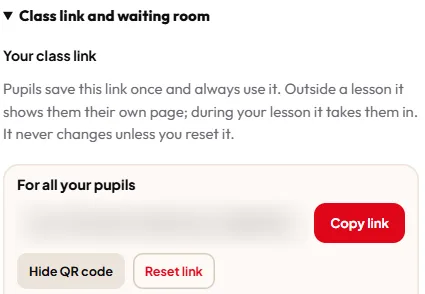
Open the class link
The pupil opens your class link and sees What is your name?
Type a name and tap the PIN
They type their first name, press Join, then tap their four digits on the pad under Your PIN.
Wait to be let in
The screen says Waiting for your teacher to let you in… until you let them in.
Write on My board
Pupils write with a finger on My board. It is their own space, so they can try, rub out and try again.
Answer a question box
They tap an answer box and type, for example 3/4, on the Numbers keypad. A tick appears when it is right.
Raise a hand
Raise hand tells the pupil “Your hand is up. Your teacher can see it.”
Show how they are doing
They tap How are you doing? and choose I’ve got it, and you see it on your side.
Good to know
- Pupils need only their first name and the PIN you gave them.
- The board is theirs: they can try, rub out and try again.
- If a pupil cannot get in, here are the quick checks.
Common questions
What do pupils need to join?
Your class link, their first name and the PIN you gave them.
Can pupils see each other’s boards?
No. Each pupil sees their own board and the pages you reveal. See what pupils can see.
Related guides
 How pupils join with the class linkPupil boardsWhat can pupils see on their board?Pupil boardsHow does the class link work?Pupil boards
 How to get started with JotoroGetting started
Cannot find an answer?
Tell us what was missing and we will improve this guide.
Suggest an improvement