

How can we help?Jotoro Academy: short videos and clear steps.
In short
Jotoro Academy has short how-to guides for teachers, grouped into 13 topics, each with clear numbered steps. 125 of the guides also have a short video. Start with the guide for new teachers, or pick the topic you need in the middle of a lesson.
- Start here if you are new to Jotoro
- Search, or pick a topic below
- Search the guides and watch the short videos
Watch the 2-minute tour. A live lesson, start to finish.
A short walk through the home screen and a live lesson. The guide for new teachers covers the same steps in writing.
Find your topic. Thirteen places to look.
 Getting startedFirst sign-in, the home screen and the basics.10 guides
 Live lessonsRun the lesson: reveal, timer, spotlight, polls.20 guides
 Pupil boardsHow pupils join, what they see, and how you watch them all.12 guides
 Marking & answer boxesSelf-marking, tracker, extensions, assessments, homework.22 guides
 LibraryLessons, PDF import and moving across from another whiteboard.4 guides
 RecordingRecord, replay, “Watch how” and capture moments.5 guides
- Teaching tools: MathsManipulatives, bar models, geometry, graphs, calculator, embeds.13 guides
- Teaching tools: ScienceLabel, sort, connect, fair test, graphs and instruments.7 guides
- Teaching tools: EnglishSpelling, word games, sentences, phonics and reading.6 guides
- AI assistantConnect your own AI and keep it in a safe seat.5 guides
- Records & registerClasses, PINs, register, results and pupil data.11 guides
- Account & settingsBranding, agency workspace, seats and licences.12 guides
- TroubleshootingA pupil cannot get in, the Wi-Fi drops, a tile disappears.6 guides
Start with what teachers ask first. Clear steps for each one.

How to get started with Jotoro
Sign in, make your first board, find your class link and start a lesson.
Read the guide
How to start a live lesson
Open your board, share your class link, let pupils in and reveal pages one by one.
Read the guide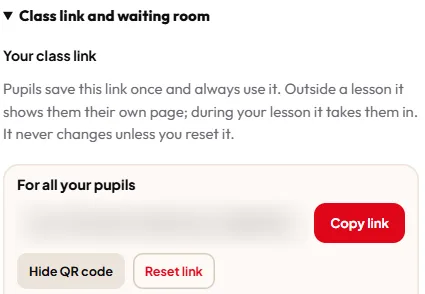
How pupils join with the class link
Pupils open your link, type their name and PIN, and wait to be let in.
Read the guide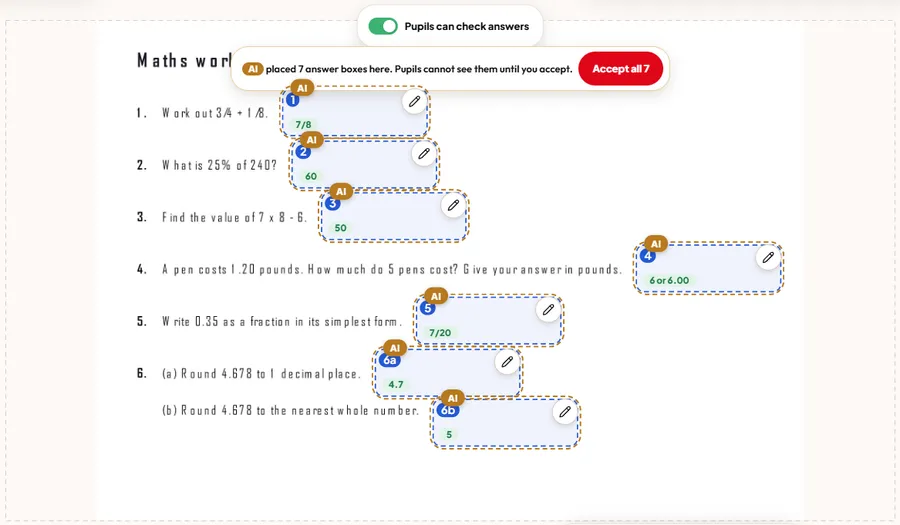
How to add answer boxes and mark a worksheet
Drop answer boxes on a worksheet and watch the ticks and crosses arrive.
Read the guideWhat can pupils see on their board?
Their own board and the pages you have revealed, and nothing else.
Read the guide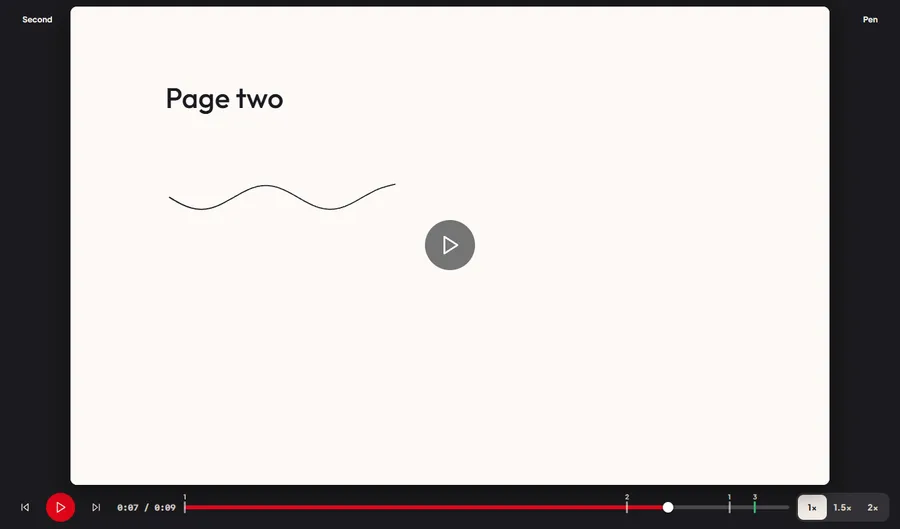
How to record a moment
Press Record, explain it on the board and share it as a Watch how video.
Read the guidePupils at home. Pupils join from anywhere with the class link, in a browser. See how pupils join.
Cannot find an answer?
Tell us what was missing and we will add a guide. We cannot reply to every message. Please leave out pupil names.
Register interest today. Then come back for the steps.
Register interest and we will tell you the day payments open. Pupils are always free, and there is a 14-day money-back guarantee on every paid plan.
Pupils join by link: no app to install, no sign-up for them. See plans and prices.