Who might need help
It can tell you, for example, that Ben got question 2 wrong, so you know where to go next.

Ben got question 2 wrong and may need help with adding. Amira finished everything correctly.
AI
You lead the lesson. RobAIn keeps you in the picture. It tells you who might need help, sums up how the class is doing, and suggests ticks, crosses and comments, each marked AI and waiting for your OK.
RobAIn is your sidekick while you teach. Using the AI you already use, it tells you who might need help, gives you a quick summary of how the class is doing, and suggests ticks, crosses and comments for you to accept. Everything it suggests is labelled AI and hidden from pupils until you say yes. It can also build a lesson board from a worksheet, writing into the board while you watch. Setting things up around the lesson is what RobAIn Pro does. See every feature.
RobAIn
Your sidekick keeps you in the picture.
You are reading about this oneRobAIn Pro
Your sidekick sets things up and marks, with your OK.
See RobAIn ProEither way, you stay in charge. Everything the AI adds is labelled AI and hidden from pupils until you accept it.
A good teaching assistant is worth a great deal, and nothing here replaces one. RobAIn takes the small, repeatable jobs of keeping watch, so you have more attention for the children.
Every suggestion is labelled AI and stays invisible to pupils until you accept it. Marking itself stays in Jotoro.
It can tell you, for example, that Ben got question 2 wrong, so you know where to go next.
Ask how the class is doing and read a short answer, drawn from the room and recent activity.
It suggests them as AI-labelled marks. You accept the ones you agree with. Pupils see nothing until you do.
It can read how pupils got on, so you can ask about results as well as activity.
Every suggestion carries a small AI tag, so you always know where it came from.
Pupils see nothing of it until you say yes. Discard it and it was never there.
Switch RobAIn off whenever you like, in the middle of a lesson if you need to.
Typed answers still mark themselves. RobAIn only suggests; it never marks a child.
RobAIn works for the teacher. It never teaches or marks a child on its own.
It works only for this lesson, and only until you disconnect it.
RobAIn connects to the assistant you already use, through open standards. Connect it for a lesson, switch it off with Disconnect, and keep every choice about what it does in your hands.
Setting up outside the lesson? That is RobAIn Pro.Connect your own AI to Jotoro for a lesson and RobAIn starts working alongside you. It works on the online board, so you can use it from home, school or a tuition centre.
Today you ask how the class is doing. Soon RobAIn will offer an update by itself, still waiting for your OK.
Soon it will point out when several pupils make the same slip, so you know what to go back over.
Soon, when a pupil is stuck, RobAIn will be able to offer a gentle hint that you have set up or allowed. You decide what hints are on. The AI never teaches or marks a child on its own. Not built yet.
Every tutor gets the same calm second pair of eyes in the lesson. Use the AI you already pay for, with no extra AI bill from us.
See Jotoro for tuition centresEvery paid plan has it in lessons, and Pro and above add RobAIn Pro before and after them. Pupils are always free. Tuition centres and tutoring companies start at three teachers, with central management.
See plans and pricesBack to all Jotoro features, or see plans and prices.
Your sidekick sets things up in Jotoro for you: your account from a timetable photo, homework, the Library and more.
Answer boxes that mark themselves while pupils write.
Turn a worksheet into a lesson the class can answer.
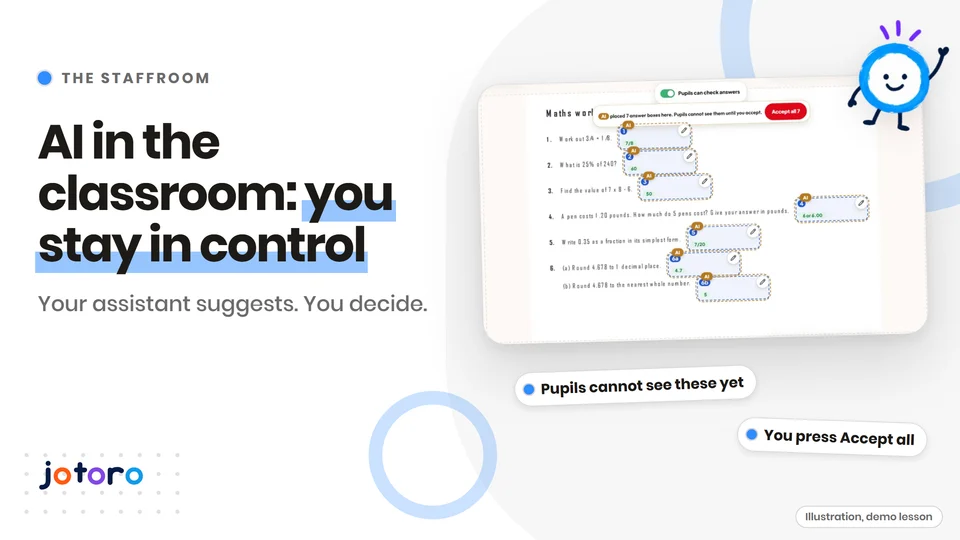 From the StaffroomAI in the classroom: you stay in controlYour own AI as an assistant, not the lead: it suggests, you decide, and every pupil in a group gets seen and heard.Read the post
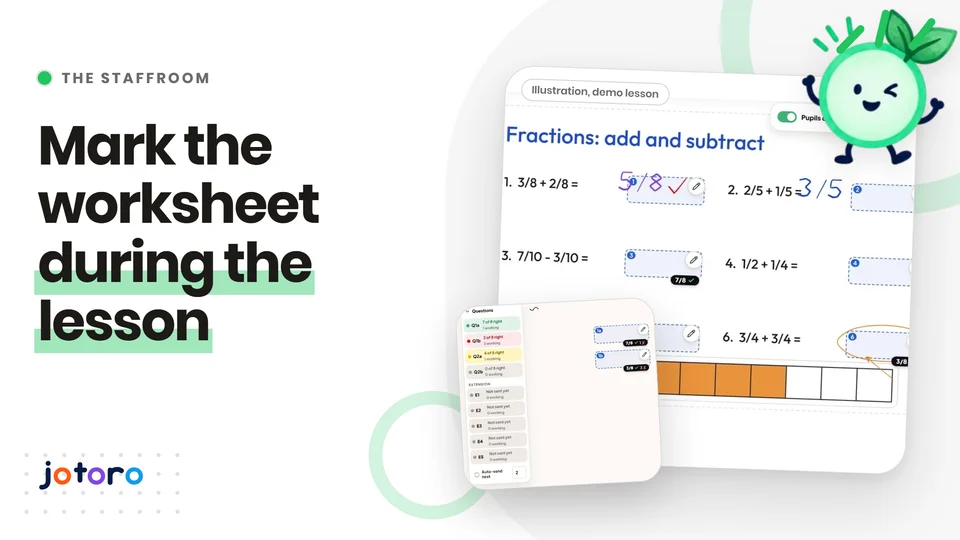 From the StaffroomMark a worksheet during the lesson, not after itCatch a wrong turn on question three, not question nine: a calm way to check answers while children are still working.Read the post
No. Jotoro marks typed answers itself, against the answers you set, and you mark anything else in red. RobAIn only suggests ticks and comments, and pupils never see them until you accept.
Not until you accept them. Every suggestion is labelled AI and stays hidden from pupils until you say yes.
The one you already use. RobAIn connects to it through open standards, so there is no new AI account to pay us for and no extra AI bill.
RobAIn is on every paid plan, where it works during lessons. It is not on the Free plan. RobAIn Pro, which also works before and after lessons, is on the Pro plan and above. Agency and school plans have both. See plans and prices.
Yes. RobAIn works on the online board, and pupils can join from home or anywhere else with the class link.
Not yet. We are working on gentle hints for a stuck pupil, set up or allowed by you. The AI will never teach or mark a child on its own, and this is coming soon, not built yet.
Today you can bring a PDF worksheet into your Library and have answer boxes placed for you to check. Setting up your whole account, homework and Library is what RobAIn Pro does. RobAIn is for the lesson itself. See RobAIn Pro.
RobAIn never teaches or marks a child on its own. It works for you, in the background, and Disconnect switches it off.
Register interest and we will tell you the day payments open. Pupils are always free, and there is a 14-day money-back guarantee on every paid plan.
Pupils join by link: no app to install, no sign-up for them. See plans and prices.