A trend for each pupil
Every sitting adds a point to their line, so a slow dip shows up before it becomes a problem.

Attendance, results and stars are saved the moment a lesson ends, so you can look back, see each pupil’s story and know who needs you next.

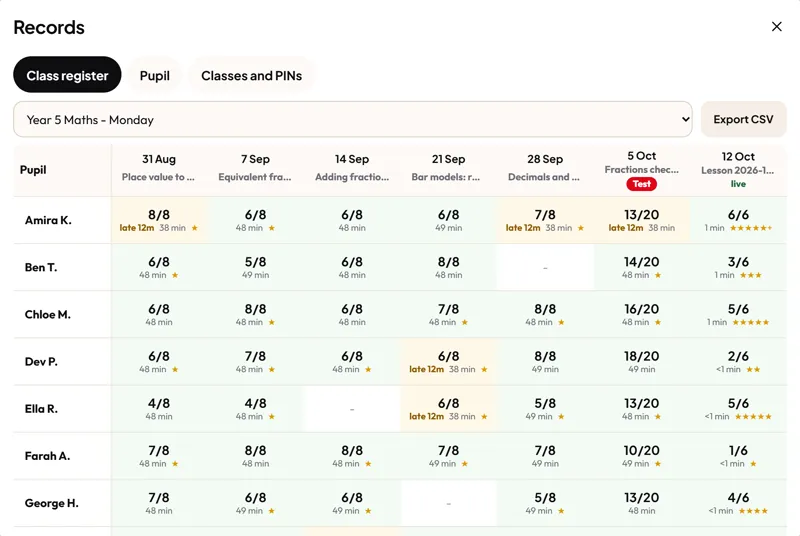
Who came, how long they stayed, how they did and their stars. Saved after every lesson.
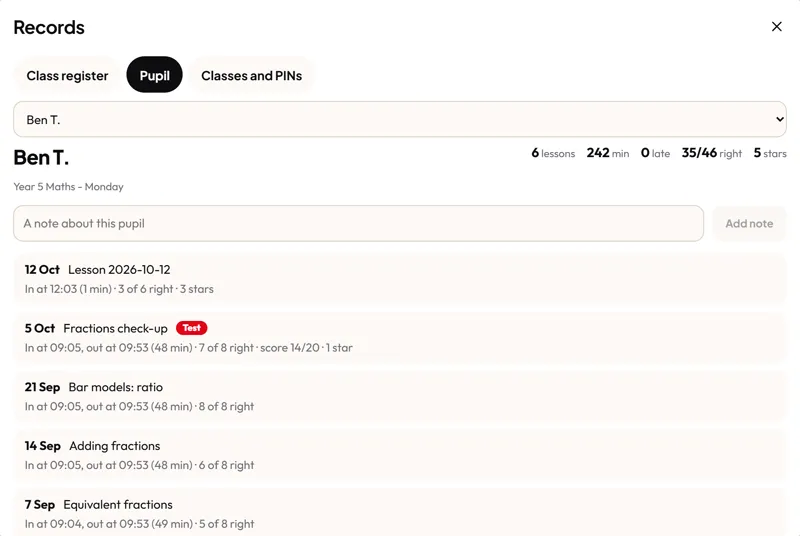
Open anyone for their lessons, scores and stars, and add a note of your own.
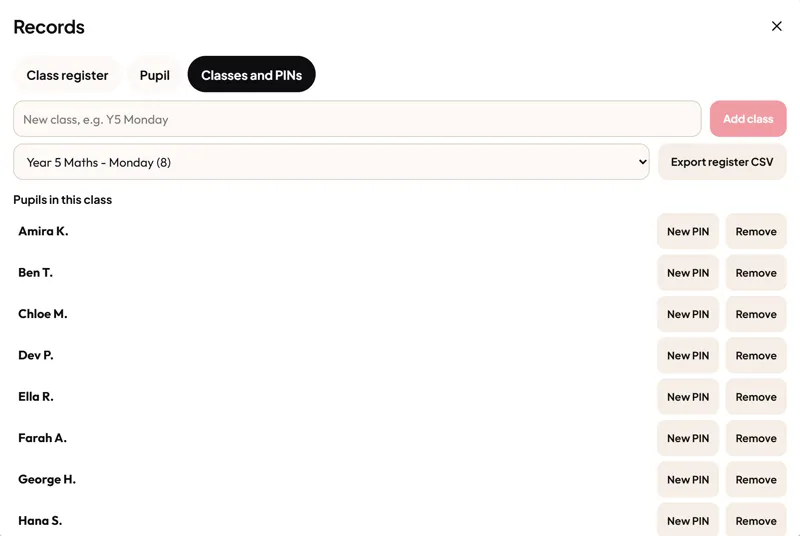
One click gives you the whole register as a CSV for your own records.
Jotoro keeps a record of every lesson automatically: who came, how long they stayed, how they did and how many stars they earned. It is a pupil progress tracker for tutors and centres who need real evidence for parents, without extra admin. See every feature.
When a parent asks how their child is getting on, the answer is already written down, lesson by lesson.
As soon as a lesson ends, Jotoro writes it up for each pupil.
When each pupil joined and left, how many minutes they stayed and whether they were late.
Results for every answer on every question, marked as they went, and into your mark book by themselves.
Stars for right answers and finishing, saved with the lesson.
Add a note to any pupil, and it sits beside the numbers.
Open any pupil and see how they have got on since the first lesson. Add a note of your own, so the story has the bits only you know.
Each assessment adds to the picture. Trends and comparisons come alongside assessments and marking.
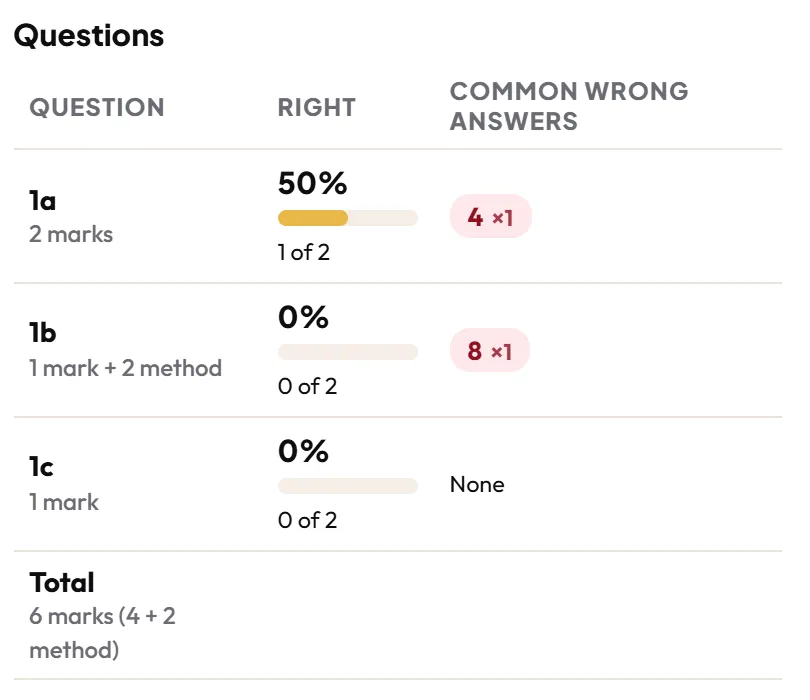

Every sitting adds a point to their line, so a slow dip shows up before it becomes a problem.
Did the revision help? Put two sittings side by side.
The most common wrong answers tell you what to go over next.
Pupils earn stars for right answers and for finishing, and a celebration pops up when a worksheet is complete. You can add any of 120 friendly praise stickers on top.
The stars land in each pupil’s record, so there is always something positive to share with a parent.
Teach a pupil on their own and their record builds up lesson by lesson, with no class to create first.
Add a class list when you want one. It is optional, and gives you a register you can name, reuse and export.
An agency workspace lets a manager see how pupils are doing across all their tutors. See Jotoro for online tutoring companies.
Look at registers, results and trends by tutor, by class or by pupil.
Download the progress as a CSV for reviews, renewals or reports.
Unless a manager allows more, each tutor sees only their own pupils, boards and records.
Each of your tutors has their own sign-in. Agency plans start at three teachers, and see also Jotoro for tuition centres.
A message to a parent, drafted for you. You have marked Zainab’s homework, so you press Message parent, choose a warm wording, and her first name and score are already in. Copy it, or open it in your mail app. Jotoro does not send it.
A read-only parent page, with the class link and PIN or email sign-in. See the parents page.
A homework status list, showing who has not started, who is in progress and who has handed in, whether pupils work at school or at home.
Homework that hands itself in. At five o’clock it closes, anyone who started is handed in for you, and the pupil sees their score straight away.
A marking queue. Before Tuesday’s class you open the Next lesson card, see the homework waiting, and step through the pupils one by one without going back to a list.
Coming soon Parent reports emailed by Jotoro, and lesson summaries.
Back to all Jotoro features, or see plans and prices.
Answers that mark themselves, and results you can read at a glance.
Plan once, teach again, and keep every lesson in the folder it belongs in.
How pupils’ information is handled, who owns it and how to remove it.
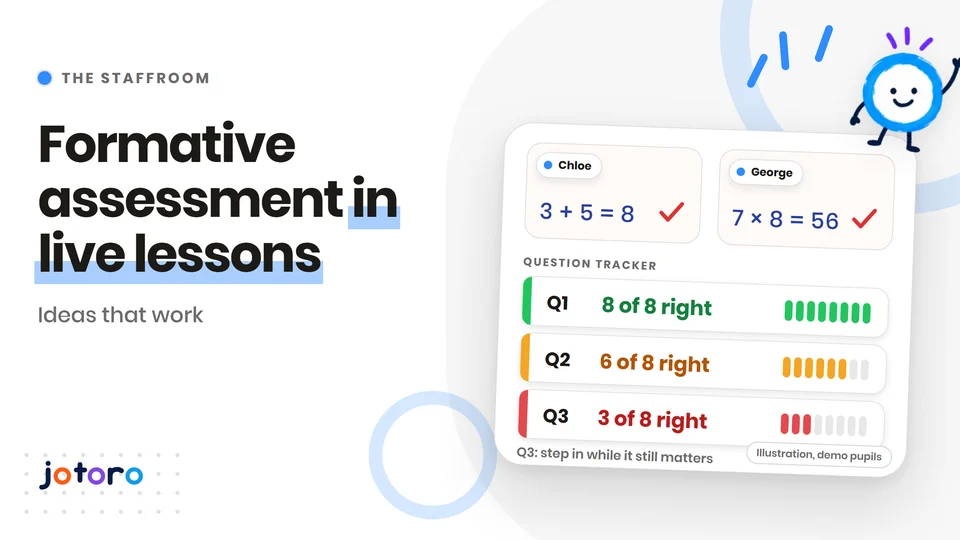 From the StaffroomFormative assessment ideas for live lessonsQuestioning, mini whiteboards, hinge questions, exit tickets and polls: how to check understanding while there is still time to change the lesson.Read the post
No. Records start from your very first lesson with no setup. Class lists are optional, and add a register you can name and reuse.
Yes. Export a class register as a CSV, a pupil’s results as a CSV, or download all the pupil work from a lesson as one ZIP with a PDF for each pupil.
The school or business that teaches the pupils. You can export or delete any child’s data in one step. Read about safety and privacy.
Yes, on Pro and above. A parent opens a read-only page for their own child with the class link and homework PIN, or signs in with their email. Parent reports emailed by Jotoro are on our roadmap. On marked homework you can draft a short message with the child’s first name and score, then copy it or open it in your own mail app. You can also share the record yourself as a CSV or a PDF.
Homework waiting to be marked sits on the Next lesson card, in lesson order. Open to mark takes you to the first pupil, and Previous and Next student step you through the rest, with a plain “2 of 7” so you know where you are.
Only with consent on file. If you have no consent for a pupil, they are never asked and only the board and your own voice are recorded.
Records, the class register, pupil timeline, CSV export and assessments are part of the paid plans. See plans and prices.
Register interest and we will tell you the day payments open. Pupils are always free, and there is a 14-day money-back guarantee on every paid plan.
Pupils join by link: no app to install, no sign-up for them. See plans and prices.