

Follow the steps
One link for each teacher or class
You get one class link and it is permanent. It never changes unless you reset it, so pupils never have to hunt for a new link before a lesson.
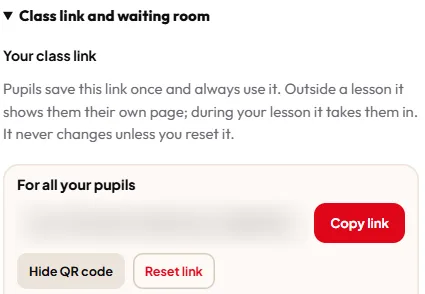
Outside a lesson, it shows the pupil their own page
When no lesson is running, a pupil who opens the link sees their own page. Nothing of anyone else’s work is there, and nothing is live.
During a lesson, it takes them in
While your board is open, the same link takes the pupil in. There is no start button to press. They type their name and PIN, and wait to be let in if you have the waiting room switched on.
Let pupils bookmark it
Pupils can save the link on any device, so the lesson is always one tap away. There is a QR code in the Class link and waiting room section if you would rather pupils scan it from the board. Show it or hide it with Hide QR code.
Reset it if it leaks
If the link reaches someone it should not, press Reset link and share the new one. Even before you reset, a stranger with the link sees no pupil names and gets nothing of your lesson.
More short videos
Make a class link for each class
Good to know
- Copy it once with Copy link, then put it where pupils will find it again, such as a class page.
- Step by step, with PINs and rejoining: how pupils join with the class link.
- Worried about who can get in? The waiting room decides who waits, and what pupils can see explains how little they receive.
- The same link works from home, school or anywhere else. Pupils do not need to be on your network.
Common questions
Is the class link permanent?
Yes. It never changes unless you reset it, so pupils can bookmark it and use it every lesson.
What does a pupil see if they open it outside a lesson?
They see their own page. During your lesson, the same link takes them in.
Is there a QR code?
Yes. A QR code sits in the Class link and waiting room section. You can show it or hide it.
What if the link leaks?
Press Reset link and share the new one. Until then, a stranger sees no pupil names and receives nothing of your lesson.
Related guides
How pupils join with the class linkPupil boardsWhat can pupils see on their board?Pupil boards How to see every pupil’s board and mark on itPupil boards
 How to get started with JotoroGetting started
Cannot find an answer?
Tell us what was missing and we will improve this guide.
Suggest an improvement