

Follow the steps
Spot the offline note
A very short blip shows nothing at all. If it lasts a little longer, a calm note appears at the bottom left of your board saying you are offline or reconnecting, and that your work is safe. If it goes on, a red bar tells you pupils cannot see your board until it reconnects.

Carry on teaching
Keep writing, marking and turning pages. The board you have open keeps working without the internet. Pupils carry on working on their own boards too, and any Eyes on me or Pens down you had on lifts by itself after a short while, so nobody is stuck.
Leave the page alone
Do not refresh, close the tab or reopen the lesson. There is nothing to fix.
Wait for the connection to return
When the Wi-Fi comes back, the note changes to “Back online. Everything is saved.” and your changes catch up.
Check the board
A quick look at the page is all you need. Your work should be where you left it.
Good to know
- Open the boards you need at school once while you have Wi-Fi. They stay on that computer and work without internet. Their cards say “Available offline”. Boards with a small cloud mark need Wi-Fi to open.
- If the Wi-Fi is often shaky in your room, ask whoever looks after it to check the access point near you.
- Tell pupils calmly: “We are carrying on. It will catch up.”
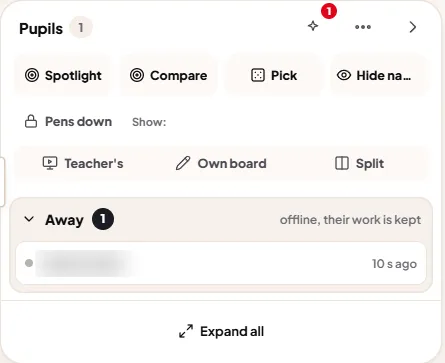
- Afterwards, pupils who dropped off may show in the Away group. See why a pupil tile disappeared.
- This works the same whether you teach from home, school or a tuition centre.
Common questions
Will I lose what I wrote if the Wi-Fi drops?
No. The board you have open keeps working without the internet, and your changes catch up when the connection returns.
How do I know I am offline?
A calm note appears at the bottom left of your board, saying you are offline or reconnecting. A very short blip shows nothing at all.
Should I refresh the page?
No. Leave it, and the note will clear on its own when the connection is back.
What does a pupil see if their Wi-Fi is weak?
A small orange note: “Your connection is weak. Your work is safe.” It clears by itself when the connection is better.
What about a pupil whose Wi-Fi drops?
When they rejoin, they get their own board back. While they are offline, their tile may sit in the Away group with their work kept. See pupil name and PIN login.
Related guides
 A pupil cannot join: what to checkTroubleshooting
 Why can my pupils not see a page?Troubleshooting
 Why did a pupil’s tile disappear?Troubleshooting
 How to get started with JotoroGetting started
Cannot find an answer?
Tell us what was missing and we will improve this guide.
Suggest an improvement