

Follow the steps
Open your worksheet
Put the worksheet on a board. It can be a PDF you have imported into your Library, or a page you have made. Make sure your own AI is connected, with Edit switched on in What RobAIn may do.
Ask your AI to read it
In your own AI, ask in plain words, such as “Read my fractions worksheet and put the answers on the board.” Your AI reads the page and finds each question.
Watch the boxes appear
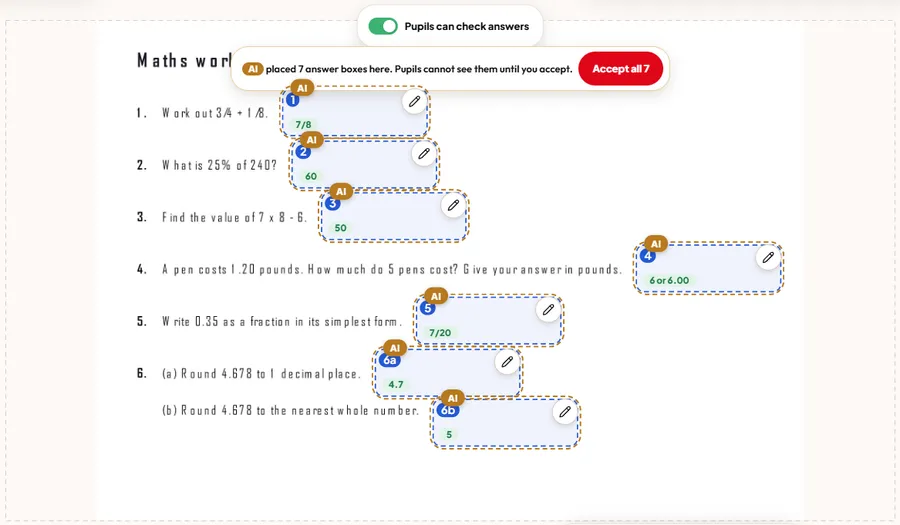
Answer boxes appear next to each question, each with the correct answer under it. They are labelled AI and sit as pending, with a dashed outline. Pupils cannot see them.
Check them and accept
Go down the page and check each answer, as you would an answer key. Delete any that are wrong (select the box and press Delete), then press Accept all for the page, or Accept whole board when boxes sit on other pages too. See how to accept or reject what the AI suggests.
Good to know
- The AI places the boxes. You still decide the answers. It never marks without you, and marking stays in Jotoro.
- Short, clear questions work best. Where a question has two correct forms, such as 6 and 6.00, check the box allows both.
- If you would rather place boxes yourself, see answer boxes and marking. Both ways end up as the same answer boxes for pupils.
- There is also a switch for letting pupils check their own answers before they hand in. Turn it on once the boxes are accepted.
Common questions
Will the AI put boxes on any worksheet?
It reads the page you have on the board and suggests a box for each question it finds. Always check each box before you accept it.
Can pupils see the boxes while they are pending?
No. Pending boxes are hidden from pupils until you accept them.
Is it free?
Jotoro adds no AI charge, so you bring the AI you already use. RobAIn is on every paid plan (in lessons), and RobAIn Pro is on the Pro plan and above (before, during and after lessons). See plans and prices.
Related guides
How to connect your own AIAI assistant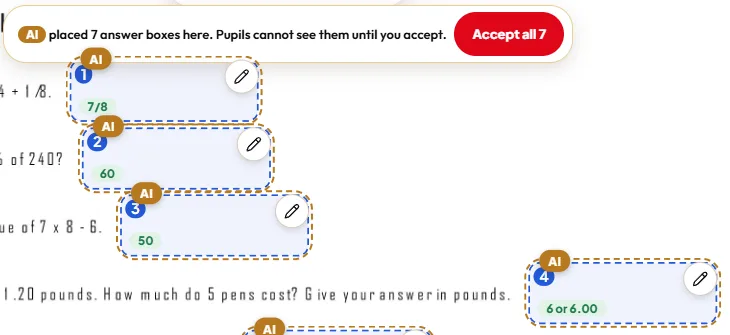 How to accept or reject what the AI suggestsAI assistantWhat the AI can and cannot do in JotoroAI assistant
 How to get started with JotoroGetting started
Cannot find an answer?
Tell us what was missing and we will improve this guide.
Suggest an improvement