

Follow the steps
Open Manipulatives
Tap Maths, then Manipulatives. Every manipulative is there. In a hurry, open Quick find, type dienes, clock or coins and press Enter. The tool lands in the middle of the page.
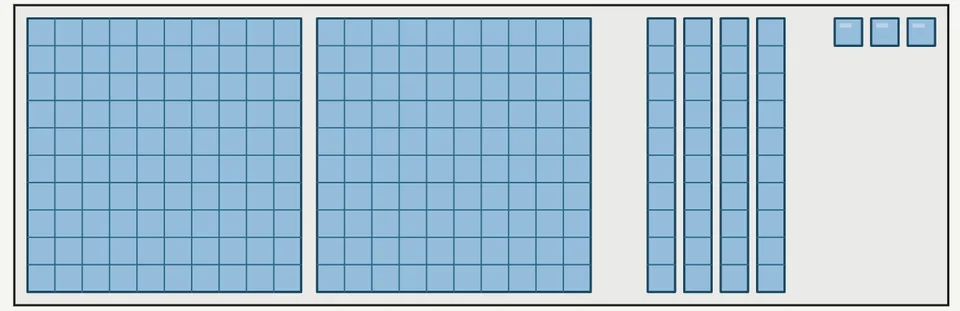
Break and regroup Dienes blocks
Select a hundred and press Break into 10 to split it into ten tens. Select ten tens and press Make 1 hundred to put them back. A short message on the board says what just happened, so pupils can read it as well as see it.
Show place value with counters
The place value mat takes counters, and it works with decimals too. Pupils can see why ten ones become one ten before they ever write the digits.
Compare fractions
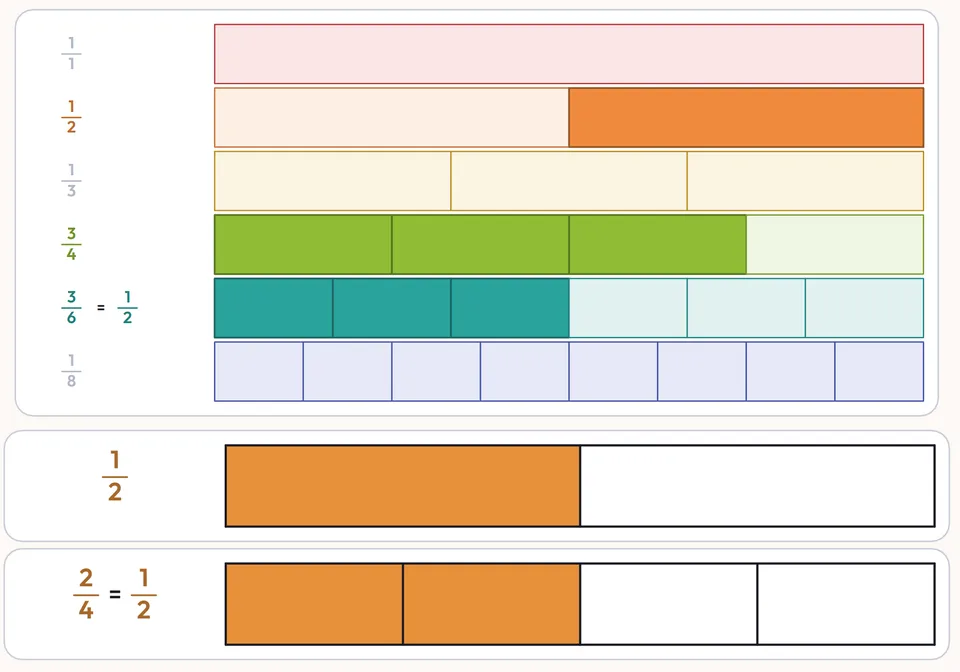
The fraction wall lines up bars from a whole down to twelfths, so you can show at a glance that three sixths and one half are the same amount. There are fraction bars and circles as well, with equivalence shown beside them.
Set the clock
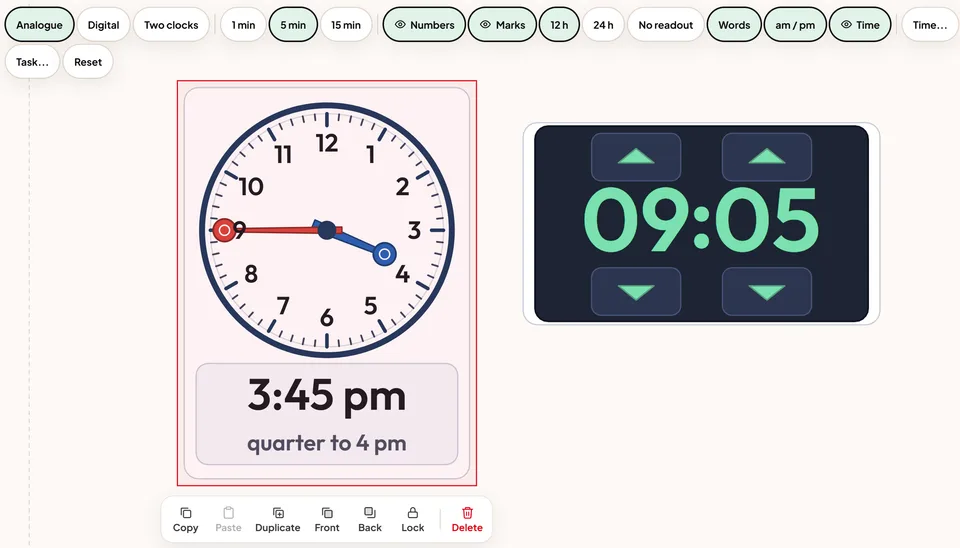
Pick Analogue, Digital or Two clocks. Move the minute hand and the hour hand follows, just like the real thing. Choose steps of 1, 5 or 15 minutes, 12 or 24 hours, and turn the words on to show “quarter to 4”.
Count coins and notes
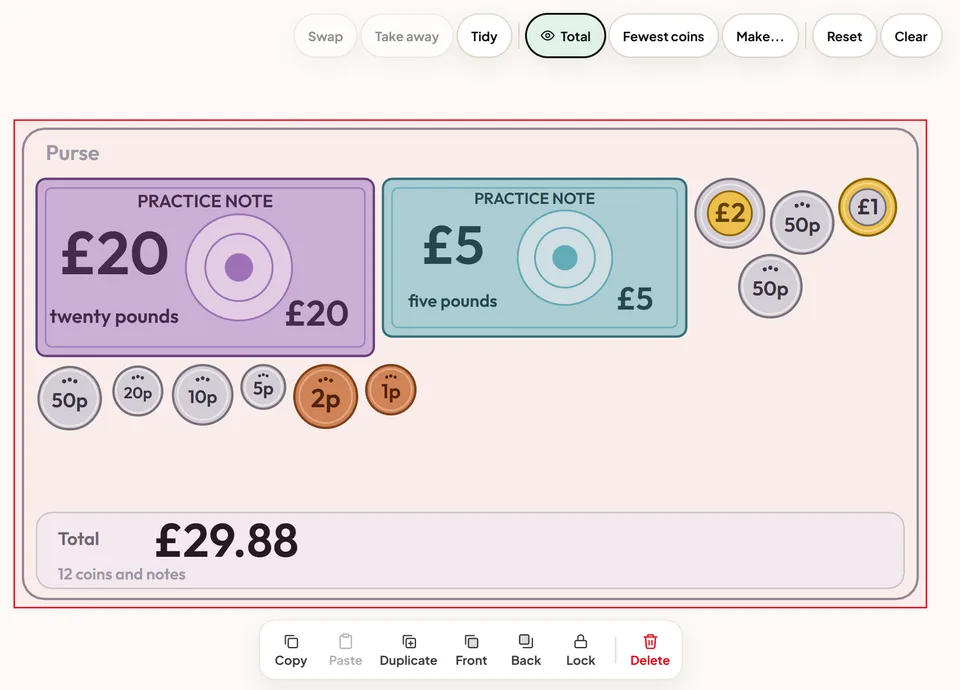
Drag UK coins and notes into the purse. Press Total to show or hide the amount, Fewest coins to show the tidiest way to make it, and Tidy to line them up. Exchanging a note for coins works too. The notes are marked as practice notes.
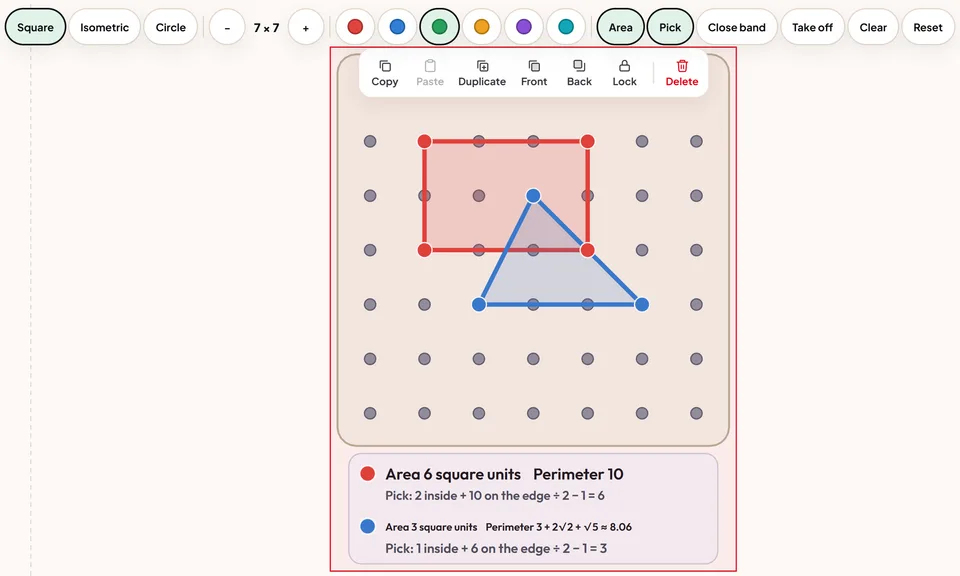
Explore area and perimeter on the geoboard
Choose a Square, Isometric or Circle pin board and stretch a band around the pins. With Area switched on, the board gives the exact area and perimeter of every shape you make.
Send it ready to use
Set a manipulative up the way you want it, then send it to your pupils so each one starts with it already in place. They can then move things on their own board while you watch. Starting a live lesson shows how pages reach pupils.
Good to know
- There is more on the tray than the tools above: number lines with jumps and zoom, ten-frames, algebra tiles with zero pairs, a 100 square, an area model, and fair dice and spinners where everyone sees the same roll. The money tools include games such as How many ways?.
- Teaching with one set of tools all lesson? Use the small lock on a kit in the tray to keep that set in your favourites bar, and choose Pupils get this kit too to give pupils the same set.
- Use them in the order a child learns: handle the blocks, then draw the picture, then write the sum. It is the concrete, pictorial, abstract way, without a cupboard of equipment.
- You can still write on the board with your pen as usual. Circle a group, draw an arrow, or write the number sentence beside the blocks.
- Drawing a bar model next? How to draw a bar model picks up where the fraction wall leaves off.
Common questions
Do I need to buy any equipment?
No. The blocks, clocks, coins and the rest are on the board, ready when you are. There is nothing to carry, count or tidy away at the end of the lesson.
Can pupils move the blocks on their own boards?
Yes. Any of the manipulatives can be sent to pupils as a ready-made starting state, and each pupil then works on their own copy.
Is everyone shown the same roll on the dice?
Yes. With fair dice and spinners, the whole class sees the same roll, so you can talk about it together.
Are the coins and notes real UK money?
They are UK coins and notes in pounds and pence. The notes say “practice note”, so nobody mistakes them for the real thing.
Can I use them on a primary and a secondary board?
Yes. The manipulatives are not tied to a year group. Use the ones that suit the lesson.
Related guides
 How to draw a bar modelTeaching tools: Maths
 How to use the ruler, protractor, compass and set squaresTeaching tools: MathsHow to draw a maths graphTeaching tools: Maths
 How to get started with JotoroGetting started
Cannot find an answer?
Tell us what was missing and we will improve this guide.
Suggest an improvement