
Every pupil marks up their own copy. You see them all.
An online whiteboard for English lessons where you see every pupil’s annotations as they write, then spotlight the one worth sharing with the class.
 AmiraDoneSpotlight
A Tale of Two Cities · Dickens
It was the best of times, it was the worst of times, it was the age of wisdom, it was the age of foolishness.
opposites!
 BenWorkingSpotlight
A Tale of Two Cities · Dickens
It was the best of times, it was the worst of times, it was the age of wisdom, it was the age of foolishness.
a contrast
 ChloeDoneSpotlight
A Tale of Two Cities · Dickens
It was the best of times, it was the worst of times, it was the age of wisdom, it was the age of foolishness.
it repeats. why?
 DevHand upSpotlight
A Tale of Two Cities · Dickens
It was the best of times, it was the worst of times, it was the age of wisdom, it was the age of foolishness.
what is the age?
Extract from A Tale of Two Cities by Charles Dickens, in the public domain. Select a copy to spotlight it.
In short
In Jotoro every pupil annotates their own copy of the same text while you watch, then you spotlight the reading worth discussing. It also has phonics, spelling, sentence and punctuation tools for English lessons. See every subject.
- Annotation and mark-the-word on any text or PDF page
- Spelling tests read aloud by your device
- Writing boxes with a checklist, a timer and read-aloud
Everyone reads and everyone marks. You see every pupil’s copy.
Every pupil marks their own copy of the text, and you see them all.
Dev underlines the image. Farah circles the clue. You see both before you have asked a single question, and you know who to ask.
- Highlight, underline, circle or add a note.
- Every pupil’s marks stay on their own copy.
- You watch them appear, then choose what to share.
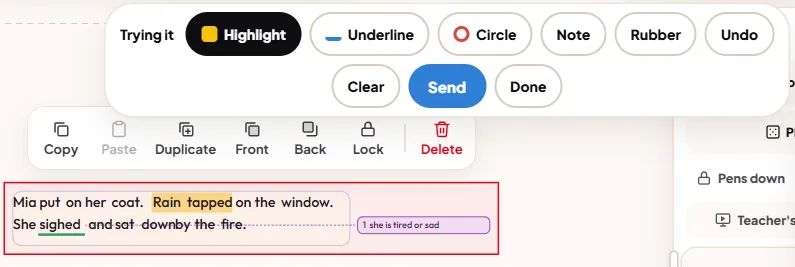
Mark the word and the margin, on any text.
Comprehension annotation puts the questions beside the text, with answer boxes, margin notes and a colour for each question, so evidence for question 2 stays with question 2.
For mark-the-word, you choose the right word or phrase. Pupils highlight, underline or circle, their marks snap to whole words, and Jotoro checks the words they marked.
- Use your own text: type it in, use a PDF page or a scan.
- Compare two pupils’ copies side by side.
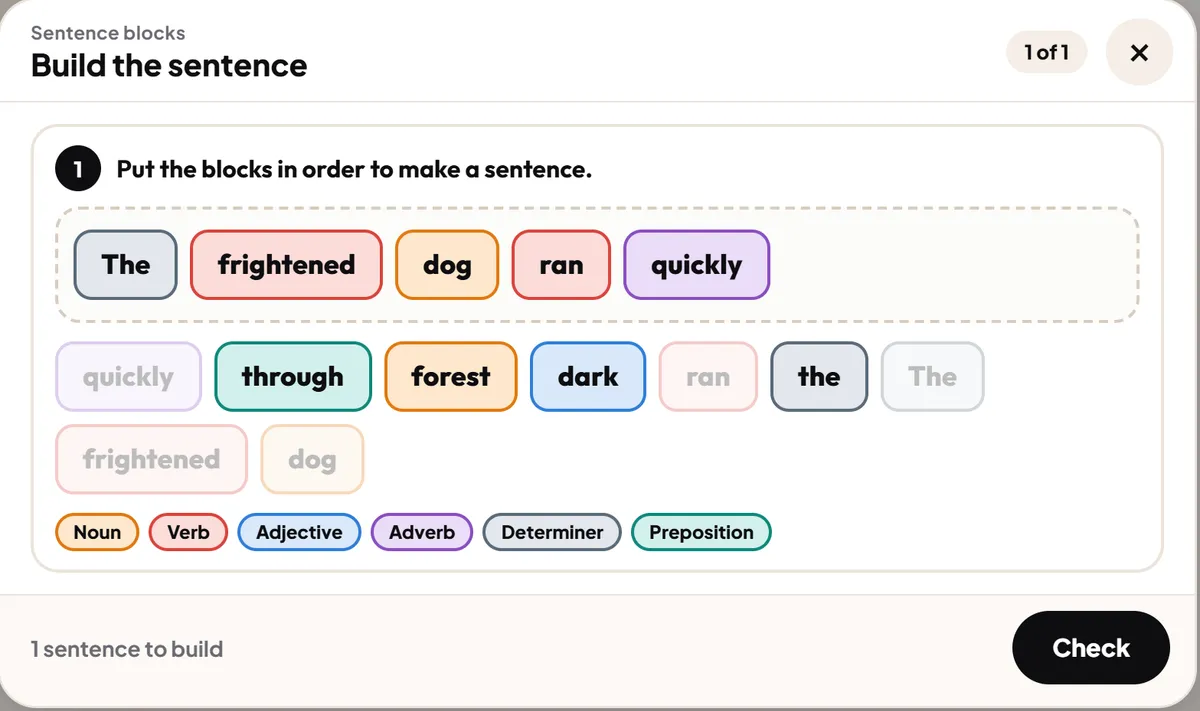
Grammar you can move. Drag the words into place.
Blocks are coloured by word class, so a noun looks different from a verb, and pupils drag them into a sentence that works.
- Build a sentence from scratch.
- Expand one with an adjective or an adverb.
- Combine two short sentences.
- Change one so it means something else.
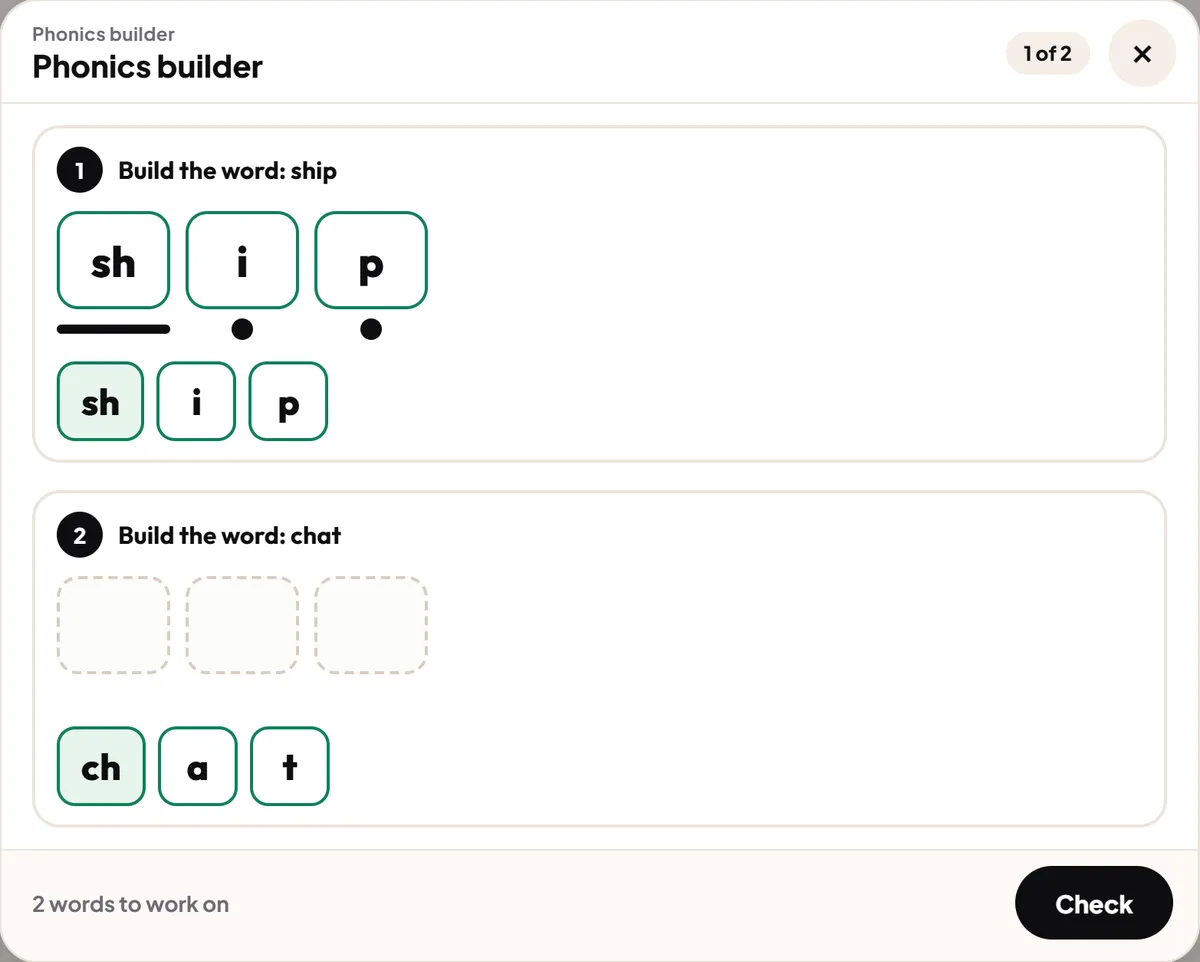
Build the word, then spell it. From first sounds to tricky words.
A phonics builder for the youngest pupils, and spelling tests, word searches and crosswords for everyone else. They mark themselves, and you see the class’s most-misspelt words.
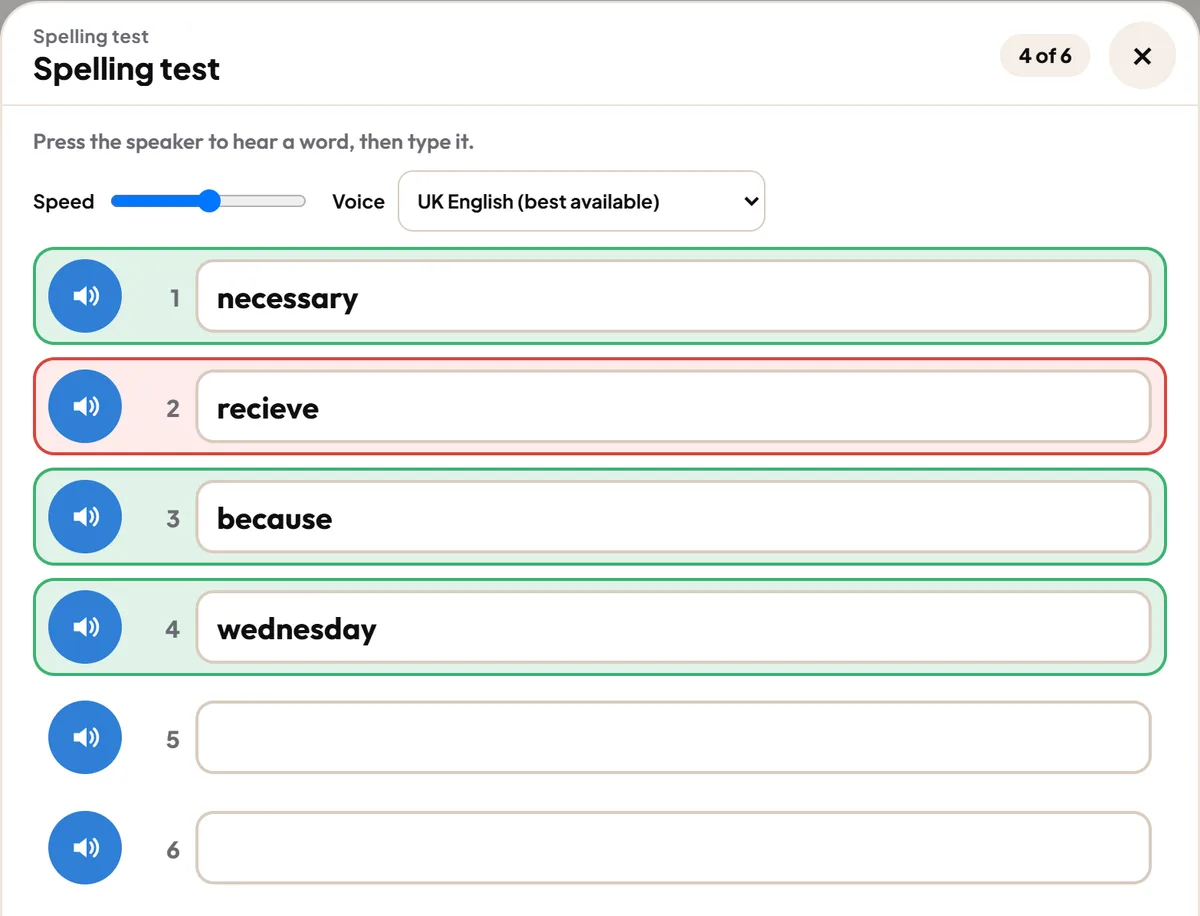
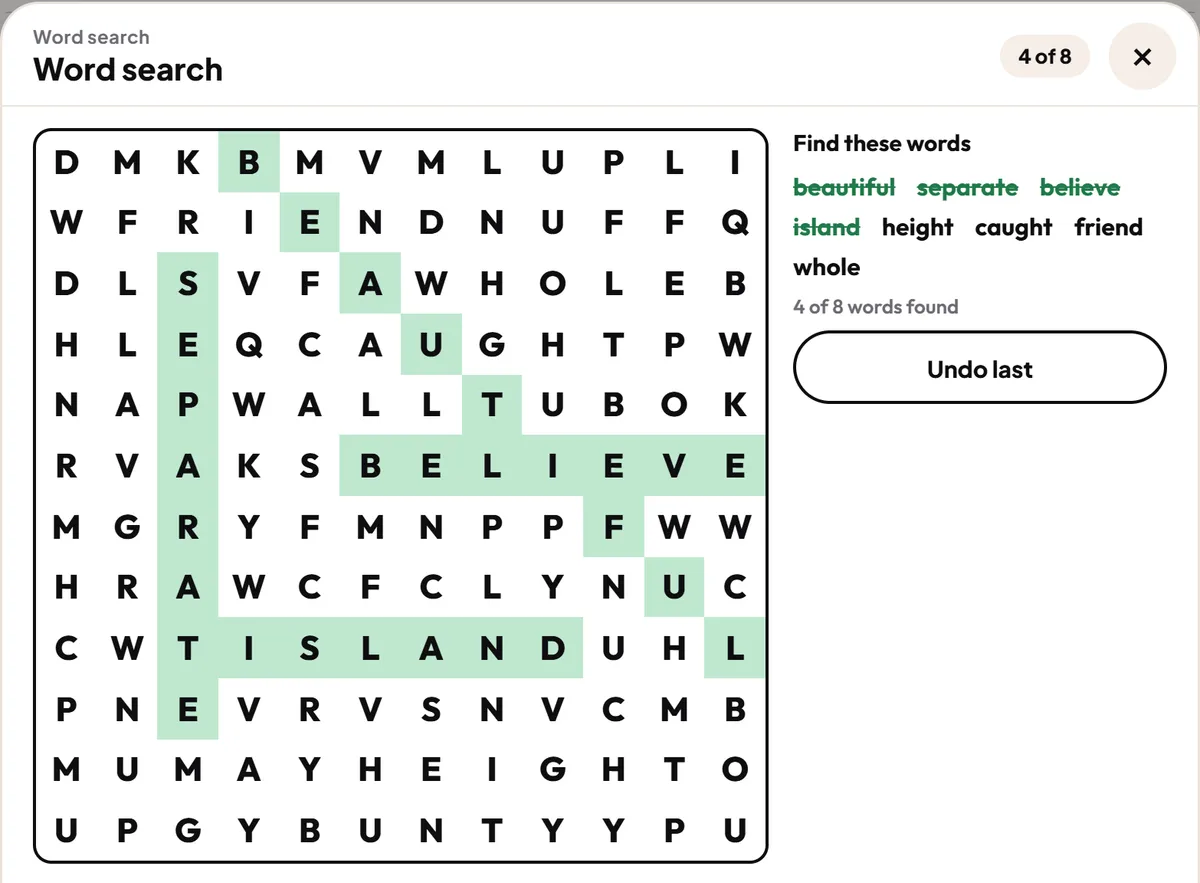
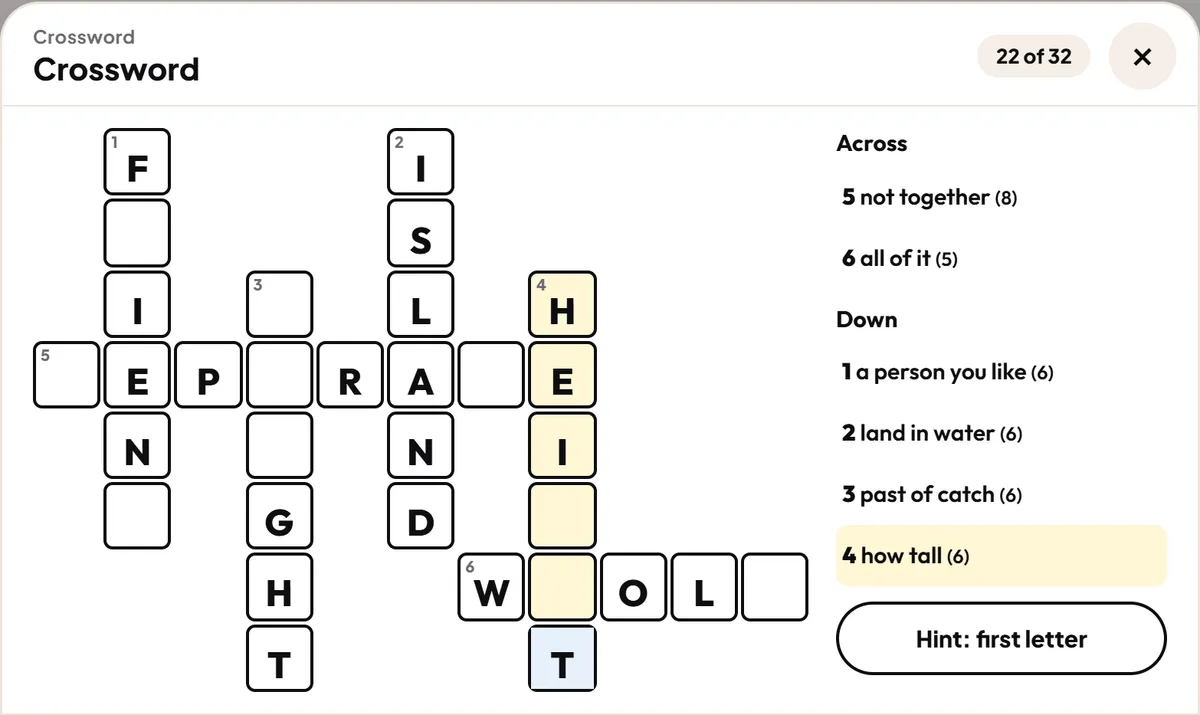
- Spelling tests read aloud by your device, so the words never reach pupils’ screens.
- Look, cover, write, check, and a class list of the most-misspelt words.
Put the punctuation back. One tile at a time.
You type the correct sentences once. Pupils get the words with the punctuation taken off, and drag tiles into the gaps.
- Full stops, commas, question and exclamation marks.
- Speech marks for direct speech.
- Capital letters, switched on or off.
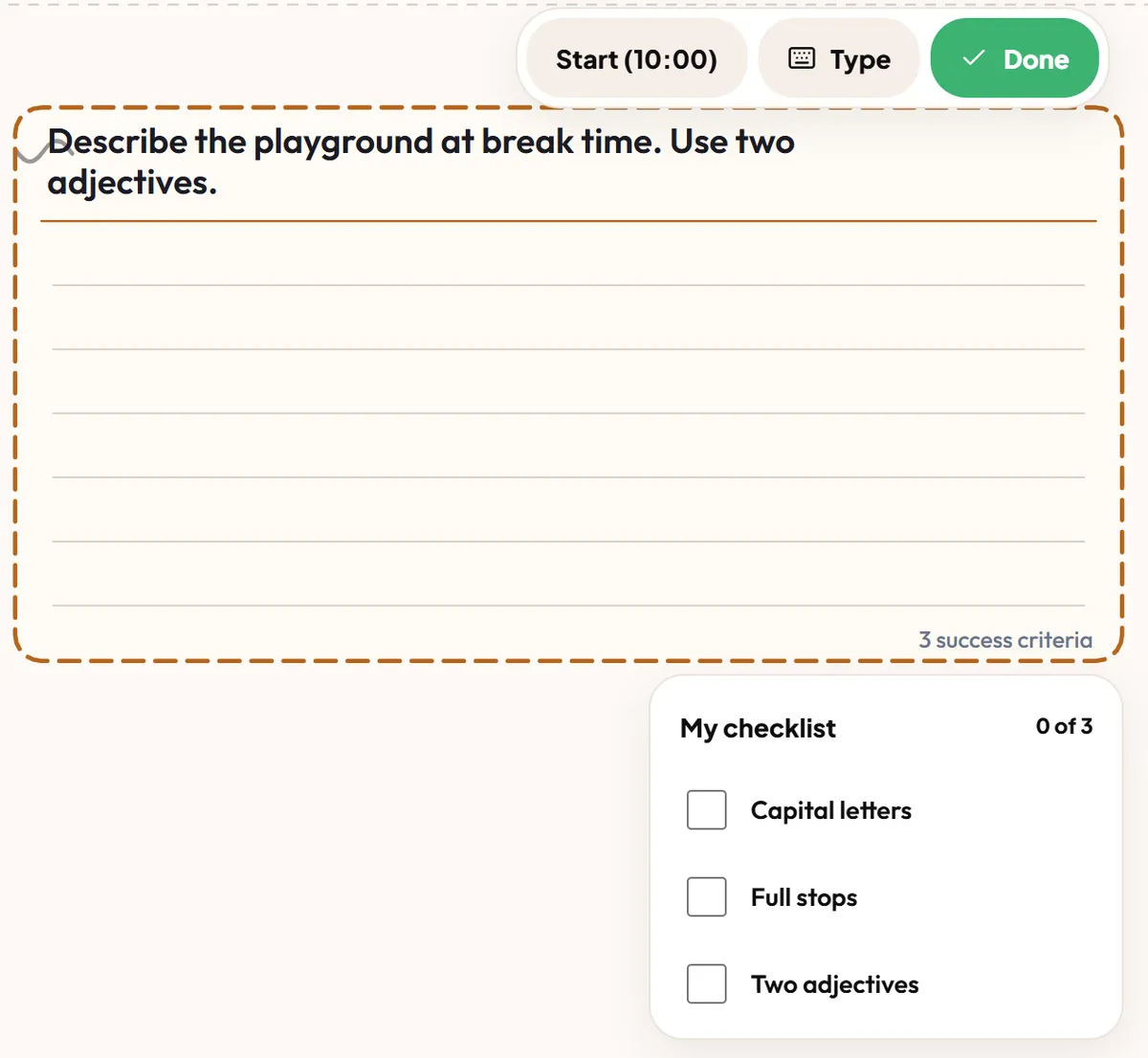
Pupils write and you respond fast, without rewriting the same comment.
A writing box gives pupils a task, a timer and a checklist. They write with a pen or a finger, or type, and can have it read aloud.
You give feedback with quick notes and marking stamps, so the same comment takes a tap, not a paragraph.
Share one pupil’s work with the class and talk about it.
Spotlight a pupil’s paragraph and every pupil sees it on their own screen, while you keep marking on it.
Record the spotlight with your voice, and you have a model of what good looks like to use again.
Picture-based phonics and grammar parsing are not included, and Jotoro does not mark essays: you read longer writing and mark it yourself.
Questions English teachers ask.
Does it work for primary phonics?
Yes. The phonics builder has grapheme tiles (sh, ch, ai, igh and more) and one box per sound, so pupils split a word into sounds or build one from tiles. Picture-based phonics is not included.
Can pupils type or write?
Both. Pupils can write with a pen or a finger, or type in a writing box, and have it read aloud.
Who hears the spelling words?
Your device, by default. You press Next or Repeat and the class hears each word through your speakers or on your call. Pupils only see the word number, so the words never reach their screens.
Does it mark essays?
No. Short answers and tools mark themselves, but longer writing you read and mark yourself, with stamps and notes.
Can I use my own text?
Yes. Type it in, put a PDF page on the board, or use a scan. Jotoro can read the words from a scan, so pupils can still mark them word by word.
Does Jotoro work for languages other than English?
It is a board you can write and type on, so you can use it for any language you can write or type. Ready-made tools such as sentence blocks use English word classes today. We are still learning what other language teachers need, so register interest and tell us. There are ideas in teaching languages online.
Does it work for GCSE texts?
Yes, with your own PDFs. Put the extract on the board and every pupil marks up their own copy while you watch.
English is just the start; the board suits every lesson.
Back to all subjects, see plans and prices or register interest.
Jotoro for humanities
Sources, maps and timelines.
Jotoro for maths
Blocks, bar models, graphs and a calculator.
Every teaching tool
The whole tray, for every subject.
Jotoro for tutors
One tutor, a few pupils, a lot of preparation saved.
 From the StaffroomEnglish teaching strategies that work in any lessonSentence work, phonics, close reading, spelling and live feedback on writing: five plain strategies, and how to run them quickly.Read the post
Bring a lesson you already teach, and see it on your own board.
Register interest and we will tell you the day payments open. Pupils are always free, and there is a 14-day money-back guarantee on every paid plan.
Pupils join by link: no app to install, no sign-up for them. See plans and prices.
