
Every classroom, every subject.
An online whiteboard for schools: one board for every lesson. Teachers teach, pupils join with a class link, and your IT and leadership teams get the answers they need.

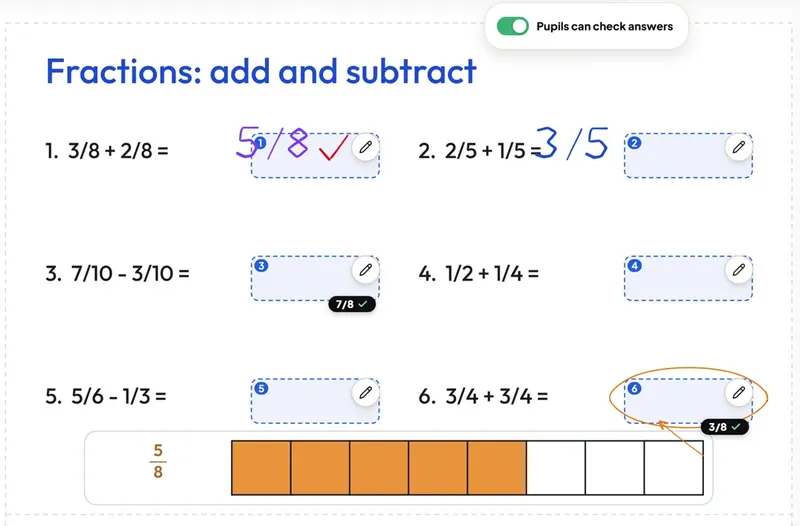
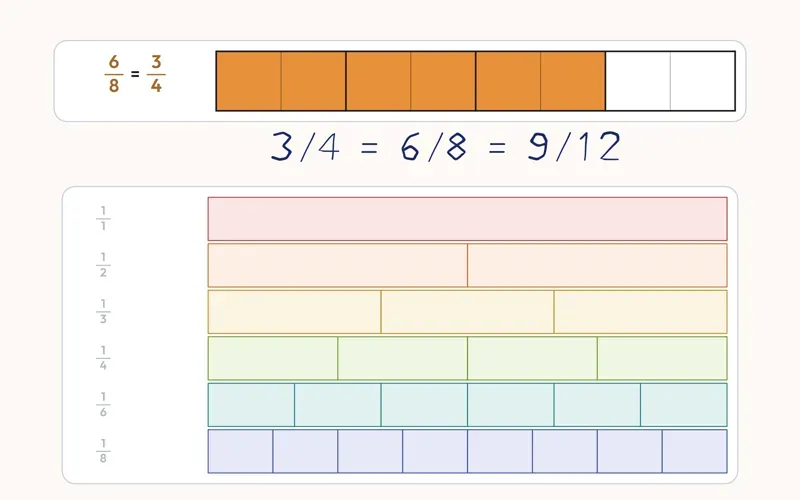
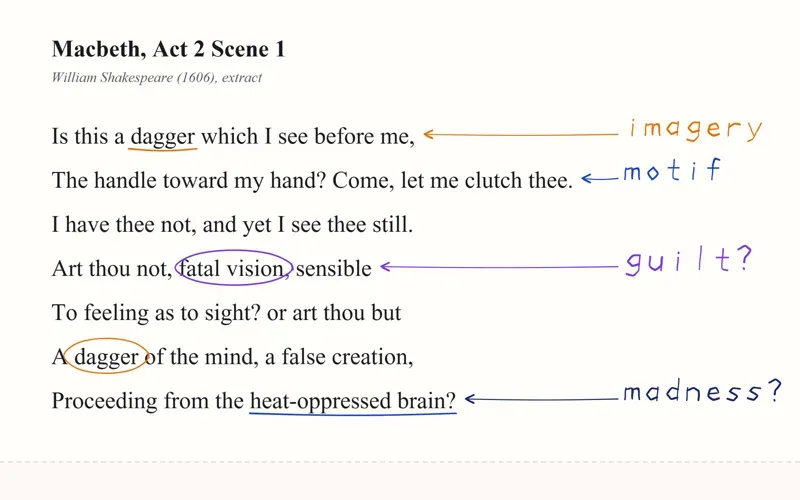
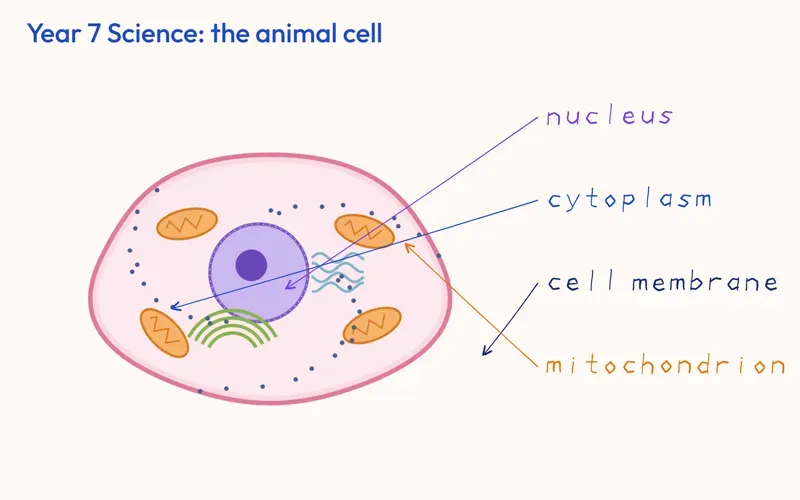
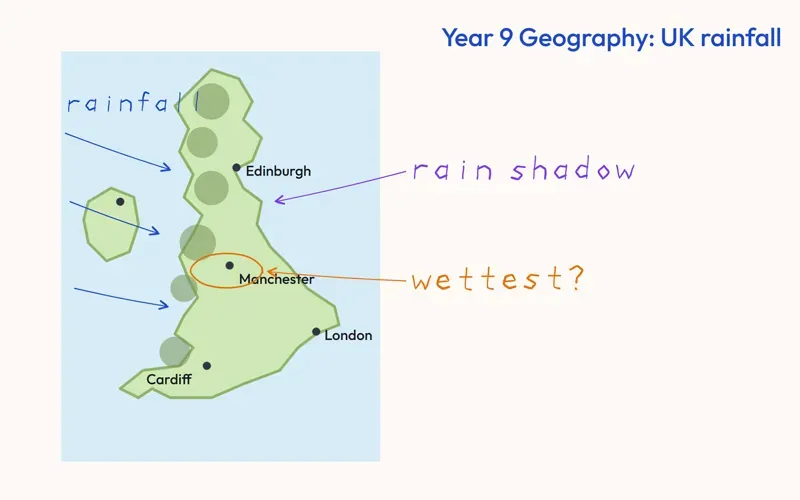
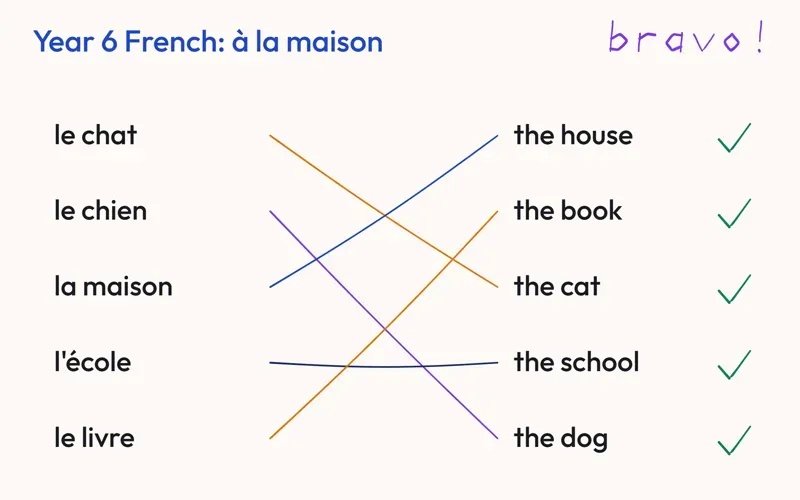
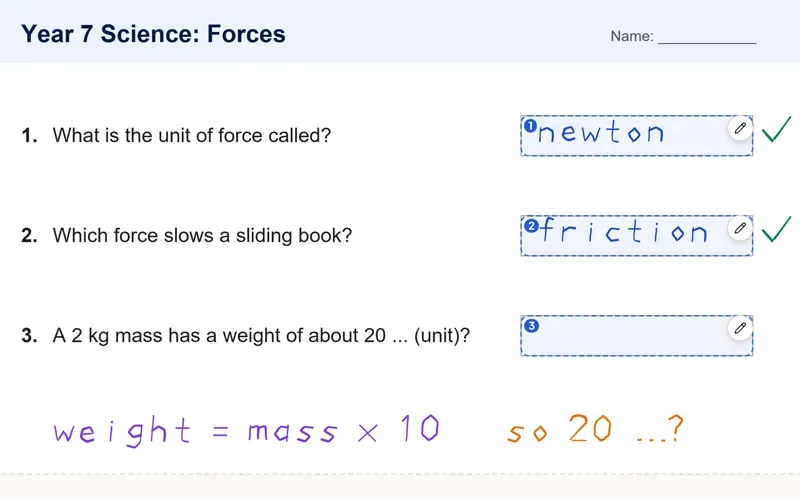
Pick a subject to see the same board teach it.
In short
Jotoro gives teachers a live board where each pupil writes on their own copy, in any subject. The school owns its data, with export and delete controls, and teachers stay in control of AI. It is for schools and trusts, and we suggest starting with a pilot with a few teachers. See plans and prices.
- Any subject, any age
- No pupil accounts, a data agreement on request
- Start with a pilot, teachers first
See every pupil’s board at once. Spot who is stuck at a glance.
Each pupil writes on their own board and the teacher sees every one at a glance: who is on task, who has stopped, and who went wrong at step two.
Then the teacher can jump onto any pupil’s board, add a tick or a hint, and carry on teaching.
Every pupil gets their own board. Room to try, fix and try again.
Each pupil gets their own copy of the lesson, kept for them, so a new tablet or a restart never loses their work.
Their own copy
Every pupil writes on their own board, not on a shared one.
Room to get it wrong
A private space to try, rub out and try again before anyone sees.
Stars for effort
A teacher can award a star in a tap, to celebrate a good try.
Names hidden
The teacher can hide pupils’ names on the screen when the class is looking.
The same board in every department. One tool for every subject.
Teachers across the school learn one board, and each subject gets the tools it needs. Here are four of them.
Maths
Bar models, a fraction wall, clocks and a protractor, all on the board.
See MathsEnglish
Pen on any text, with spelling tests, crosswords and word searches.
See EnglishScience
Label diagrams, draw graphs and talk through an experiment.
See ScienceHumanities
Pen on sources, maps and pictures, sort cards and video clips on the board.
See HumanitiesThere is nothing to install, and pupils do not sign up for anything.
Jotoro runs in the browser on any device the school already has.
- Browser only: no software to roll out to pupils’ devices.
- The teacher’s app keeps working through Wi-Fi drops, and catches up when the connection is back.
- Pupils join with the teacher’s class link and their own name and PIN. There are no pupil accounts to create or reset.
Pupils can join from home or anywhere else, with no shared network needed.
Built for children from the start. The teacher decides who is in the room.
- A waiting room: anyone unexpected sees nothing of the lesson until the teacher lets them in.
- A class link the teacher can reset in a tap if it ever leaks.
- Pupil names can be hidden on the screen.
- Pages and answers the teacher hides never reach pupils.
- A pupil’s voice is only recorded with consent.
Jotoro notices learning. It doesn’t watch children.
Less data, more control. The school decides what is kept.
We collect as little as we can, and put the controls in the school’s hands.
Minimal data
A pupil’s first name and the first letter of their surname.
The school owns it
The data belongs to the school, not to us.
Export or delete
Export or delete any child’s data in one step.
Retention settings
Choose how long registers and records are kept.
Jotoro has had a security review, and we review it again regularly.
- Where data is stored: database in London, UK; files and recordings in Cloudflare’s Western Europe location.
- Our privacy notice explains how we handle personal data.
The teacher stays in charge, and AI is there only if you choose it.
Jotoro works with the AI you already use. It is off unless a teacher connects one, and marking itself always stays in Jotoro. RobAIn is a sidekick in the lesson, and RobAIn Pro sets things up around it, before the lesson, and shows you every change first.
Off by default
Nothing is connected unless a teacher connects it.
Clearly labelled
Every suggestion is marked “AI”.
Hidden until accepted
Pupils see nothing until the teacher accepts it.
Switch it off any time
A teacher can switch it off at any moment.
Prices for schools. Start small and grow when it works.
Pupils never pay.
School prices
Primary licences are £495, £895 or £1,595 a year and secondary licences run from £695 for a department to £3,495 for up to 100 teachers, by invoice or purchase order. For bigger schools or a trust we quote. See school prices, book a demo or email hello@jotoro.co.uk.
School-wide reporting
Each teacher already has registers, results and a timeline for every pupil. A school-wide admin area is available now, and school-wide reporting is coming.
What pupils said after their first week.

I liked this one more than the previous (Whiteboard.fi).

Yes, I actually really like it. Yeah, it’s a lot of fun… It’s definitely warmer, I think, than the old one.

Yeah, I like this scribble feature.
Start with a few teachers. Then a department, then the whole school.
We suggest starting with a few teachers who want to try it, so the school sees it working in real lessons before anyone is asked to change.
A few teachers
Each teacher can register interest, then try it on a real worksheet.
A department
Share lessons and see what works for pupils.
The wider school
Talk to us about a quote when you are ready.
Questions schools ask.
What about UK GDPR and children’s data?
We built Jotoro to help schools meet their UK GDPR duties: minimal data, school-owned data, and export and delete controls. Our privacy notice is at jotoro.co.uk/privacy and details are on the Security page.
Where is our data stored?
Lesson records are held on Cloudflare’s network, with a copy in our database in London, UK. Files, recordings and backups are stored in Cloudflare’s Western Europe location. Email us if you need more detail for your school.
Do pupils need accounts?
No. Pupils join with their teacher’s class link and type their own first name and PIN. There is no email address and no password for a child to forget.
Can we have a data processing agreement?
Yes. Schools can ask for one. The school decides what is done with pupils’ data, and Jotoro handles it on the school’s behalf. See the trust centre.
Do teachers share a login?
No. Each teacher has their own seat, with one live lesson at a time and up to 3 devices in that lesson. This stops licence sharing.
Does it need installing?
No. Jotoro runs in the browser on any device, so there is nothing for your IT team to install on pupils’ devices.
How much does it cost for a school?
Primary licences are £495, £895 or £1,595 a year and secondary licences run from £695 for a department to £3,495 for up to 100 teachers, by invoice or purchase order. For bigger schools or a trust we quote. See school prices, book a demo or email hello@jotoro.co.uk.
Is parent access included?
Parent access is part of Pro and above, and every school teacher account gets the Pro features. Parents never pay.
Is there a school-wide admin area?
A school licence uses the same agency workspace, which is available now: a manager can run a team of teachers from one place, with an owner, managers, teachers and a read-only admin, and each teacher has their own sign-in. School-wide reporting is coming soon.
More about Jotoro. For tutors, tuition centres and pricing.
Back to the Jotoro homepage, see plans and prices or register interest. Teaching a class? See Jotoro for teachers. Choosing a platform? Read about virtual classroom software for teachers.
Teaching on your own?
What a single teacher gets on the board.
Running a centre?
The same lesson in every room of a centre.
Safe by design
Answers for safeguarding and data leads.
Plans and prices
Individual and tuition centre prices, and how school quotes work.
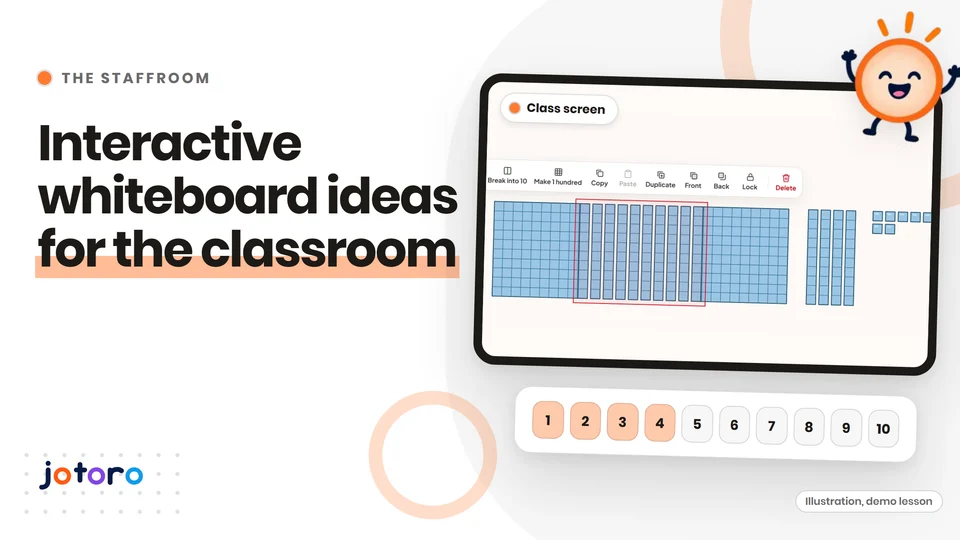 From the StaffroomInteractive whiteboard ideas for the classroomIdeas for a live lesson with thirty children in front of you: manipulatives, ten questions on one board, worksheets, quick checks and replays.Read the post
Made by teachersCreated with the Singapore Maths Academy team: decades of teaching experience and more than ten years of teaching and training online, to save staff time while keeping (and raising) the quality of teaching and learning. Why we built it
Bring a lesson you already teach, and see it on your own board.
Register interest and we will tell you the day payments open. Pupils are always free, and there is a 14-day money-back guarantee on every paid plan. Running a school, tuition centre or tutoring company? Book a demo and we will build it around how your teachers teach.
Book a demo is for schools, tuition centres and tutoring companies. Pupils join by link: no app to install, no sign-up for them.
