

 Video coming
Follow the steps
Export your lessons from Whiteboard.fi
Run the one-off export snippet on your Whiteboard.fi dashboard. It only reads your lessons. It saves one file called whiteboardfi-library.json.
1 Exportwhiteboardfi-library.json2 ChooseImport from Whiteboard.fi✓ Fractions✓ Place value☐ Time3 DoneLibraryGroup: FractionsGroup: Place valueOpen the Library
Open Settings from your account menu (your initial, top right) and choose Import from Whiteboard.fi.
Pick your file and tick your lessons
Choose the file you saved. Then tick the lessons you want: all of them, or by folder.
Press Import
Jotoro fetches each lesson and its pictures. A progress bar shows how far it has got. When it finishes, a report lists any lesson that did not come across.
Look through your first lesson
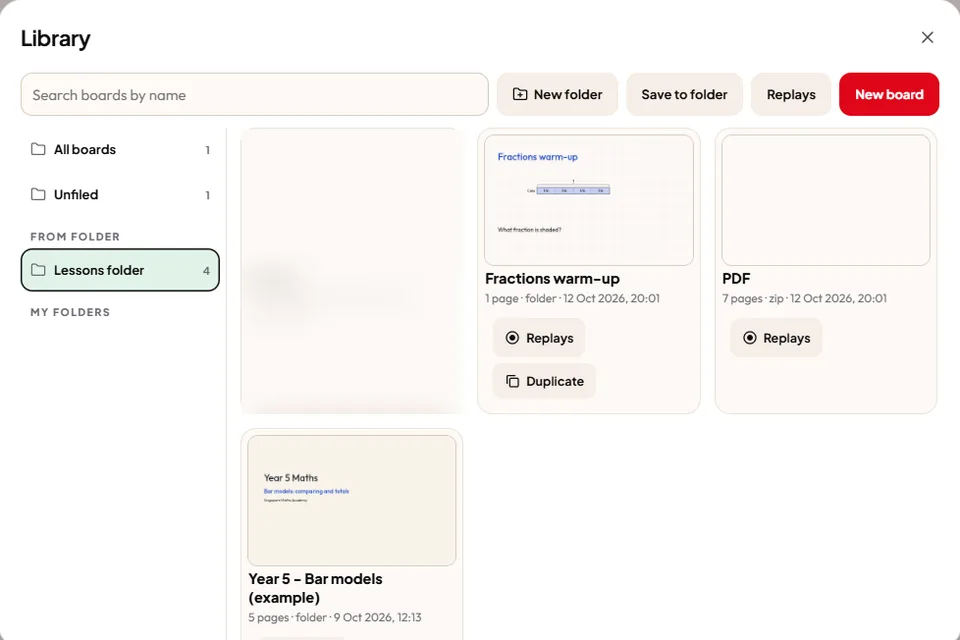
Pages stay in order, and hidden pages stay hidden. Pictures keep their place, and text and pen strokes come across. Your lesson names are kept, and your Whiteboard.fi folders become groups in the Library.
Run it again if you need to
A lesson you have already brought across is skipped, unless you ask to import it again. If an import stops half way, run it again and it carries on from where it stopped.
Good to know
- Start with a few lessons, check them, then bring the rest.
- Pictures are only fetched from Whiteboard.fi’s own storage.
- Nothing is ever written to your Whiteboard.fi account, so your old lessons stay exactly where they are.
Common questions
Does this change anything in Whiteboard.fi?
No. The export only reads, and Jotoro never writes anything back.
What if one lesson fails?
The failure report at the end tells you which one. Run the import again and it carries on where it stopped.
Will I get duplicates?
No. A lesson you have already imported is skipped, unless you ask to import it again.
Related guides
How to import a PDFLibraryHow to organise your Library into foldersLibraryHow to export a lesson as a PDFLibrary How to get started with JotoroGetting started
Cannot find an answer?
Tell us what was missing and we will improve this guide.
Suggest an improvement