
Marks that add up
You give the long-division question three marks. Ben gets two steps right, you tap the pill twice, and his total updates by itself. One tap gives full marks.

Don’t wait until the end of the lesson. Pupils check as they go, you mark in red, and the whole class lands on one grid.
 Check my answer
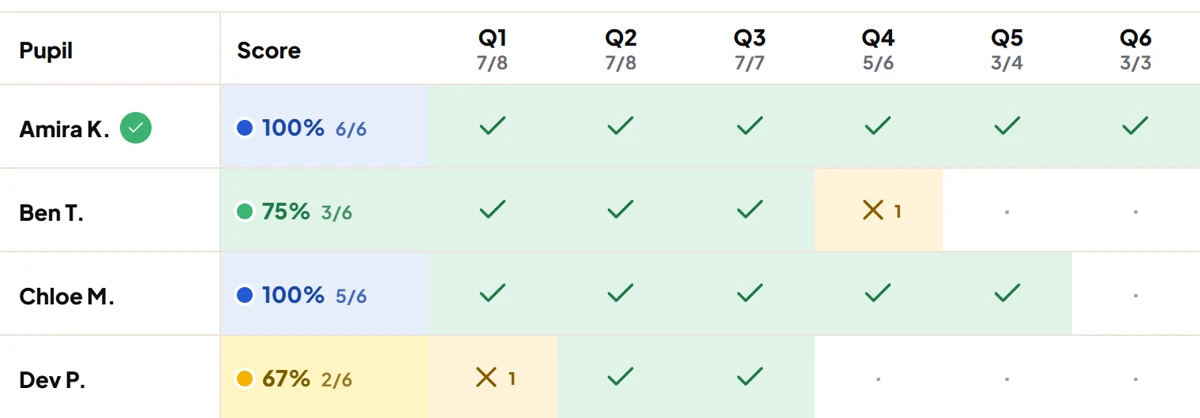
Jotoro marks answers as pupils type them, shows you who got each question right or wrong while the lesson is still running, and runs full assessments with timed sittings and results you release. It is for tutors and teachers who want to cut the marking they do after the lesson. See every feature.
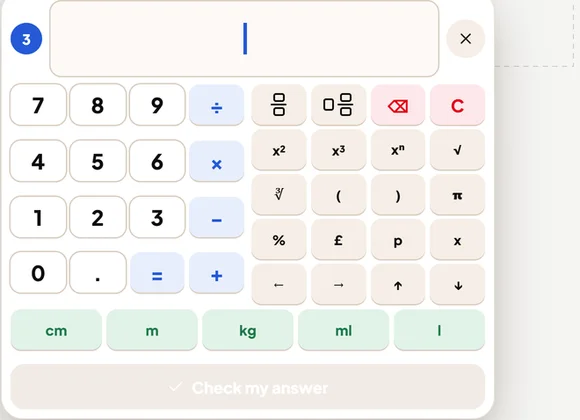
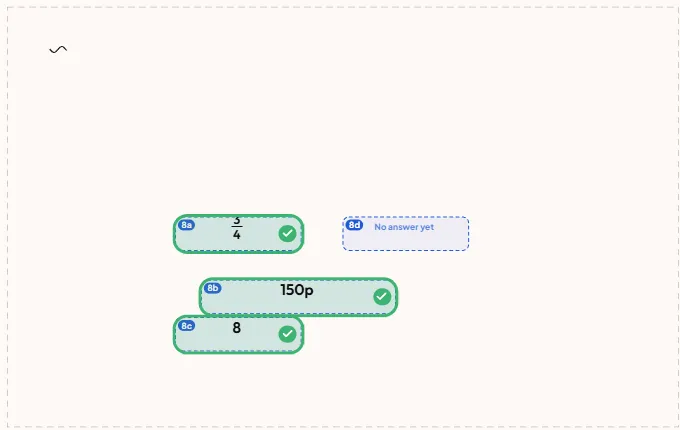
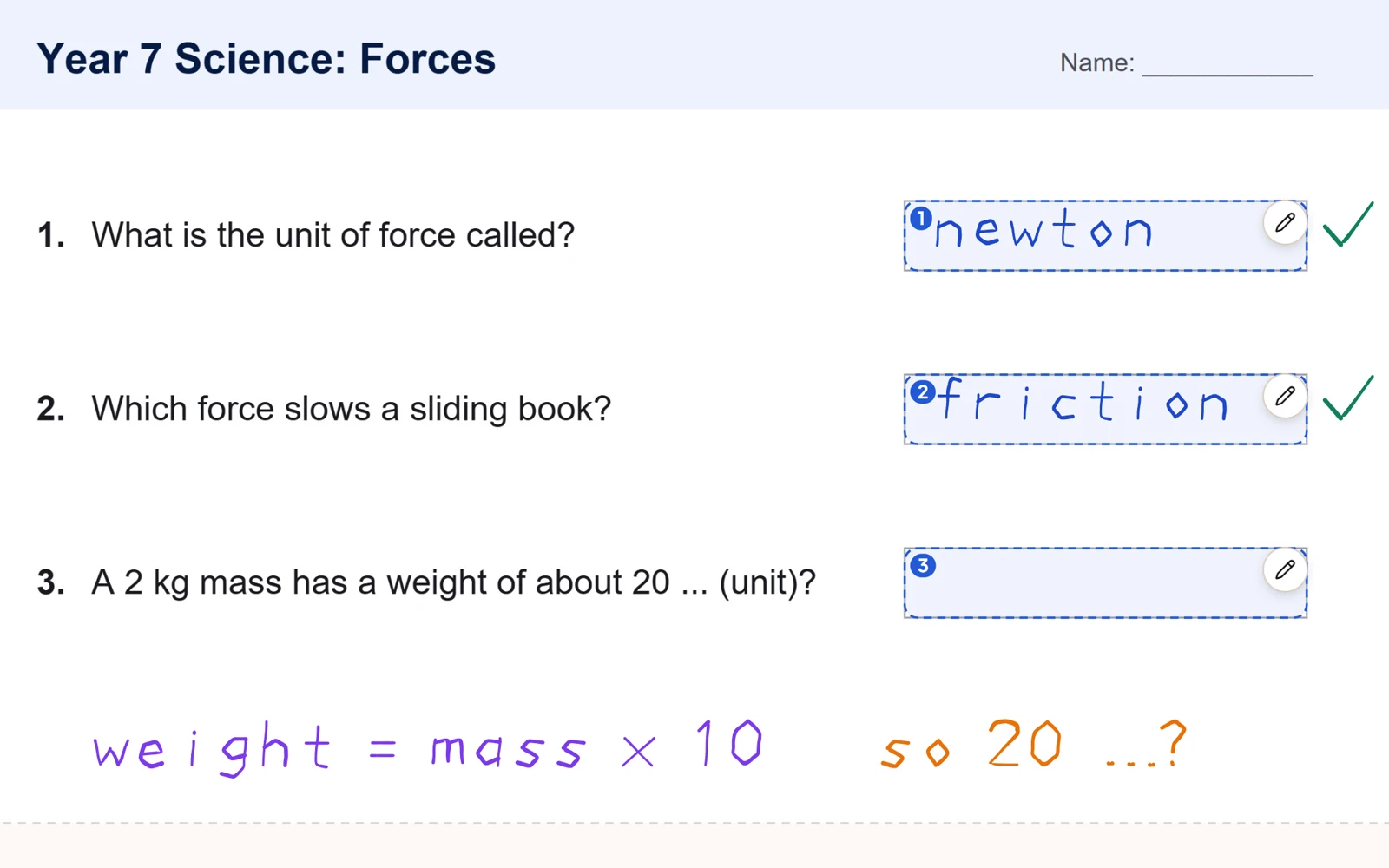
Drop an answer box onto any question and pupils type their answer on a keypad made for children. A tick or a cross appears straight away, so they can have another go while the idea is still fresh.
Answers are marked automatically as pupils work, and you can change any mark. Need help setting one up? Read how to add answer boxes.
A slim strip beside your board shows how many pupils have each question right so far. Tap a question to see who, and exactly what they wrote.
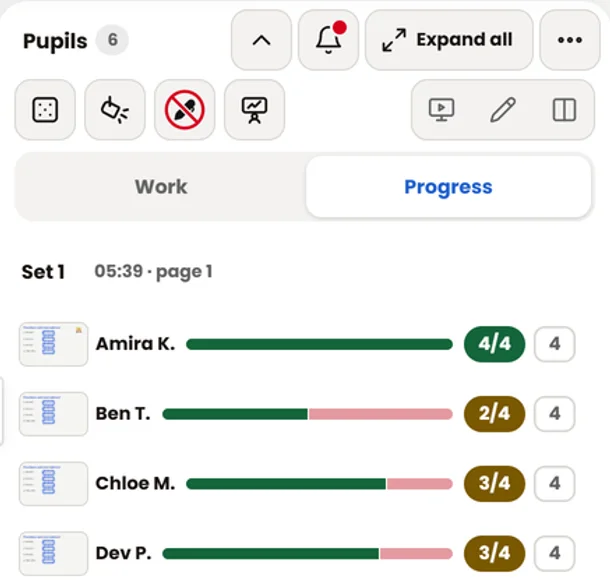
Each question shows how many are right so far, updating as pupils answer.
One tap lists who got it right, who got it wrong and who has not tried yet.
If two pupils both wrote the same wrong answer, you spot the slip and fix it for everyone.
Typed answers are marked as soon as a pupil hands in. For everything else, you have a few small tools that keep the marking short.
You give the long-division question three marks. Ben gets two steps right, you tap the pill twice, and his total updates by itself. One tap gives full marks.
Maria does her working in her exercise book, snaps it on her iPad and adds it to her homework. You open her photo next to the typed answers and mark it there and then.
Before Tuesday’s class you open the Next lesson card, see the homework waiting, and step through the pupils one by one without going back to a list.
You put a box on an open question without typing an answer. Leah writes hers, the box says “Saved. Your teacher will check it”, and she does not get a red cross.
At five o’clock the homework closes. Anyone who started is handed in for you, a box left empty counts as zero, and the pupil sees their score straight away.
Once the deadline has passed, Amir can still press Practise on last week’s homework and have another go on his own copy. You never see the scribbles, and his real result stays safe.
Prepare a few harder questions in advance and keep them hidden. When someone finishes, send them the next two, or everything that is left.
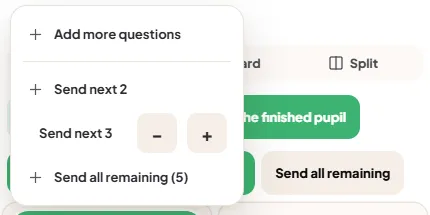
A sitting runs once, with the clock on, and nothing is shown to pupils until you say so.
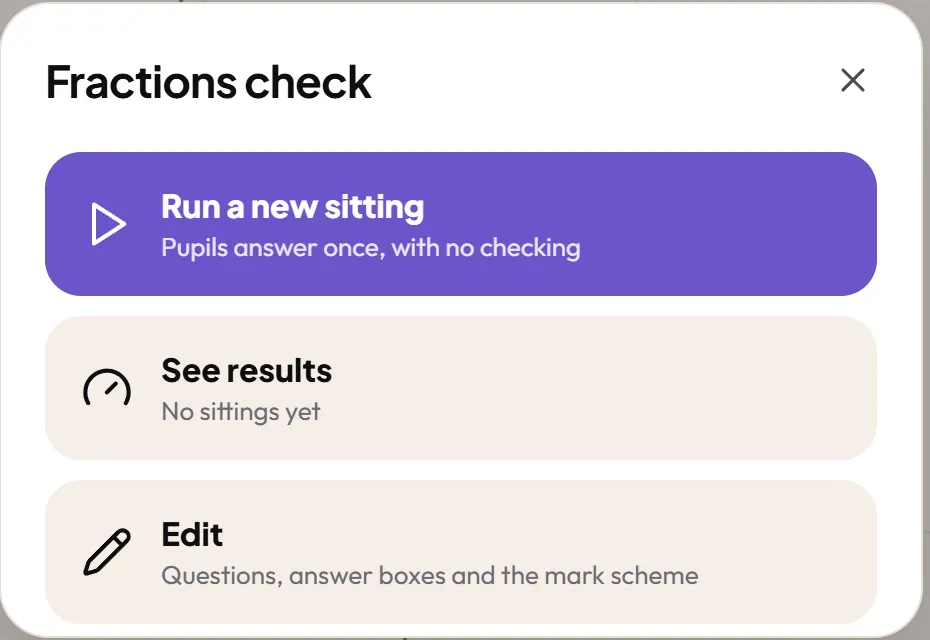
Set marks per question, with method marks for working as well as answers.
Start the clock, and pens go down automatically when time is up.
Pupils answer once, with no checking, just like a real paper.
Nobody drops out of the grid, so your averages stay honest.
After a sitting you get more than a mark. You get a map of what the class understood and where it went wrong.
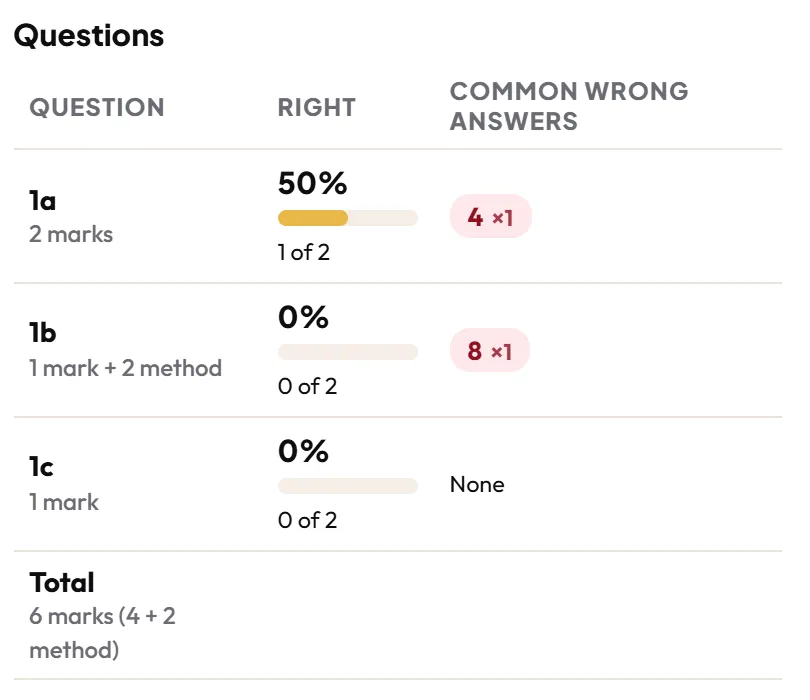

See at once which question the class found hard and which they found easy.
If three pupils all wrote the same slip, you know what to reteach on Monday.
Every sitting adds a point, so you can tell who is climbing and who is drifting.
Did the reteach work? Put two sittings side by side and see.
Results are saved with each pupil’s record. See the pupil progress tracker.
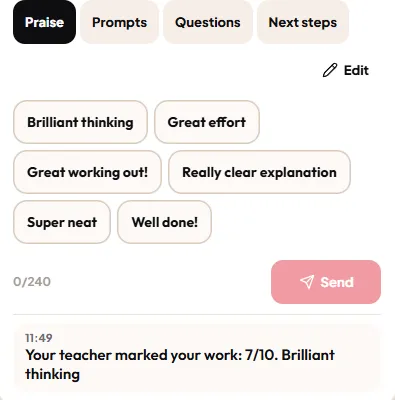
One tap sends a short, kind note to a pupil. Only they see it.
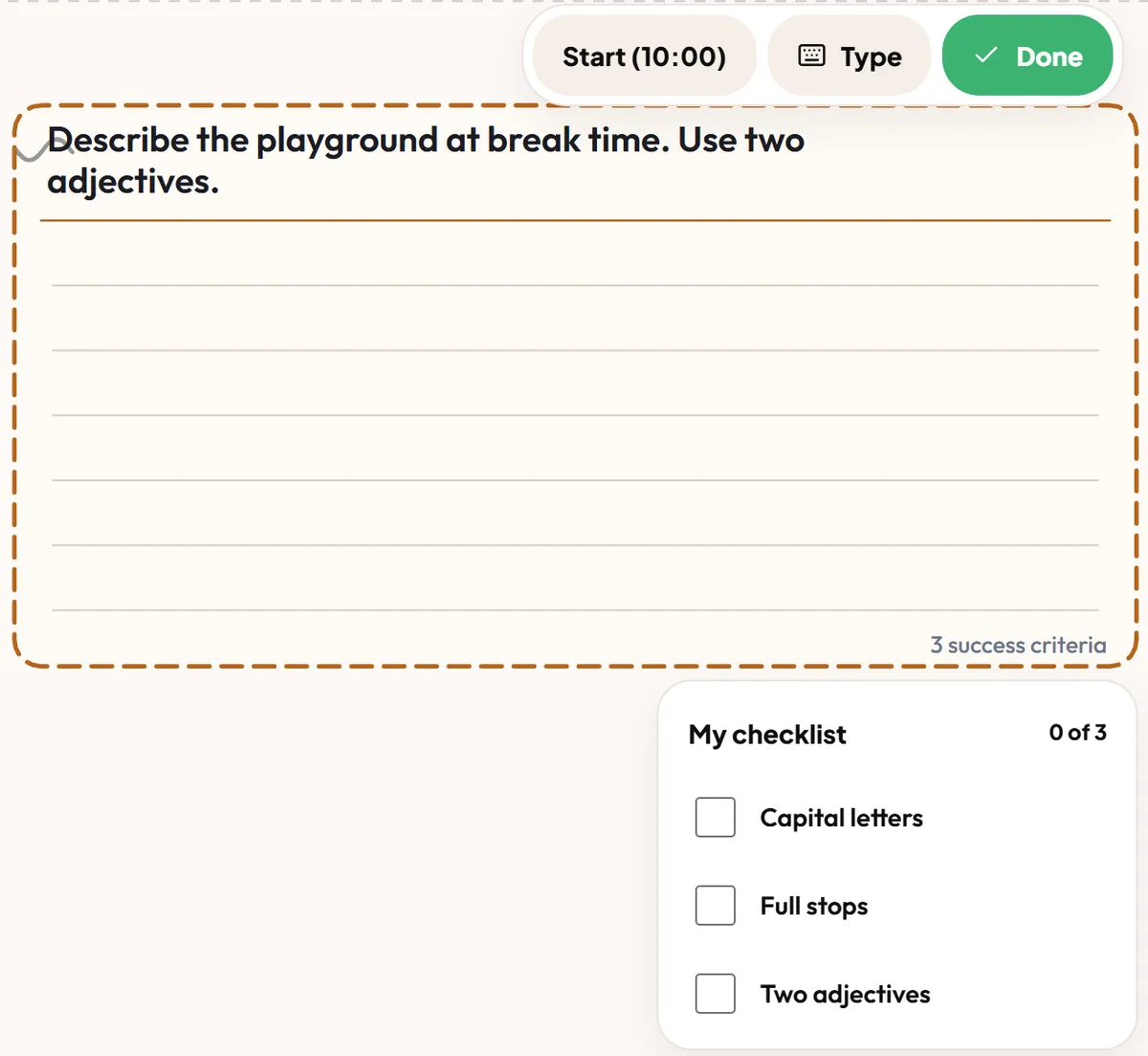
Pupils write in a lined box with a checklist and can have it read aloud.
Use marking stamps instead of writing the same comment twenty times. Turn on Send to teacher for a board and pupils can send a page or a question to you without waiting to be asked.
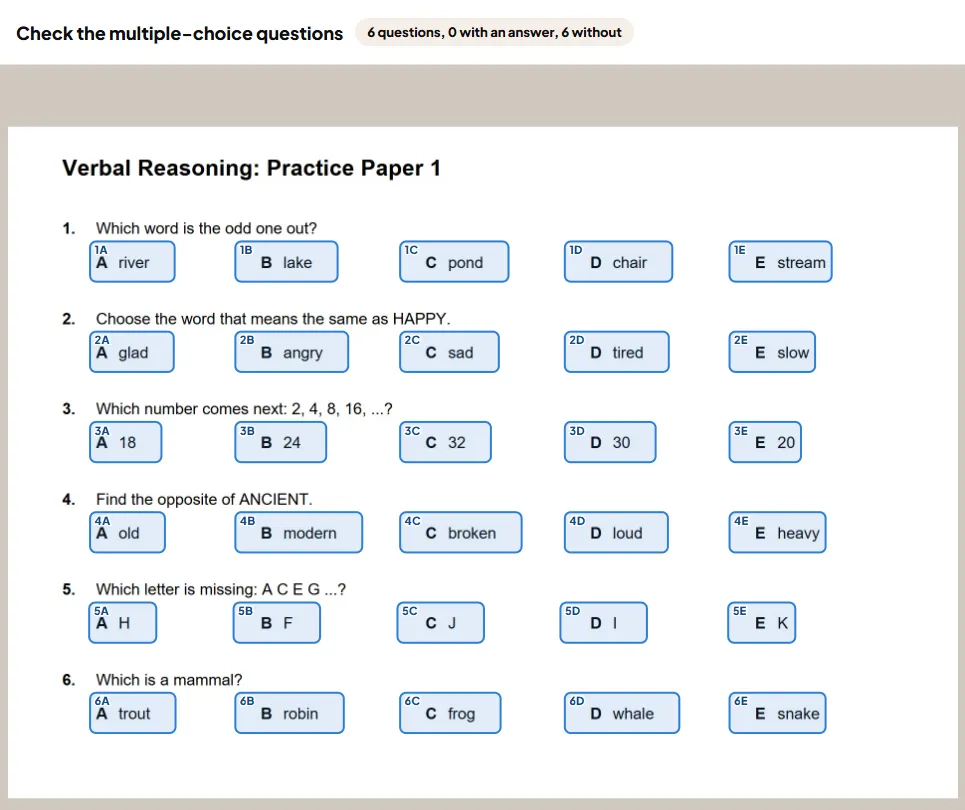
Jotoro finds each question and its A to E options, in printed and scanned papers too. You check the result, add the answers or bring your answer key in from a spreadsheet, and pupils simply tap the one they choose.
If you connect your own AI, it can suggest a tick, a cross or a comment during a lesson. Nothing reaches a pupil until you accept it, and pressing Disconnect switches it off.
Typed answers still mark themselves in Jotoro. Your own marks are still in red. Suggestions are labelled and hidden until you say yes.
Meet RobAInPupils are always free. See plans and prices for what each plan includes.
Every paid plan has a 14-day money-back guarantee.
Back to all Jotoro features, or see plans and prices. Read how to mark homework on the whiteboard and how to use worksheets and PDFs on the whiteboard.
Attendance, results and stars saved after every lesson.
Every pupil on their own live board, with you able to step onto any of them.
A short guide to adding answer boxes and setting what counts as right.
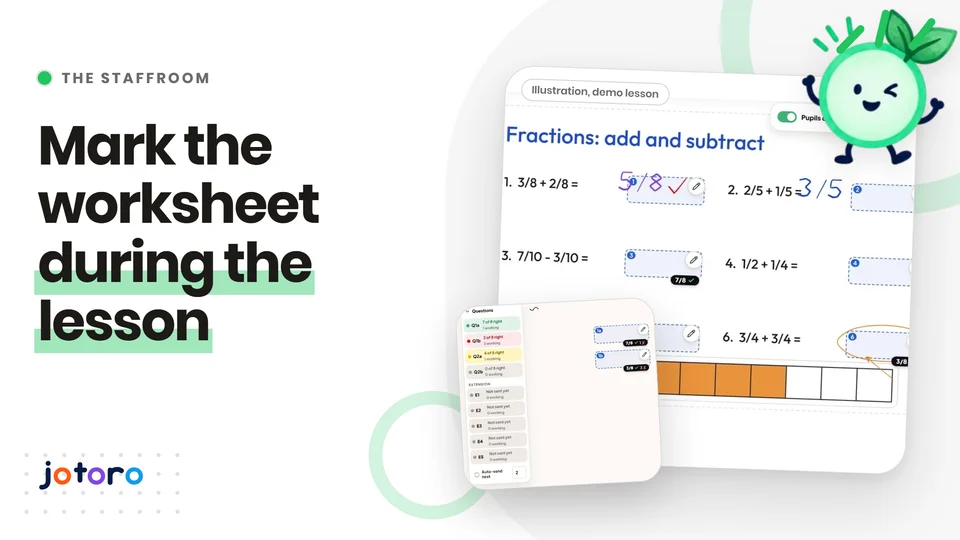 From the StaffroomMark a worksheet during the lesson, not after itCatch a wrong turn on question three, not question nine: a calm way to check answers while children are still working.Read the post
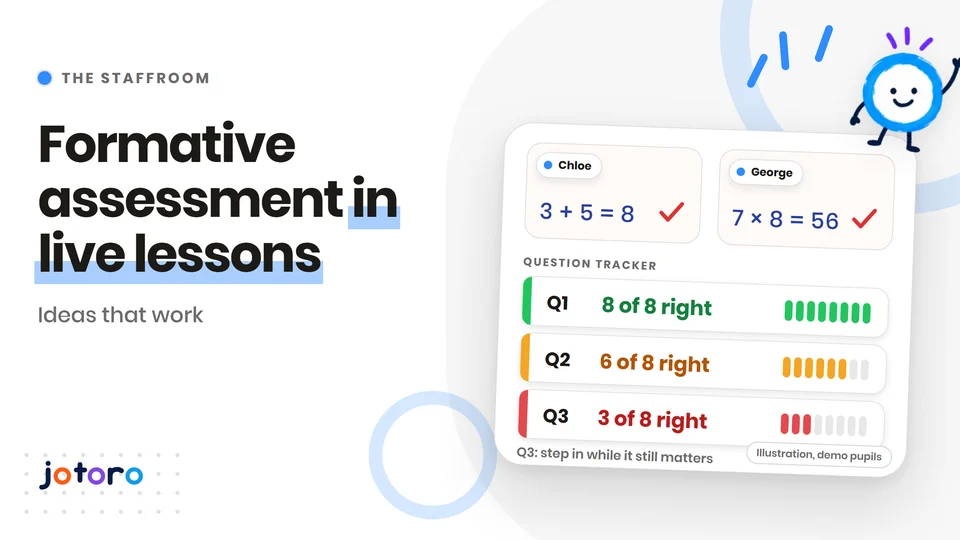 From the StaffroomFormative assessment ideas for live lessonsQuestioning, mini whiteboards, hinge questions, exit tickets and polls: how to check understanding while there is still time to change the lesson.Read the post
No. Jotoro marks typed answers by itself, against the answers you set, and you mark anything else in red. RobAIn, if you choose to use it, only suggests ticks and comments, and they stay hidden from pupils until you accept them.
On a big keypad made for children. It has fractions, mixed numbers, powers, money and units, so a pupil can write three quarters or 150p without hunting for symbols.
Yes. In an assessment sitting, answers and help are hidden and every pupil answers once. Pupils see their score only when you press Release results.
Yes. Step onto any pupil’s board and mark in red, add a stamp or a short note. Hand marks and automatic marks sit together in the same record.
Yes. Every answer, score and star is saved for each pupil after the lesson. See how progress and records work.
Answer boxes are for typed answers, such as a number, a word or a fraction, and those mark themselves. For written work, switch on photo answers for a piece of homework. Maria does her working in her exercise book, photographs it and adds it to her homework, and you open her photo beside the typed answers and mark it there. Each pupil sees only their own photos, and they are locked once the homework is handed in. On the board itself you can still mark handwriting in red.
Register interest and we will tell you the day payments open. Pupils are always free, and there is a 14-day money-back guarantee on every paid plan.
Pupils join by link: no app to install, no sign-up for them. See plans and prices.