

Follow the steps
Their own board, and nothing else
Each pupil works on a board that is theirs. They can try things, make mistakes and fix them in private. They cannot see any other pupil’s board, and they cannot see your list of pupils.
Only the pages you have shown
A page you have hidden stays hidden. It reaches a pupil’s device only when you show it, reveal it with the Space bar, or send it with Send current page or Send all visible pages. Until then, the page is not on their device at all. How revealing works.
Hidden pages, answers and AI suggestions stay with you
Hidden pages, answer keys and AI suggestions never reach a pupil’s device, so there is nothing for a clever pupil to find. If you turn on Show answers for yourself, it is a faint overlay on your own screen only.
Your marks arrive on their page
When you step onto a pupil’s board and mark in red, they watch the marks appear on their own page. The marks stay there after you go. How to mark on a pupil’s board.

A spotlight or a sent page appears on their screen
When you spotlight a pupil, every pupil sees that one board live. This is the only time a pupil sees another pupil’s board, and you choose when it starts and when it ends.
Good to know
- Before a lesson, open your class link as a pupil would, and you will see exactly how little arrives until you show something. Owners and managers can also switch on a test pupil in Settings.
- On a phone, pupils switch between their own page and your page.
- Use Hide names before a spotlight if you are sharing your screen with the room.
- Pupils need no app: they use any device with a browser. How pupils join.
- Pupils see the same on their board at home as they do in the room.
Common questions
Can pupils see each other’s boards?
No. Each pupil sees only their own board. The one exception is a spotlight, when you choose to show one pupil’s board to the whole class.
Can pupils see the answers?
No. Answers and hidden pages never reach a pupil’s device.
Do pupils see my AI suggestions?
No. AI suggestions stay on your side and never reach a pupil’s device.
Can a stranger with the class link see my pupils?
No. A stranger sees no pupil names, because pupils have to type their own name and PIN. Anyone unexpected waits in the waiting room and receives nothing of the lesson.
Can pupils see their board from home?
Yes. Pupils join from anywhere with the class link, and they see the same thing at home as they do in the room.
Related guides
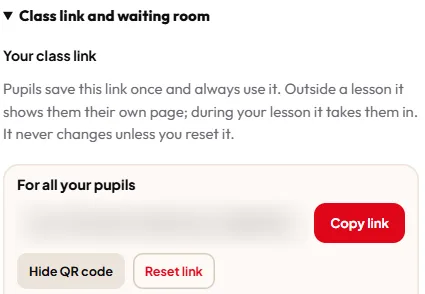 How pupils join with the class linkPupil boardsHow does the class link work?Pupil boards
 How to see every pupil’s board and mark on itPupil boards
 How to get started with JotoroGetting started
Cannot find an answer?
Tell us what was missing and we will improve this guide.
Suggest an improvement