
Consistent sessions,whoever is teaching.
Software for online tutoring companies: save a lesson once in the Library, so every tutor teaches it on the same live board, with the same steps, for every pupil.
So a pupil gets the same session whoever turns up, and your tutors teach alongside your video call.

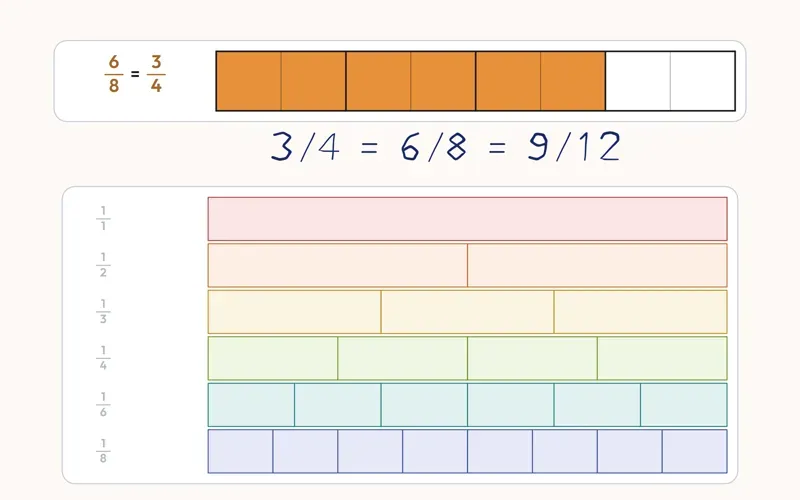 LiveYear 6 · Fractionswith Ayesha
- Starter
- Teach
- Practise
- Check
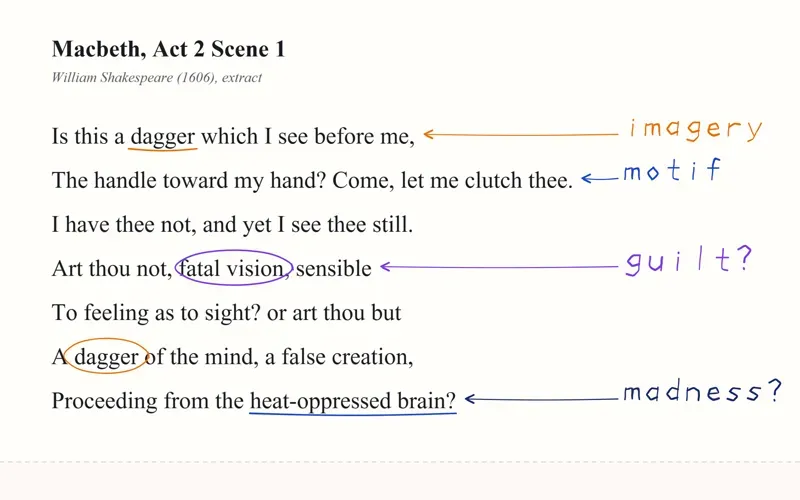 Live
 Year 9 · Macbethwith Tom
- Starter
- Teach
- Practise
- Check
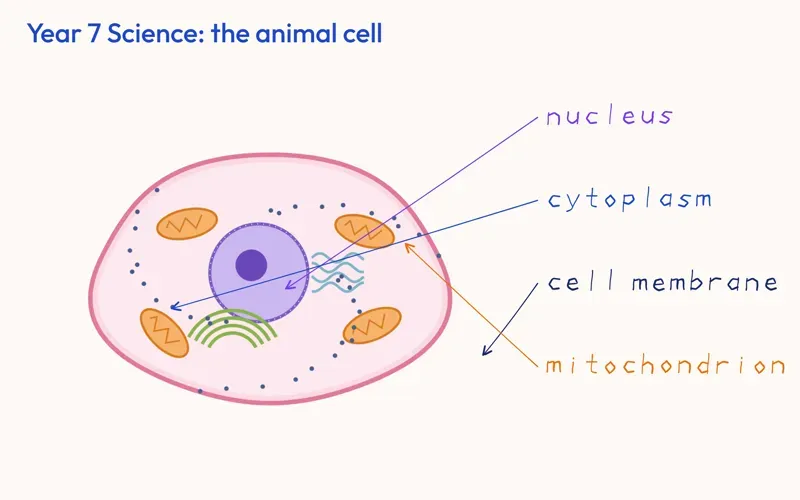 LiveYear 7 · The cellwith Priya
- Starter
- Teach
- Practise
- Check
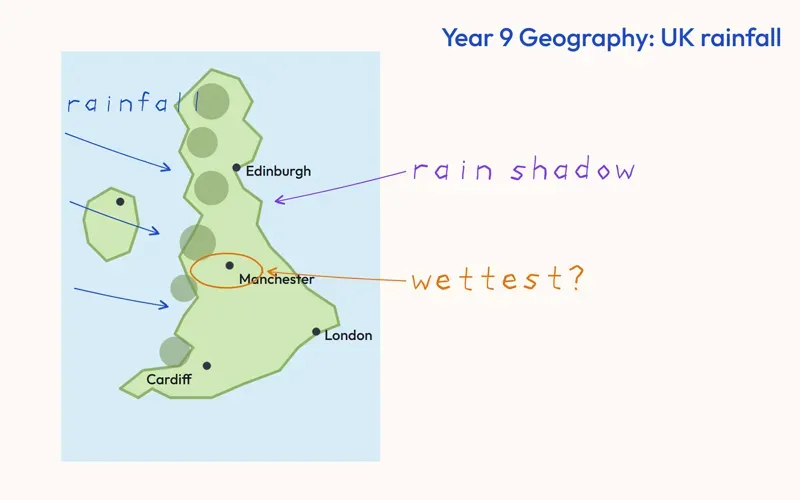 LiveYear 9 · UK rainfallwith Marcus
- Starter
- Teach
- Practise
- Check
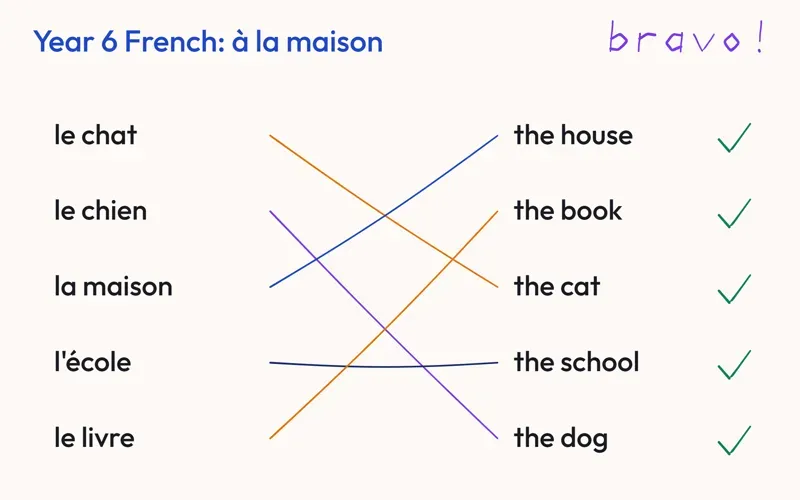 LiveYear 6 · Frenchwith Léa
- Starter
- Teach
- Practise
- Check
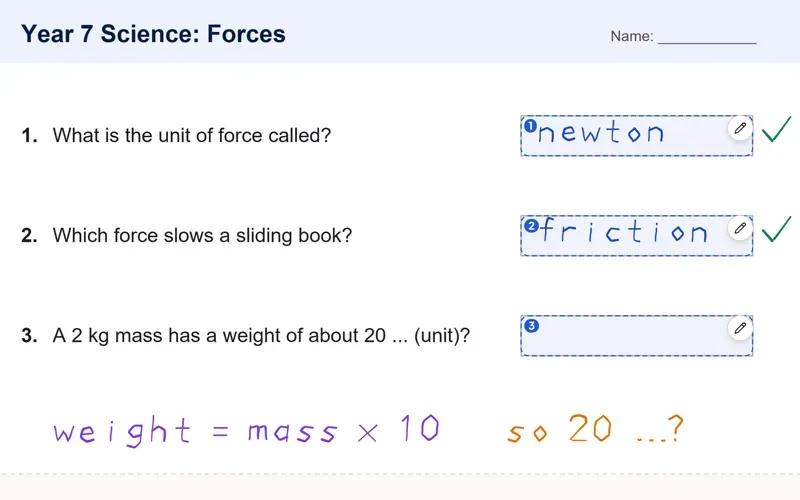 LiveYear 7 · Forceswith Sam
- Starter
- Teach
- Practise
- Check
- LiveYear 7 · Forceswith Sam
- Starter
- Teach
- Practise
- Check
- LiveYear 6 · Frenchwith Léa
- Starter
- Teach
- Practise
- Check
- LiveYear 9 · UK rainfallwith Marcus
- Starter
- Teach
- Practise
- Check
- LiveYear 7 · The cellwith Priya
- Starter
- Teach
- Practise
- Check
- LiveYear 9 · Macbethwith Tom
- Starter
- Teach
- Practise
- Check
- LiveYear 6 · Fractionswith Ayesha
- Starter
- Teach
- Practise
- Check
In short
Jotoro is a live teaching board for online tutoring companies. Lessons are saved once and taught by any tutor, each session is recorded in the register, and you manage tutors and seats from one account. It runs alongside your video call. See plans and prices.
- The same lesson, taught by any tutor
- Progress across all your tutors
- One licence per teacher
Every tutor teaches from the same lesson. Use it alongside your video call.
A video call and a folder of PDFs leave every tutor to build the session alone.
With Jotoro, your tutors teach on a shared board alongside your video call. Jotoro has no video of its own, so nothing about your call changes. What changes is that every session starts from the same lesson.
One saved lesson, taught by every tutor.
Your tutors teach from the same saved lessons. Teach in rooms? See tuition centres, or read about the lesson library.
See every session. Without sitting in on any.
Every lesson writes its own record: who came, how they did and what the tutor noted. You see it across all your tutors in one place.
- A register for every lesson, with results, stars and notes.
- Progress across tutors, filtered by tutor, class or pupil.
- Export to a CSV file for reviews and parent updates.
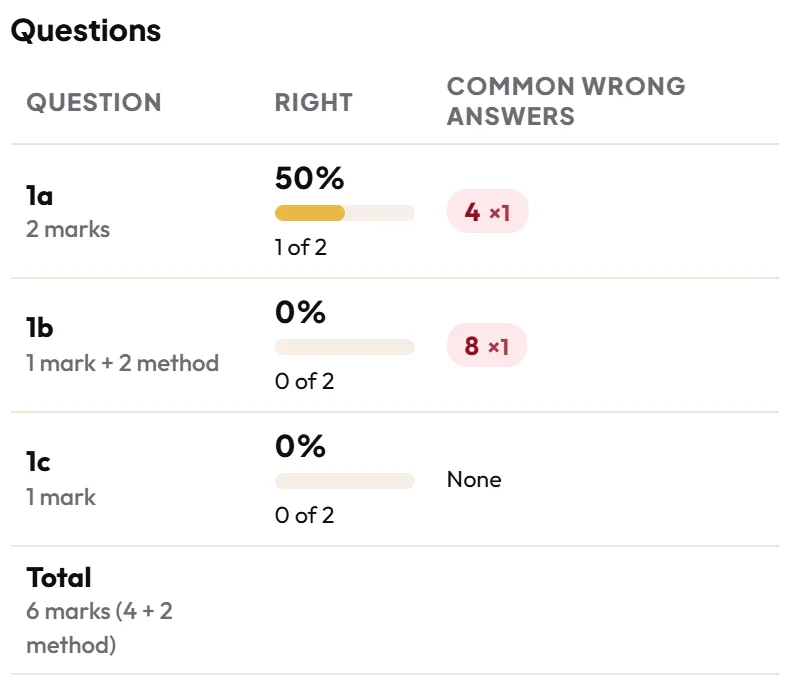
The same test for every tutor’s pupils. Then see which questions tripped them up.
Set one assessment with a mark scheme, and it marks as pupils answer. For each question you see how many got it right and the wrong answers that come up most.
- One mark scheme, used by every tutor.
- Results for every question, so you can see where a topic needs another look.
- Numbers you can share with parents and use to improve your teaching.
Show parents the follow-up. Homework, replays and results.
A good session is only half of it. What parents see afterwards, the homework, the replay and the results, shows them they are getting their money’s worth.
Homework that marks itself
Set homework from the lesson and answers are marked as pupils work. Pupils can work at school or at home.
Replays as catch-up videos
Record a lesson and replay it sharp, so a pupil who missed a session or wants another look can watch it again.
Results you can share
Stars, results and notes build into a record you can talk through at a parents’ evening or a renewal.
Every tutor has their own login. Easy to run from one account.
Add a tutor when they join and remove them when they leave, all from one account.
Invite and manage tutors
Invite or remove a tutor, give each one their own sign-in, set the subjects they teach and reset their class link if it ever leaks.
Each tutor teaches one live lesson at a time
A tutor can run one live lesson and one login at a time, on up to three devices in that lesson. That stops one account being shared. Planning is never blocked.
Save moments from your lessons. Pupil names are hidden by default.
Capture a page as a picture with SnapJot, or a few seconds as a clip with JotClips. Both land in your JotMoments library, tagged by lesson and class.
- Pupil names are hidden by default.
- You confirm consent before anything is shared outside your company.
Coming soon: JotStudio, an editor for finishing images and videos.
Priced per tutor. The more tutors, the less each one costs.
Every teacher gets the Pro features, pupils never pay, and you get an onboarding call and a named contact.
Questions companies ask.
Does Jotoro replace our video call?
No. Jotoro has no built-in video. Your tutors run the call as they do now and teach on the Jotoro board alongside it.
Can tutors teach from home?
Yes. Tutors teach on the web, in a browser, from home, school or a tuition centre. Pupils join from anywhere with the class link, so they can be at home too.
Can I put our company’s name and logo on it?
Yes, on Pro and above. Your own logo and colours are part of every agency plan too.
Can I see every tutor’s lessons?
You see progress and records across tutors: registers, results and stars, filtered by tutor, class or pupil. The lessons themselves belong to the tutors who teach them.
How do we stop tutors sharing one login?
Each seat is for one teacher, who can run one live lesson and use one login at a time, on up to three devices in that lesson. Planning and editing boards is never blocked.
How does billing work?
Agency plans are on one bill, paid by card, with a price per teacher per year. Email us if you would like it talked through.
More about Jotoro. For tuition centres, schools and pricing.
Back to the Jotoro homepage, see plans and prices or register interest. Tutors teaching groups can read about a whiteboard for group tutoring. Teaching a whole class online? See virtual classroom software for teachers.
Teaching in rooms?
Teach in rooms? See tuition centres.
Teaching a school?
One board for every classroom.
Records for every pupil
Registers, results and a timeline for each pupil.
Plans and prices
Free, Solo, Groups, Pro and agency plans.
Bring a lesson you already teach, and see it on your own board.
Register interest and we will tell you the day payments open. Pupils are always free, and there is a 14-day money-back guarantee on every paid plan. Running a school, tuition centre or tutoring company? Book a demo and we will build it around how your teachers teach.
Book a demo is for schools, tuition centres and tutoring companies. Pupils join by link: no app to install, no sign-up for them.
