Put history in order.Every pupil builds their own timeline.
An online whiteboard for history and geography. Send every pupil a timeline to build: they drag or tap each event into place, it checks itself, and you see who has it and who is stuck.

- 1
- 2
- 3
- 4
- 5
Which one came first?
Each pupil gets their own copy, and the right order is never sent to them.
In short
Humanities teachers use Jotoro to send every pupil a timeline to sort, a map to mark up or a source to annotate. It checks the sorting and shows you who has it. See every subject.
- Sort and sequence cards
- A pen on any map or PDF
- Live results as pupils work
Every pupil sorts their own timeline. You see who has it.
Every pupil gets their own copy to sort, so you see everyone’s answer, not just a few.
On Hana’s board Hastings comes after Trafalgar and you see it at once. You know who to sit with, and who is ready for the harder question.
Cards are shuffled differently for each pupil.
Sort it and sequence it, and Jotoro checks the order.
Set out ordered slots, then give pupils cards to drop into them. The cards can be words or pictures, and each pupil sees them shuffled their own way.
- Text cards or picture cards.
- The right order stays with Jotoro, never on the pupil’s screen.
- You see who has it and who is stuck.
Timelines are made with these sort and sequence cards. There is no separate timeline tool.
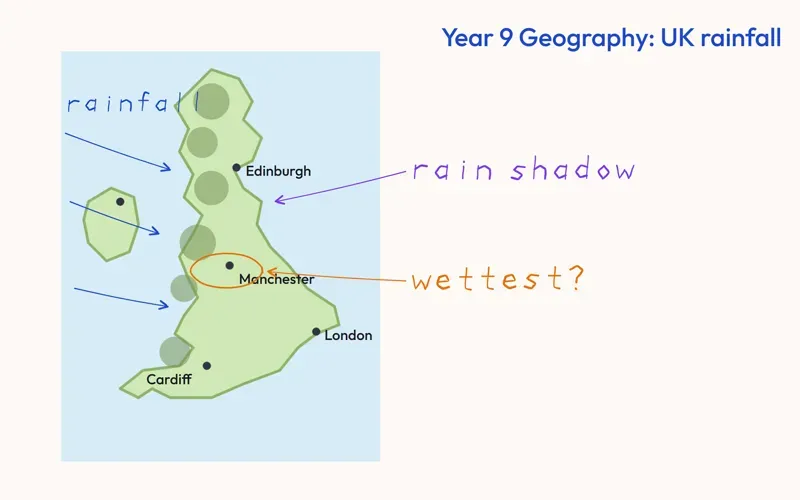
Everyone gets a copy of the map. Draw the wind. Circle the wettest place.
Put your own map on the board and every pupil marks up their own copy: draw the wind, circle the wettest place, label it, and add a note.
- The pen works on any map, picture or PDF page.
- The map is always your own. Jotoro does not include maps.
Annotate it. Question by question. Then compare two pupils.
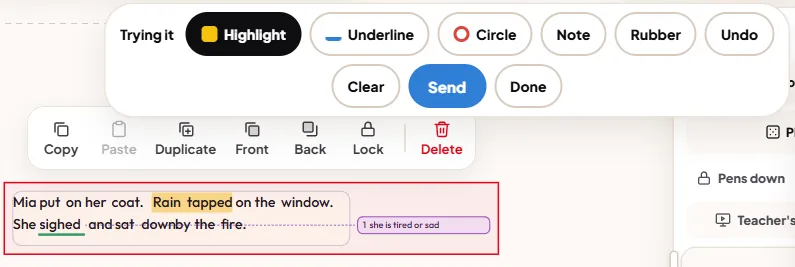
Put a source on the board, a text or a picture, and pupils mark up their own copy. Comprehension annotation gives each question its own colour, so the evidence for question 2 stays with question 2.
- Highlight, underline, circle or add a margin note.
- Put two pupils’ copies side by side and talk about the difference.
Join the cards with arrows. One thing led to another.
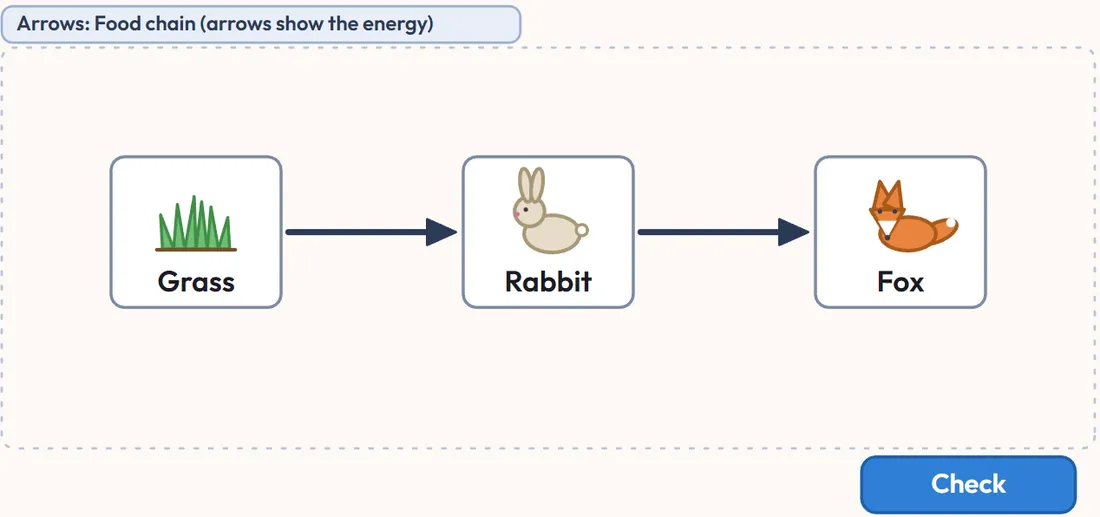
Pupils connect each cause to its consequence with an arrow, and Jotoro checks the direction. Venn and Carroll sorts help them group reasons and results.
- Connect with arrows, with the direction checked.
- Sort with Venn and Carroll diagrams.
- Drop zones are for labelling a picture, map or diagram, not for building chains.
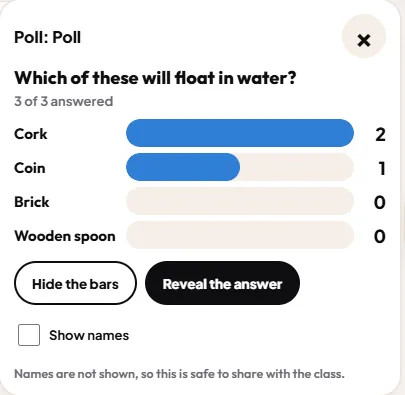
Take a vote, then talk about it. Finish with an exit ticket.
Ask a question and watch the spread of answers come in, with names hidden so it is safe to show the class. Then argue about why.
- Live polls, with the spread on screen.
- Prediction polls: vote first, then reveal what happened.
- Exit tickets to see who left with it.
Draw on it, play it, all on the same board.
Draw on maps and sources with the pen, and play video clips on the board, then pause and ask what pupils noticed.
Jotoro has no live map and no map library. Bring your own map as a picture or a PDF page, and draw on that.
Questions humanities teachers ask.
Can I use my own map or source?
Yes. Put your own map, picture, text or PDF page on the board and every pupil gets a copy to draw on and annotate.
Do pupils see the right order?
No. The right order stays with Jotoro, never on the pupil’s screen. Pupils only find out whether their own placing was right.
Is there a UK rainfall map?
No. Jotoro does not include maps or a map library, so the map is always your own. Put it on the board as a picture or a PDF page and pupils draw the wind, circle the wettest place and label it.
Does it work for geography fieldwork data?
The graphing studio was built for science investigations. If you would like to use it for fieldwork results, email hello@jotoro.co.uk and we will tell you plainly what it can and cannot do.
Does it work for KS3 and GCSE?
Yes, with your own material. Sorting, sequencing, annotating and polls work on whatever you put on the board.
Not only humanities: the board works across the whole timetable.
Back to all subjects, see plans and prices or register interest.
Jotoro for English
Every pupil marks up their own copy of the text.
Jotoro for science
Diagrams, graphs and fair tests.
Make your own activities
Sorts, polls and drop zones from your own material.
Every subject
English, maths, science and more.
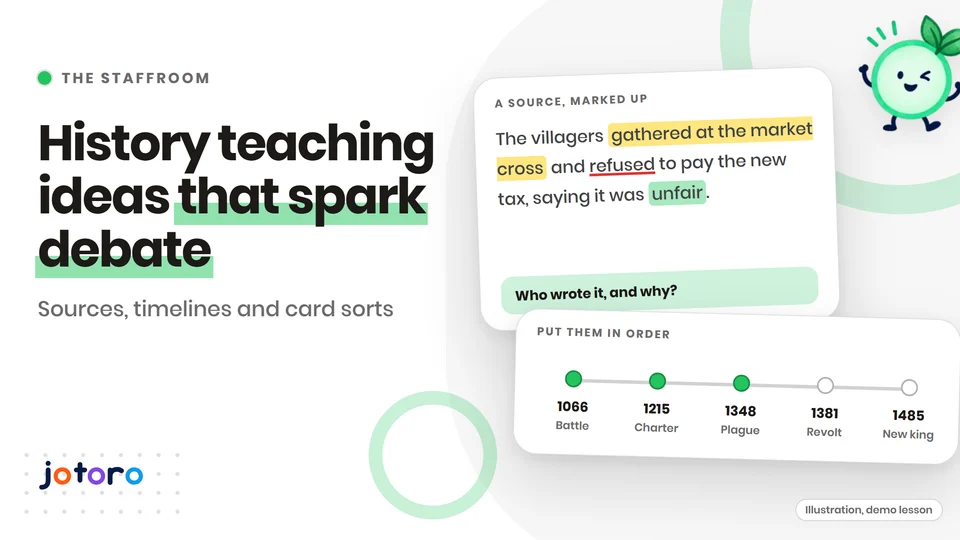 From the StaffroomHistory and geography teaching ideas for any lessonSource analysis, timelines, card sorts, debates and video clips: ideas for history, geography and RE that show you who has understood.Read the post
Bring a lesson you already teach, and see it on your own board.
Register interest and we will tell you the day payments open. Pupils are always free, and there is a 14-day money-back guarantee on every paid plan.
Pupils join by link: no app to install, no sign-up for them. See plans and prices.