
Practise like the real thing,and know what to reteach.
Assessments with timed sittings, results for every question, and homework that is marked for you the moment a pupil hands it in.
So practice papers tell you something useful, and feedback arrives while it still matters.

In short
Jotoro runs assessments the way an exam does: a mark scheme, an optional timer, and results only when you release them. Afterwards you see how every question went and which topic to reteach. Homework marks itself and works from home.
- Timed sittings with pens-down
- Results for every question
- Homework marked for you
Where exam practice gets stuck, and how Jotoro helps.
- 01
The problemMock papers are marked slowly, so feedback arrives late.
Assessments with a proper mark scheme.
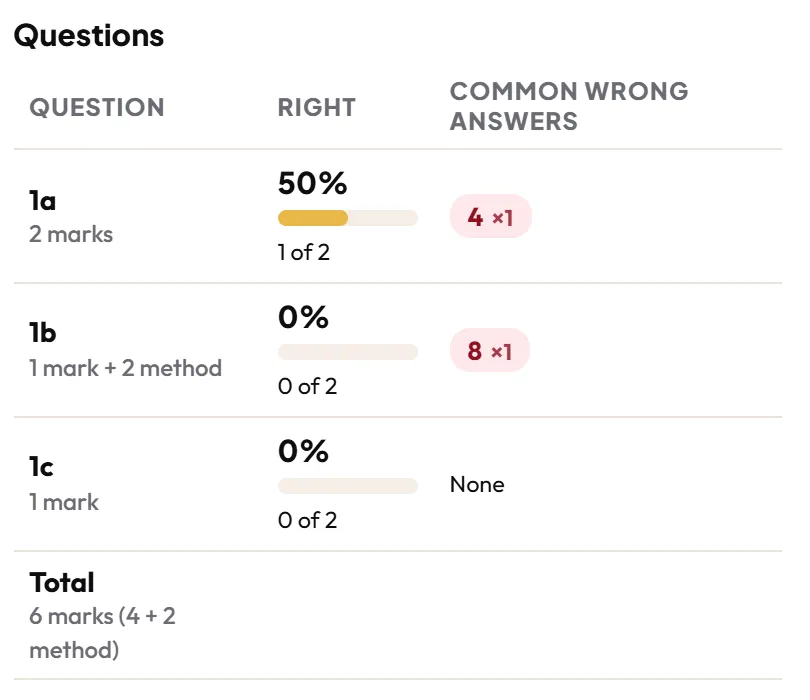
Set marks for each question, including method marks. Answers are marked as pupils write, and every pupil gets a result, including anyone who was absent.
- 02
The problemTimed practice is hard to run online.
Timed sittings, with pens-down.
Run a sitting with an optional timer that ends on its own. Answers and help stay hidden during the sitting, and pupils only see their score when you press Release results.
- 03
The problemYou cannot see which question lost the marks.
Question analysis, at a glance.
See the percentage right for every question, the most common wrong answers, each pupil’s trend and a comparison between sittings. Know which topic to reteach, and to whom.
- 04
The problemHomework is handed in, then waits for you.
Homework with instant marking.
Set it in a minute. Each pupil gets their own copy, answers mark themselves, and you see who has not started. Pupils open it from home with the class link, their name and their PIN.
Everything you need for exam practice, in one board.
Assessment & Marking
Answers marked as they are written, and assessments run properly.
Progress & Markbook
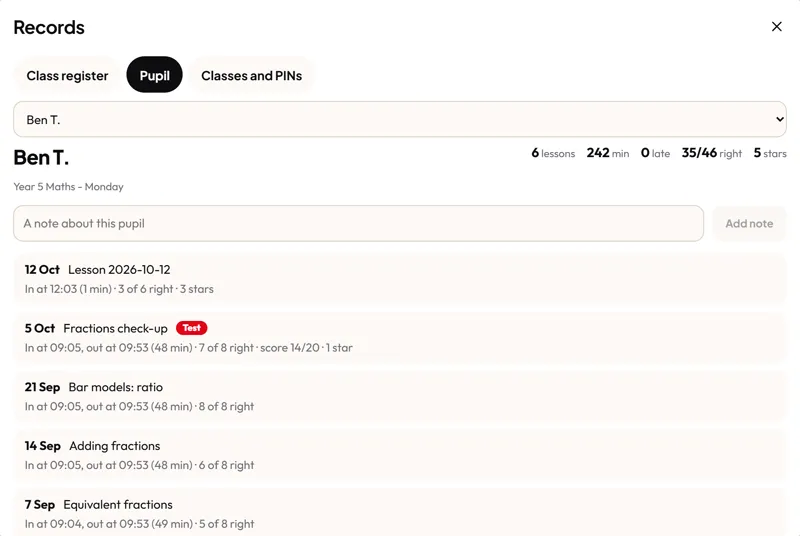
Registers, results, stars and notes for every pupil.
Live Classroom & Student Boards
Every pupil’s board, right in front of you.
Lesson Library
Plan once, teach again, keep it all in folders.
Create & Interactive Lessons
Turn a PDF or a page into a lesson with answer boxes.
Teaching Tools
Manipulatives, bar models, geometry tools and timers, to hand.
Pupils tap an option on the page, and in an assessment their answers are marked for you like any other question.
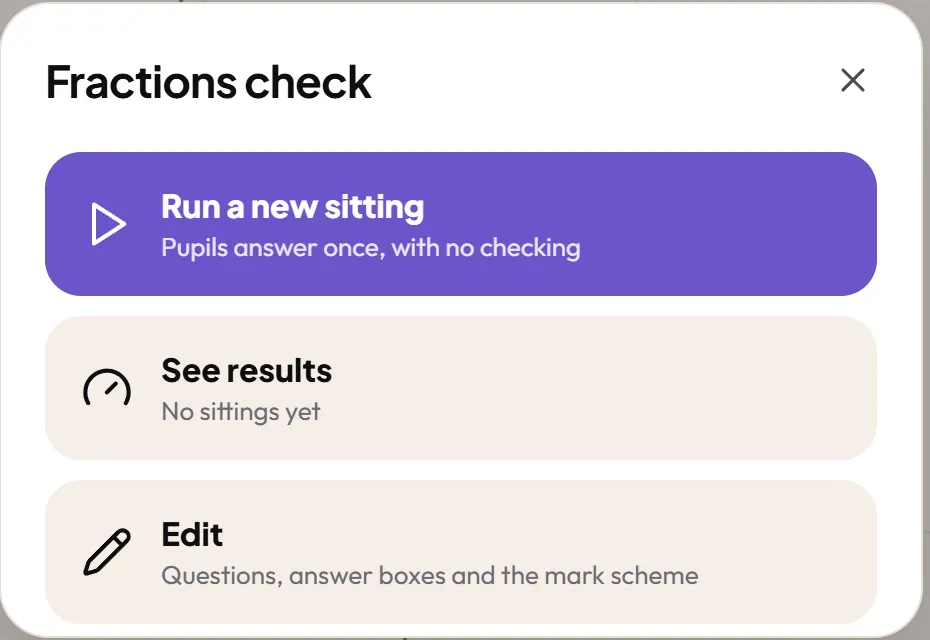
What a practice paper looks like on the board.
Questions people ask.
Do pupils see their score straight away?
Not in an assessment. Pupils only see their score when you press Release results. In ordinary lessons and homework they see a tick or a cross as they answer.
Can I give method marks?
Yes. A mark scheme has marks for each question, and a question can carry method marks as well as answer marks.
Can pupils do homework at home?
Yes. Pupils open their homework with the class link, their name and their PIN, from any device. They hand it in, and it is marked for you.
Free to start, paid plans from £6.99 a month. Pupils are always free. See plans and prices.
Made by teachersCreated with the Singapore Maths Academy team, and used in real lessons there. Why we built it
Run a practice paper, and see the results question by question.
Register interest and we will tell you the day payments open. Pupils are always free, and there is a 14-day money-back guarantee on every paid plan.
Pupils join by link: no app to install, no sign-up for them. See plans and prices.