
Parents gettheir own sign-in.
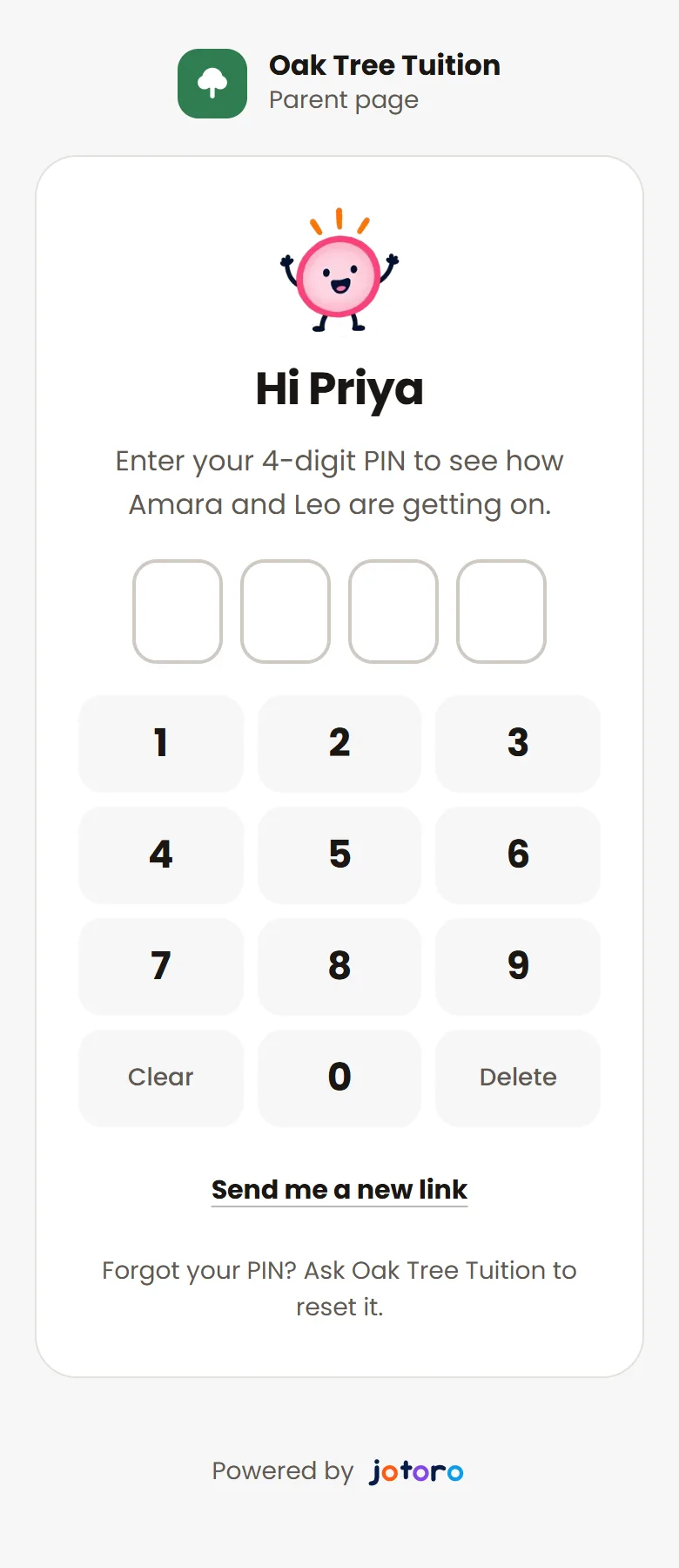
Open the class link with your child’s homework PIN, or sign in with your email, and see how they are getting on, look-only, and only your own child.
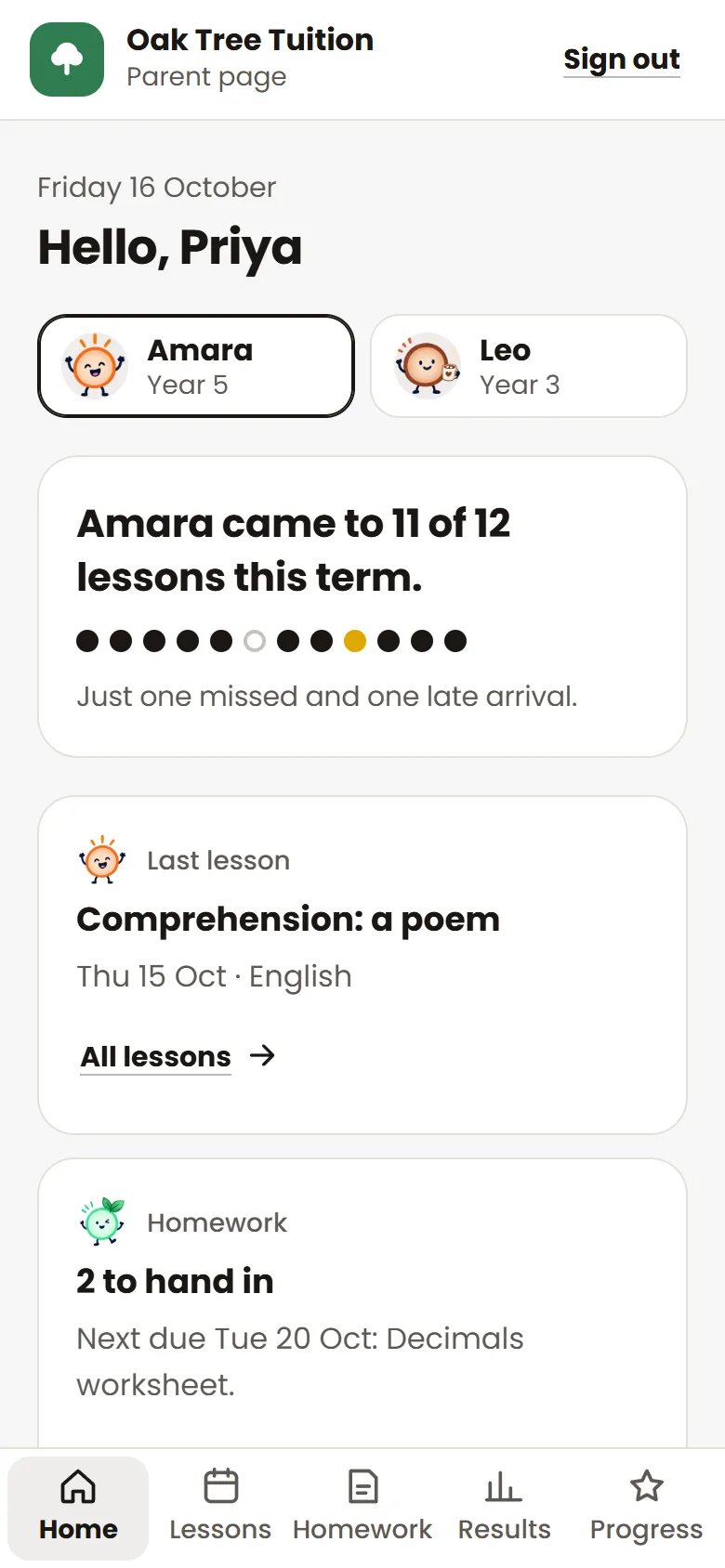
See your child’s lessons, homework and results on your phone.

In short
Parent access lets a parent see how their child is getting on in Jotoro. A parent opens the class link with their child’s homework PIN, or signs in with their email and a one-time link, and sees only their own child, look-only: lessons, homework, results and stars. It is available now and is part of Pro and above, including agency and school plans.
- Class link and PIN, or email sign-in
- Only your child, and only to look
- Your teacher can remove access
See how your child is getting on. On your phone, whenever you like.
No waiting for a report. Everything about your own child is in one place.
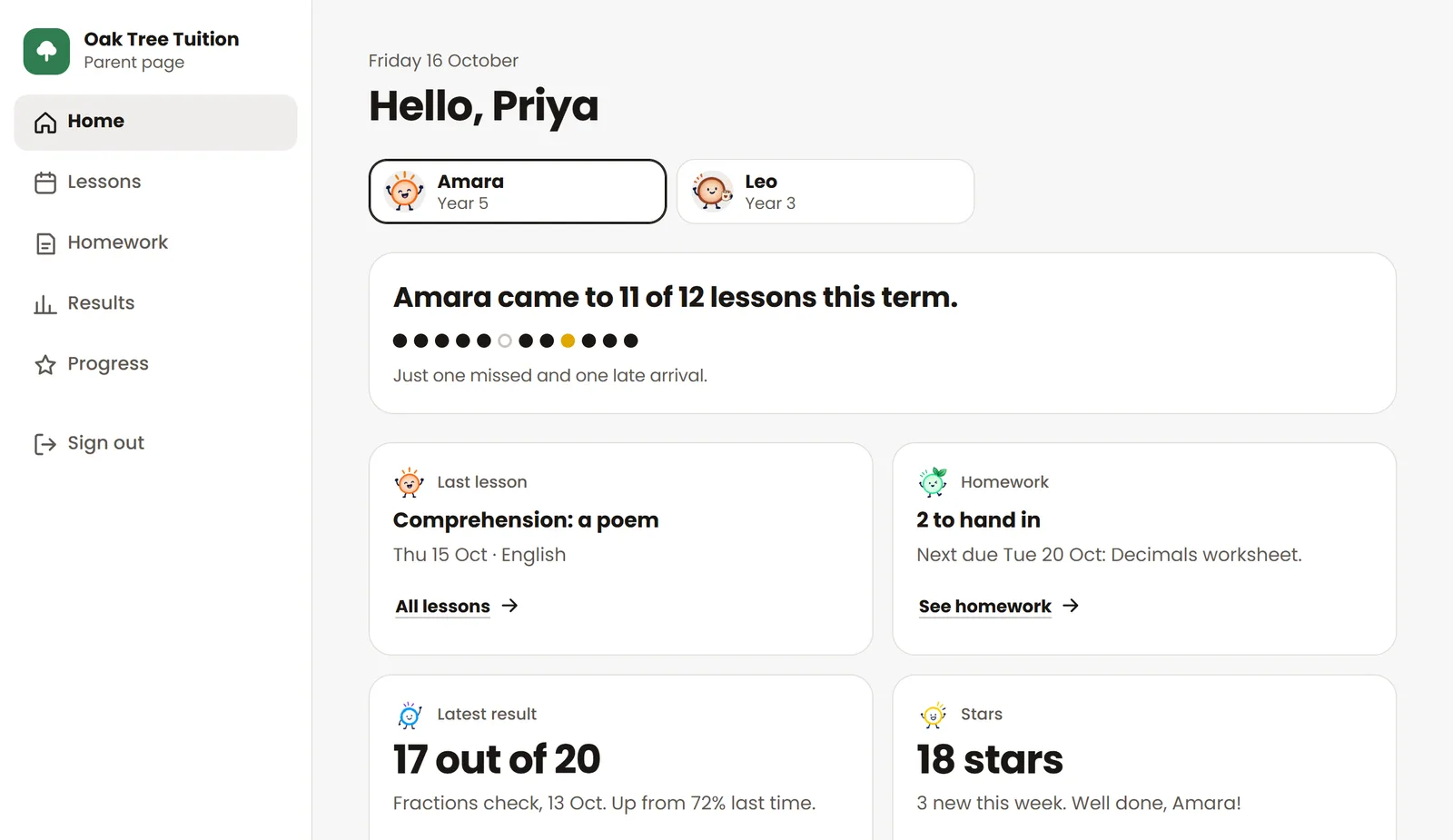
Lessons and attendance
Which lessons they came to, and what each lesson was about. Lessons from the last 30 days can be opened and looked at, read-only, where the centre shares them.
Homework
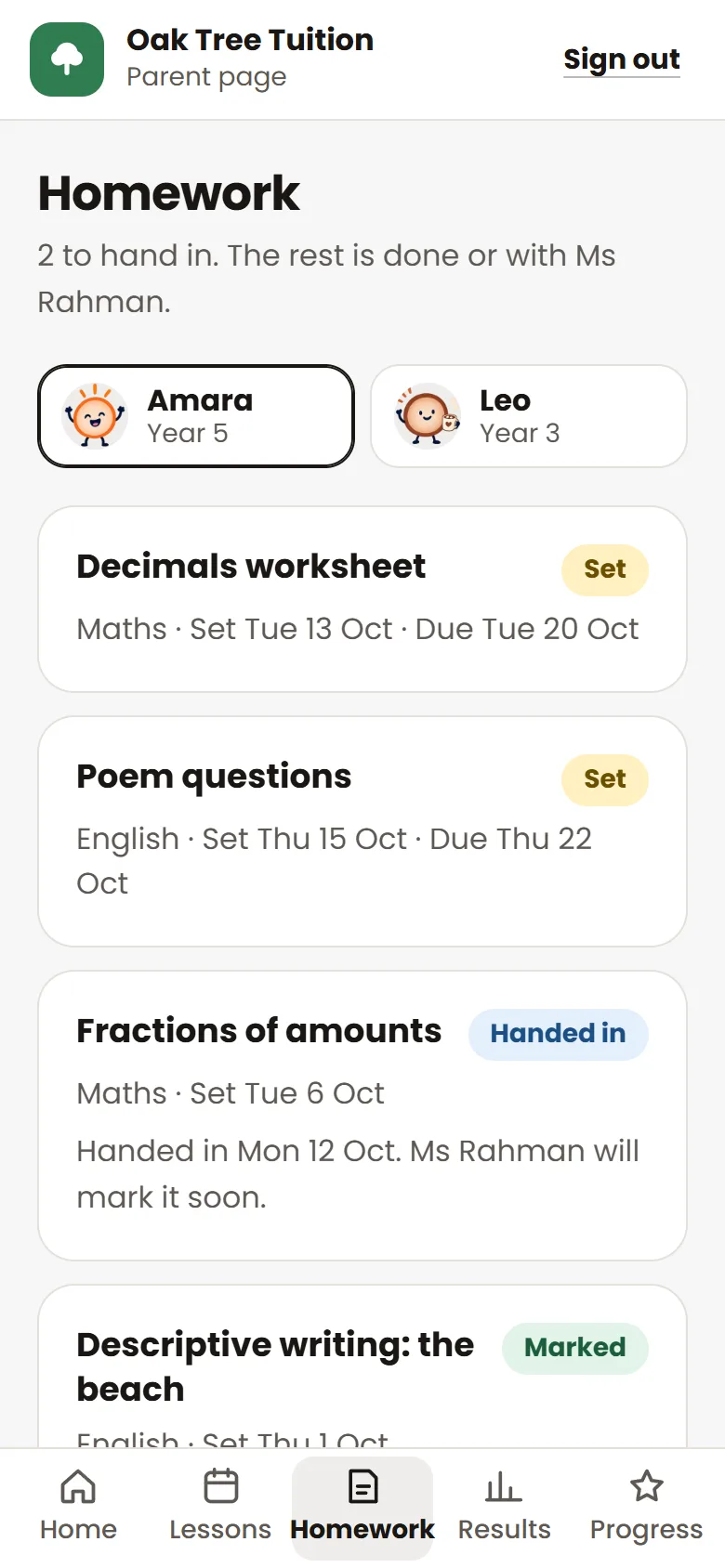
What was set, what has been handed in, what is marked, the score and a note from the tutor.
Results
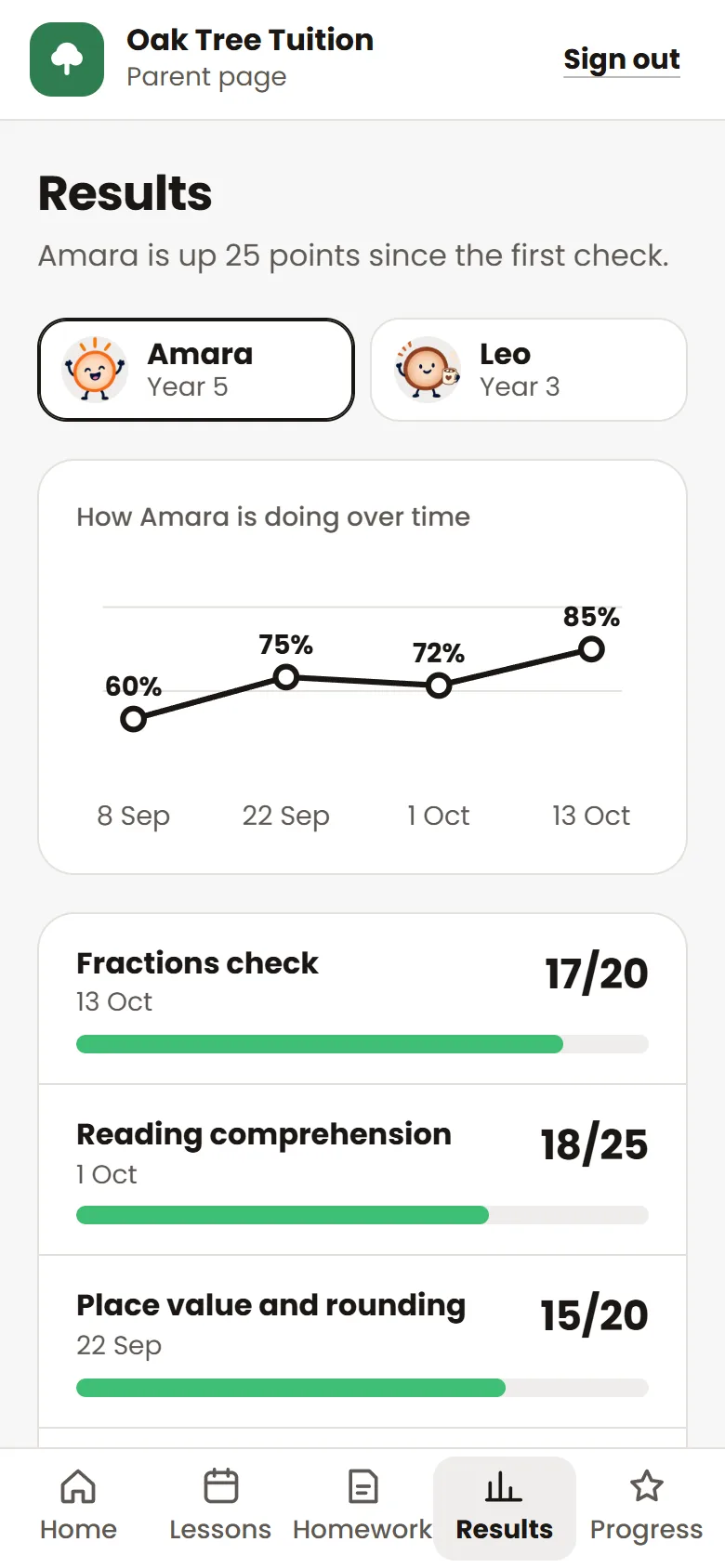
How each assessment went, and a line showing how they are doing over time.
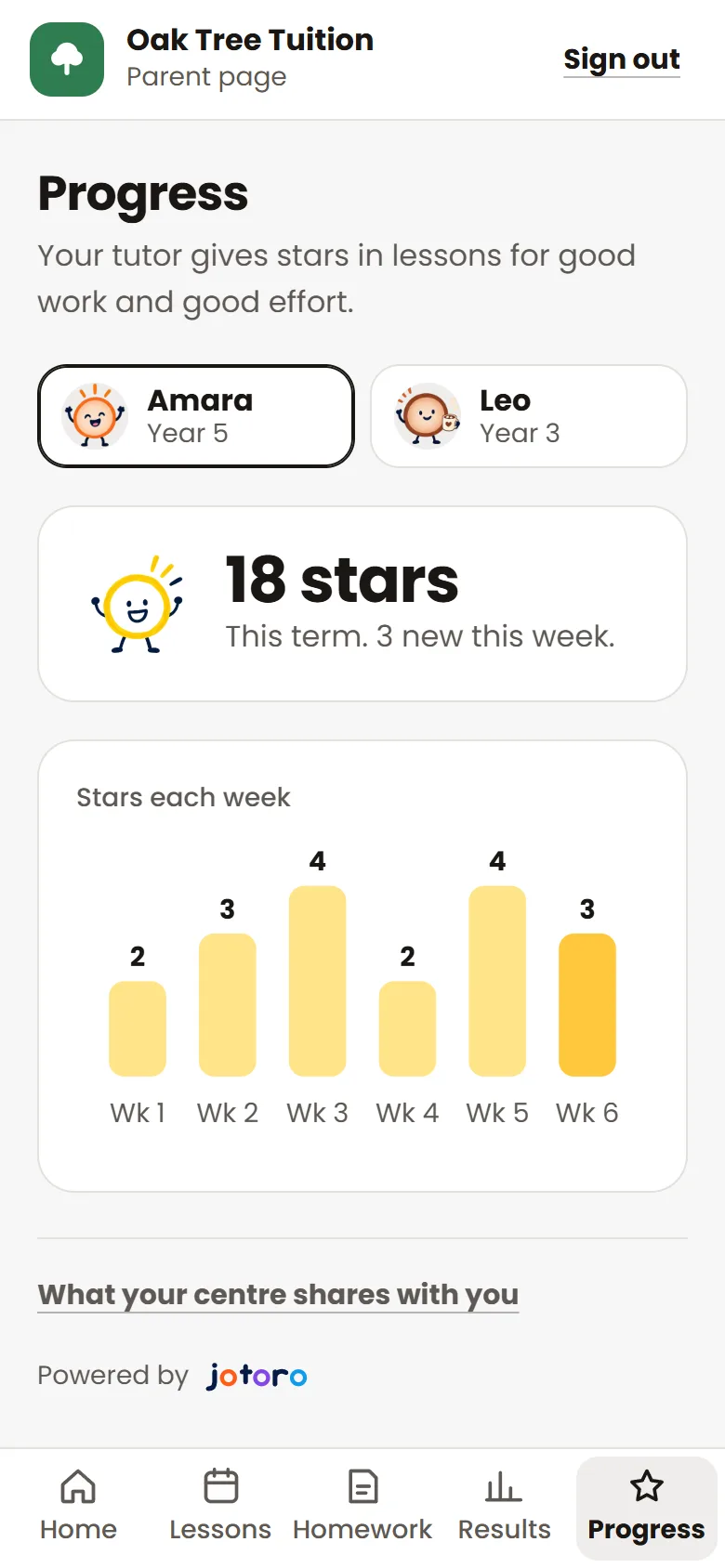
Stars and progress
The stars their tutor gives for good work and good effort, week by week.
Three steps to get in. Nothing to sign up for and no password to remember.
Get the link and the PIN
Your tutor or centre gives you the class link and your child’s homework PIN. Or skip both and use your email.
Open the link
It opens your centre’s own page, with their logo on it. It is still Jotoro underneath.
Type the PIN, or your email
Use the PIN, or type your email and we send you a one-time link. Either way, you see how your child is getting on.
Link and PIN together, or a one-time link.
With the link route you need the class link and the PIN together. It is children’s information, so a PIN on its own is not enough.
Lost the link? Sign in with your email and we send you a new one-time link.
See all your children in one place. Switch between them with a tap.
Two or more children at the same centre? Sign in once with your email and see all of them, then switch between them with a tap.
- One sign-in for the whole family, with your parent email.
- Each child’s lessons, homework, results and stars kept separate.
Your child’s information stays private. You see your own child, and nobody else’s.
Only your own child
You never see another family’s child, and they never see yours.
Look, don’t touch
Nothing can be changed from the parent page. It is for reading only.
The teacher decides
Parent access only exists if the teacher adds your email, sends you the class link and PIN, or approves your request.
Switched off on request
You can ask your child’s teacher or centre to remove your access, and they can.
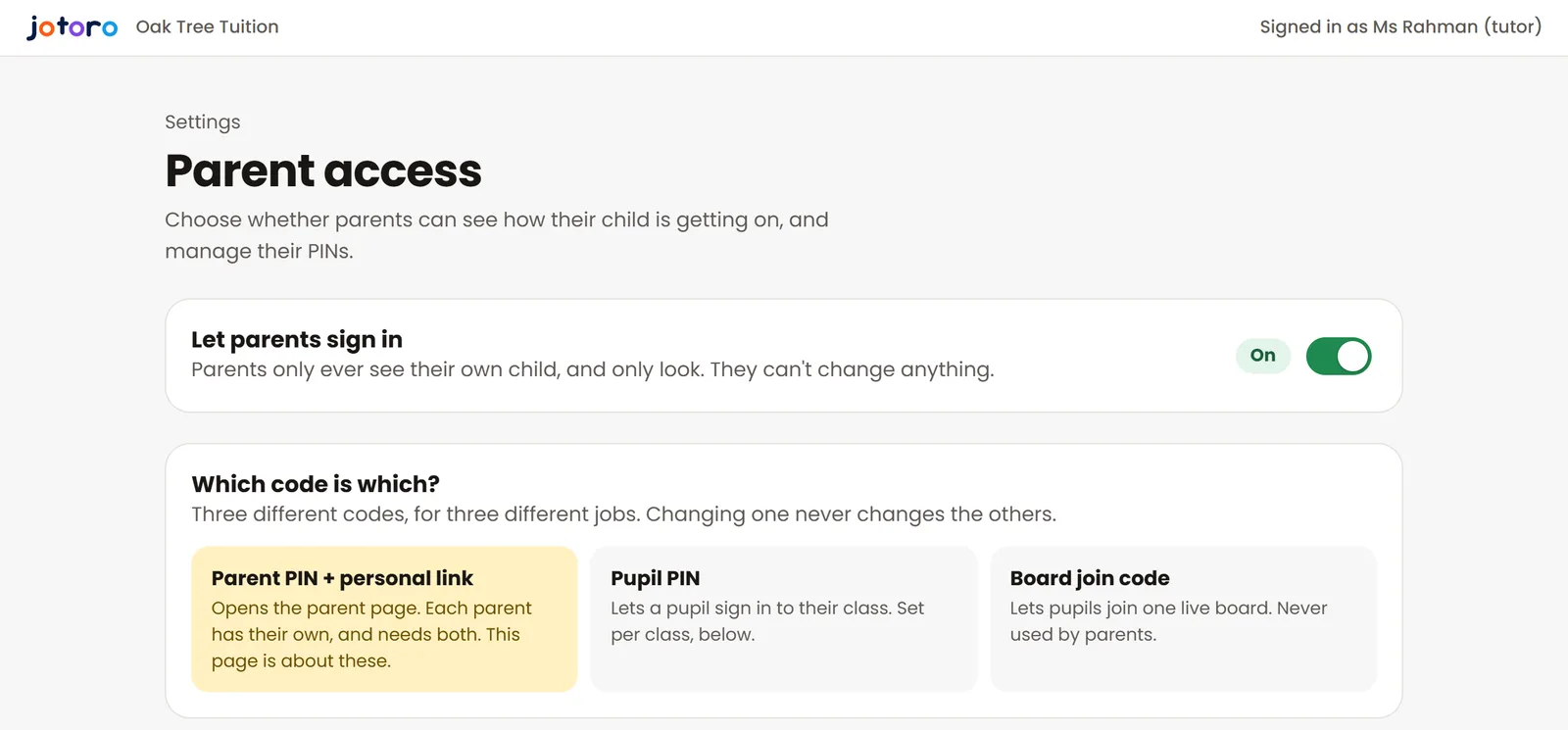
You stay in charge. Parents only get in if you say so.
Parent sign-in is for any tuition centre or tutor on a Pro plan or above (every agency and school seat included), and the page carries your own logo.
- Switch the PIN link on or off for a class, whenever you like, or remove a parent from a pupil.
- See and reset parent PINs. Reset a parent’s PIN whenever they ask.
- Export your parent list to keep your own records.
- Send each parent their details. Sending them by email straight from Jotoro is coming.
| Code | What it is for |
|---|---|
| Homework PIN and class link | Together they open the parent page for that child. The PIN never opens a live lesson. |
| Email sign-in | A one-time link sent to your email, instead of the link and PIN. |
| Pupil PIN | Lets a pupil sign in to their class. Each class chooses whether pupils need one at all. |
| Board join code | Lets pupils join a live board. Never used by parents. |
Different codes for different jobs. Changing one never changes the others.
Questions parents ask.
Is parent sign-in available now?
Yes. A parent can open a read-only page for their child today, with the class link and their child’s homework PIN, or by signing in with their email and a one-time link. Parent access is part of Pro and above, including agency and school plans. Results emailed to parents straight from Jotoro are coming soon. Meanwhile, once your child’s homework is marked, their teacher can draft a short message with your child’s first name and score and send it to you from their own mail app.
What does my child see when they do homework at home?
A simple page with To do and Past homework. Once a deadline has passed, Amir can still press Practise on last week’s homework and have another go on his own copy. His teacher never sees the scribbles, and his real result stays safe. Homework closes at the deadline and is handed in for him, and a child abroad sees the deadline in UK time.
What will I find on the parent page?
Four tabs: Overview, Lessons, Marks and Homework. Overview shows how your child is getting on. Lessons shows the register (present, late or away) and lets you open lessons from the last 30 days, read-only. Marks is a mark book by topic. Homework shows the results of homework set.
Who decides what I can see?
Your child’s tutor or centre. They have seven switches, for the register, marks, kept lessons, homework, stars, lessons and targets, and they can set them for the whole centre or for one child. Anything switched off is simply not shown to you.
My email is not on file yet. Can I ask for access?
Yes. Open the class link and ask to see your child. The teacher sees your request and approves or declines it, and you get the same reply either way. Up to two parents can be added for each child. This is part of Pro and above.
Can I see other children?
No. A parent only ever sees their own child or children, never anyone else’s.
Can I change anything?
No. It is look-only. You can read attendance, homework, results and stars, but nothing can be changed from the parent page.
I have lost my link or my PIN. What now?
Sign in with your email and we send you a new one-time link. If you need the PIN again, ask your tutor or centre: they can show it in your child’s record.
Which PIN do I use?
Your child’s homework PIN. It is separate from the PIN a pupil uses to sign in to a class and from the code used to join a lesson board, and it never opens a live lesson.
We have two children at the same centre. Do we need two sign-ins?
No. If the centre has the same parent email for both children, you sign in once and see them both. Each child keeps their own homework PIN.
Can I ask for it to be switched off?
Yes. Ask your child’s teacher or centre. They can remove your access at any time, and they can also switch off the homework link and PIN for a whole class.
Run a centre or teach privately? Register interest and be first to teach with it.
Register interest and we will tell you the day payments open. Pupils are always free, and there is a 14-day money-back guarantee on every paid plan. Running a school, tuition centre or tutoring company? Book a demo and we will build it around how your teachers teach.
Book a demo is for schools, tuition centres and tutoring companies. Pupils join by link: no app to install, no sign-up for them.