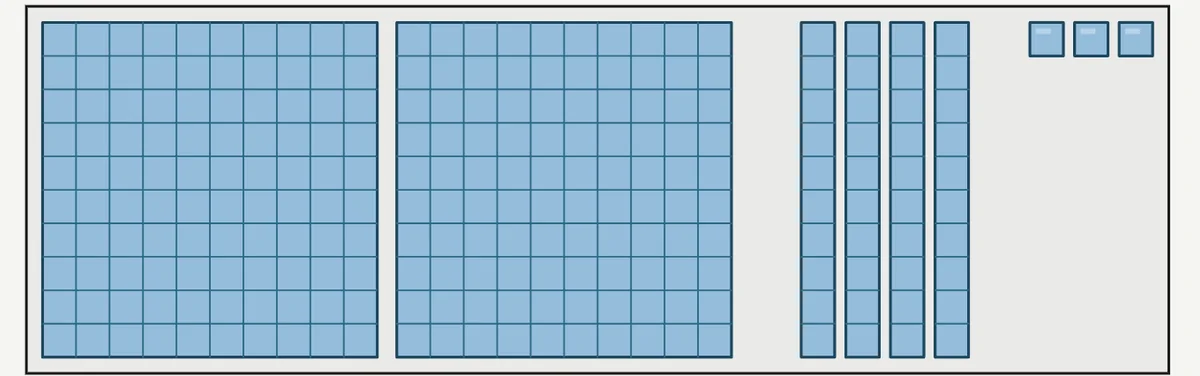
Dienes blocks that break and regroup
Break a hundred into ten tens, or make ten tens into a hundred, and the whole class watches it happen.

From clocks to maps to code: a laser, a timer, pens, live web pages and subject tools that work on whatever you put on the board. Built for teaching, not bolted on.
Coming soonA dedicated timeline tool for history and humanities.

Hover to play. Tap a tile to flip it and see it on a board.
Jotoro’s tool tray holds teaching tools for every subject, from Dienes blocks and clocks to label-a-diagram and spelling tests. Each one can be sent to pupils as a ready starting point, so there is nothing to set up on their side. See every feature.
No cupboard of equipment to carry in, and no other apps to switch between. The tools sit in one tray, grouped by subject, and a search box finds the one you want as you type.
Cannot remember what a tool is called? Press the slash key and type it roughly. Even “fracshun” finds the fraction tools.
Every tool below can be sent to pupils as a ready-made starting point, so each child gets their own copy to move and try.
Break a hundred into ten tens, or make ten tens into a hundred, and the whole class watches it happen.
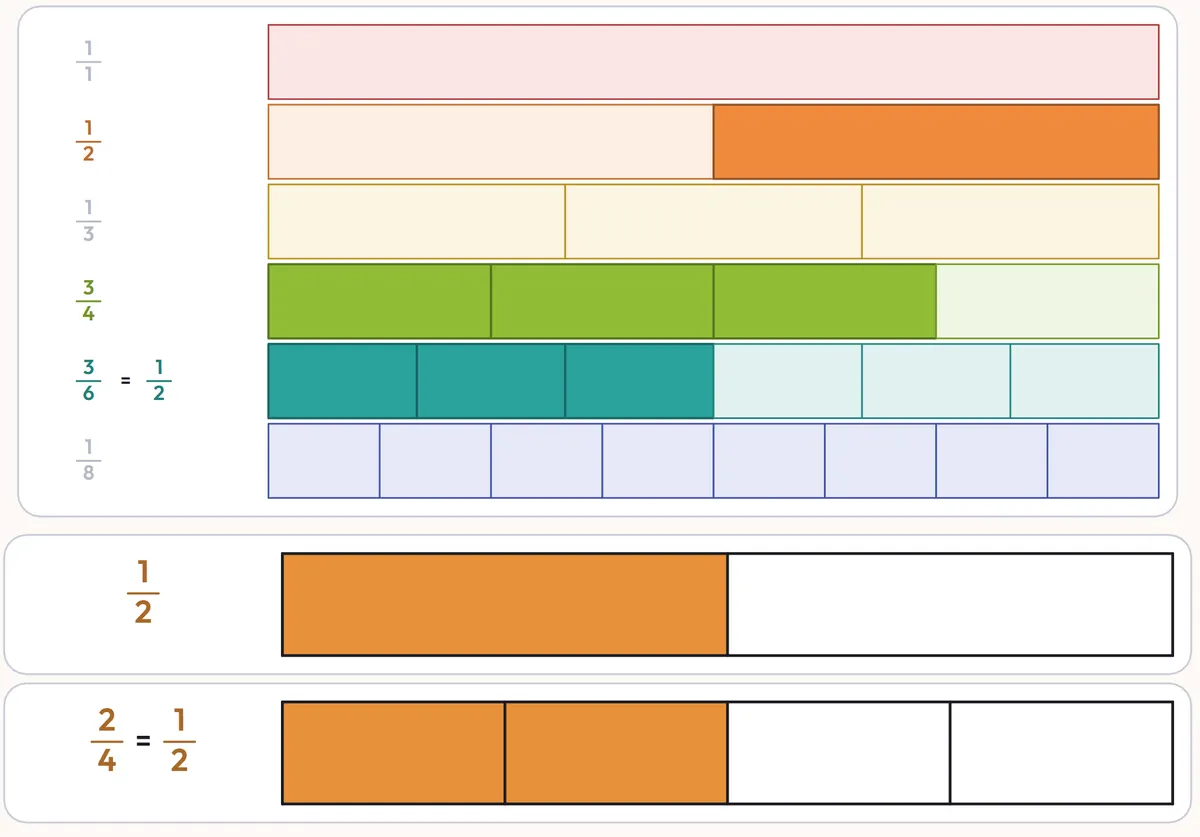
Halves, thirds, quarters, sixths and eighths in one stack, so equivalent fractions can be seen, not just stated.
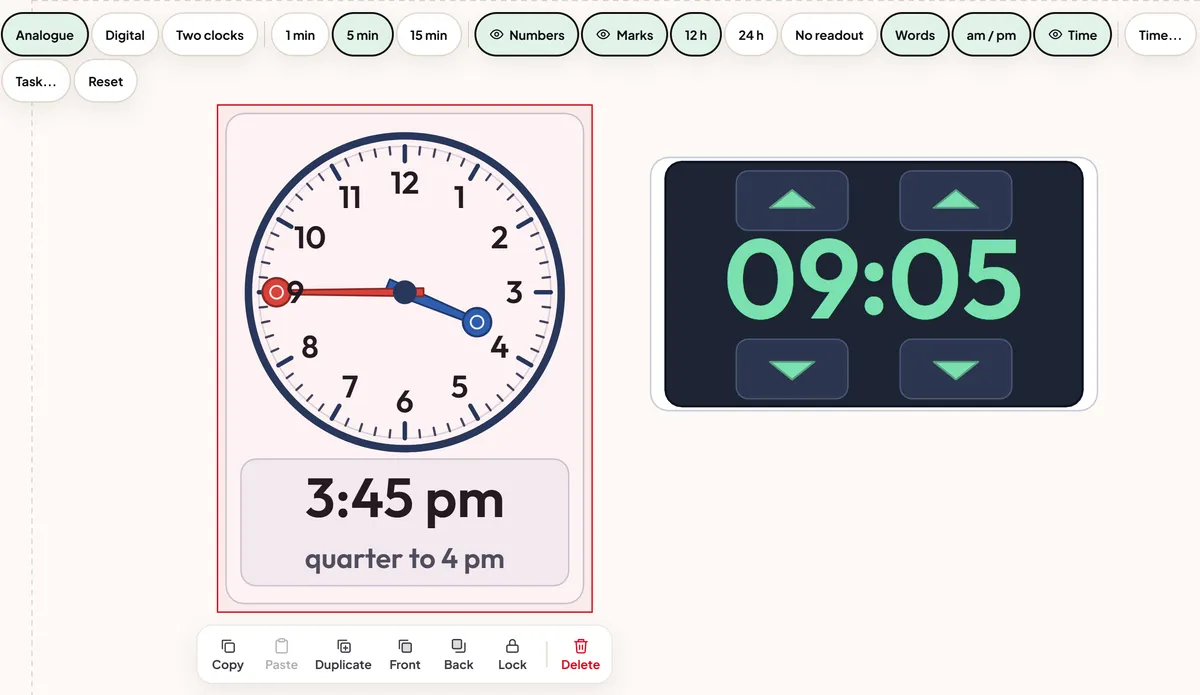
Move the minute hand and the hour hand follows. Pupils read it in words and as a digital time.
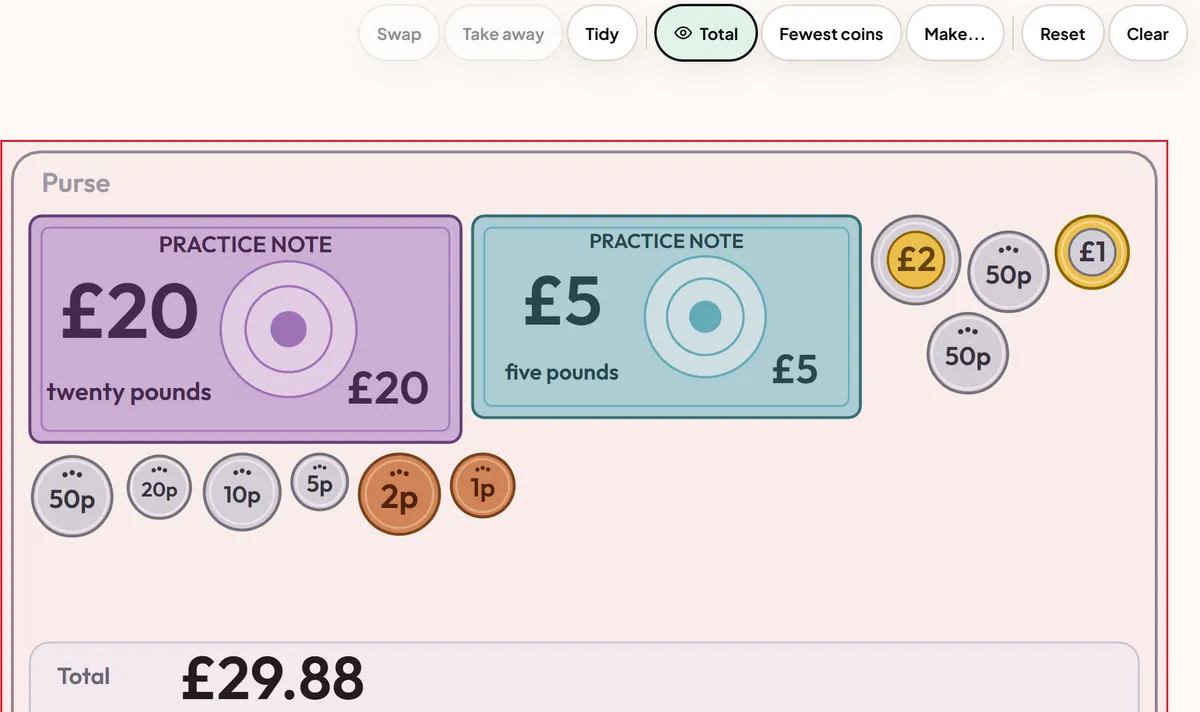
A purse of real UK money. Swap, take away, tidy, or find the fewest coins for a total.
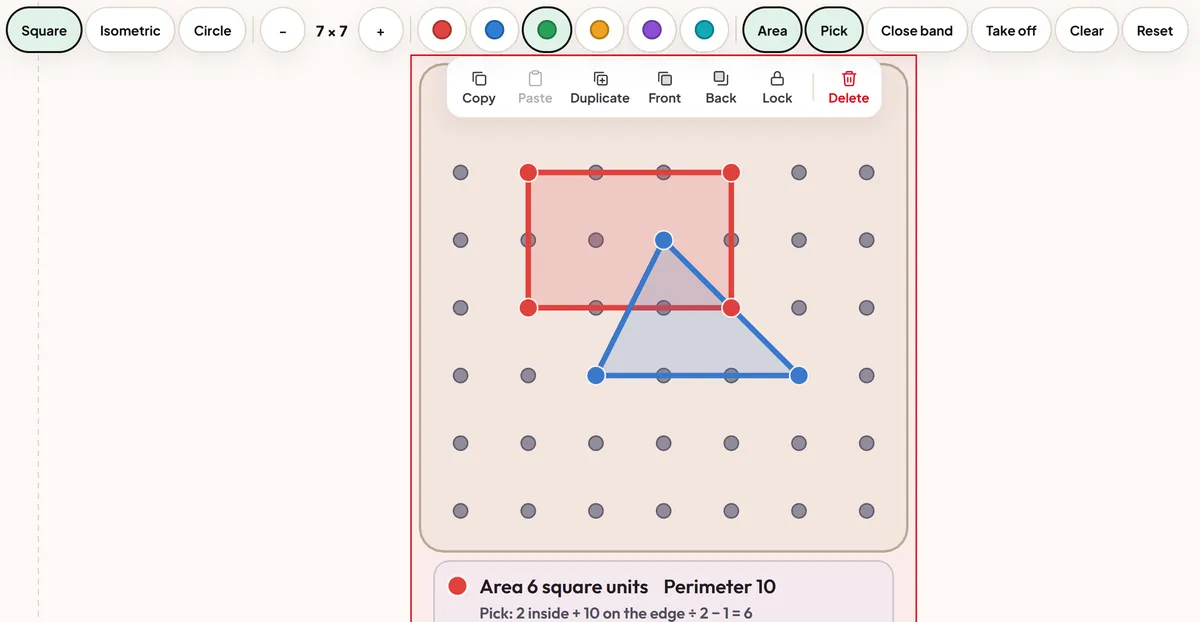
Stretch bands across the pegs. The area and perimeter are worked out for you, exactly.
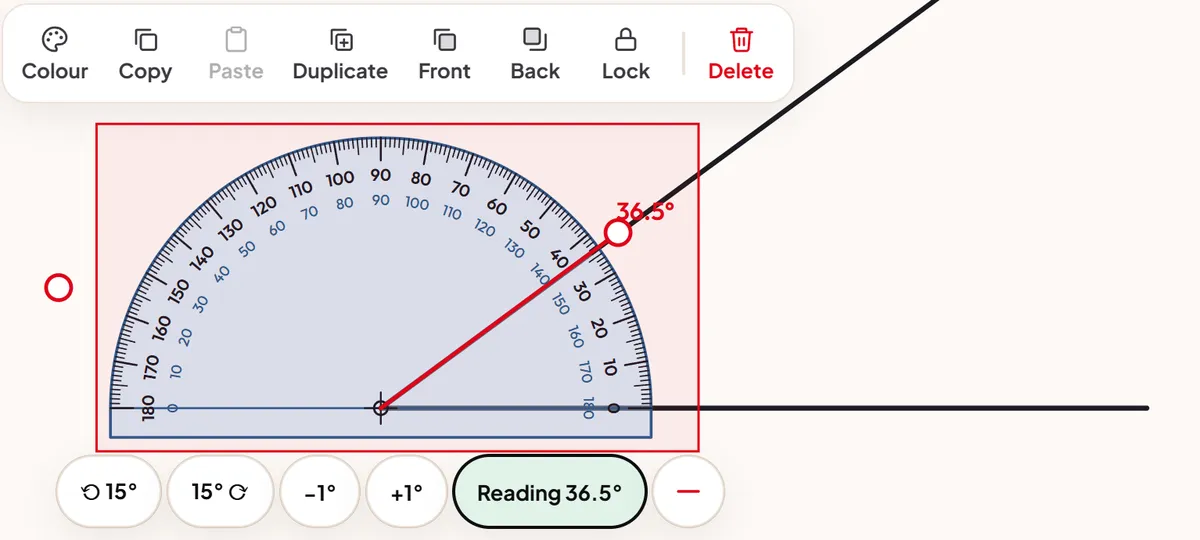
Line it up and it tells you the angle. Nudge it a degree at a time.
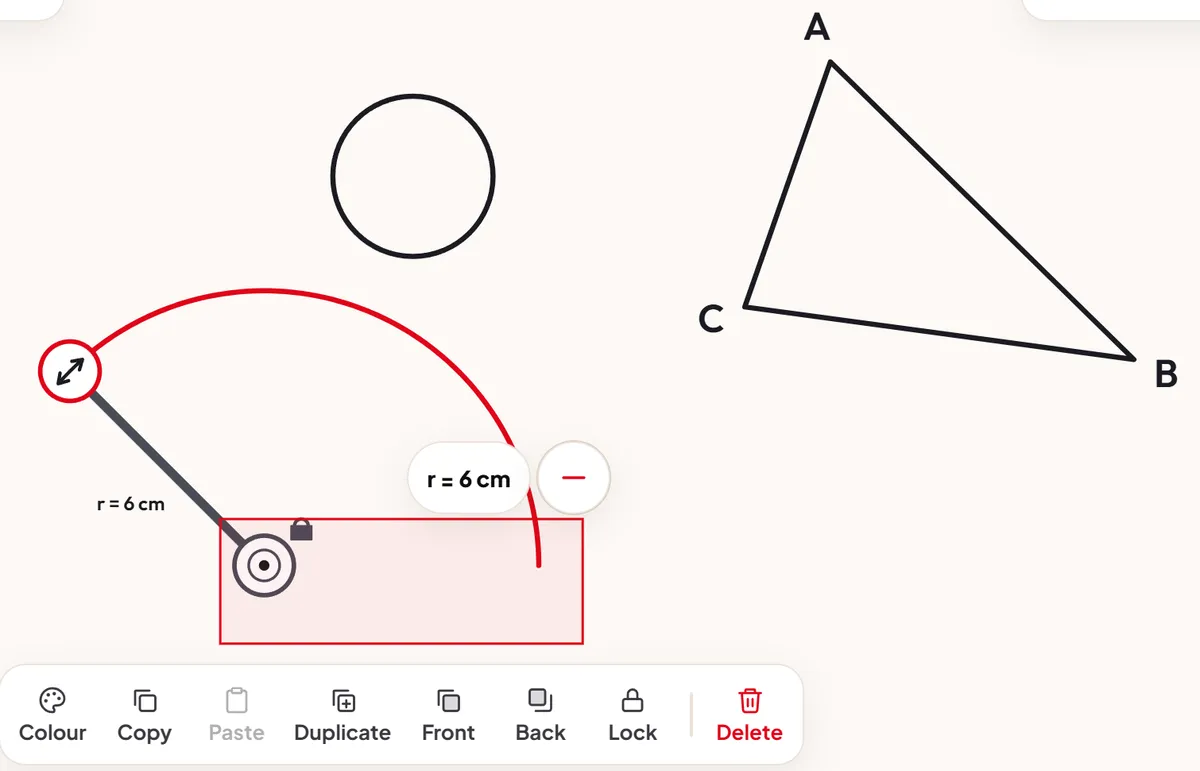
Set the radius, lock the pin and draw. Rulers and set squares snap onto lines and corners.
It appears on boards set up for secondary, Years 7 to 13, so primary pupils never see it.
Ruler, set squares, protractor and compass. Tools snap onto lines and corners, and the pen tidies a wobbly shape into a neat one.
Maths tools are in every plan. See Jotoro for maths.
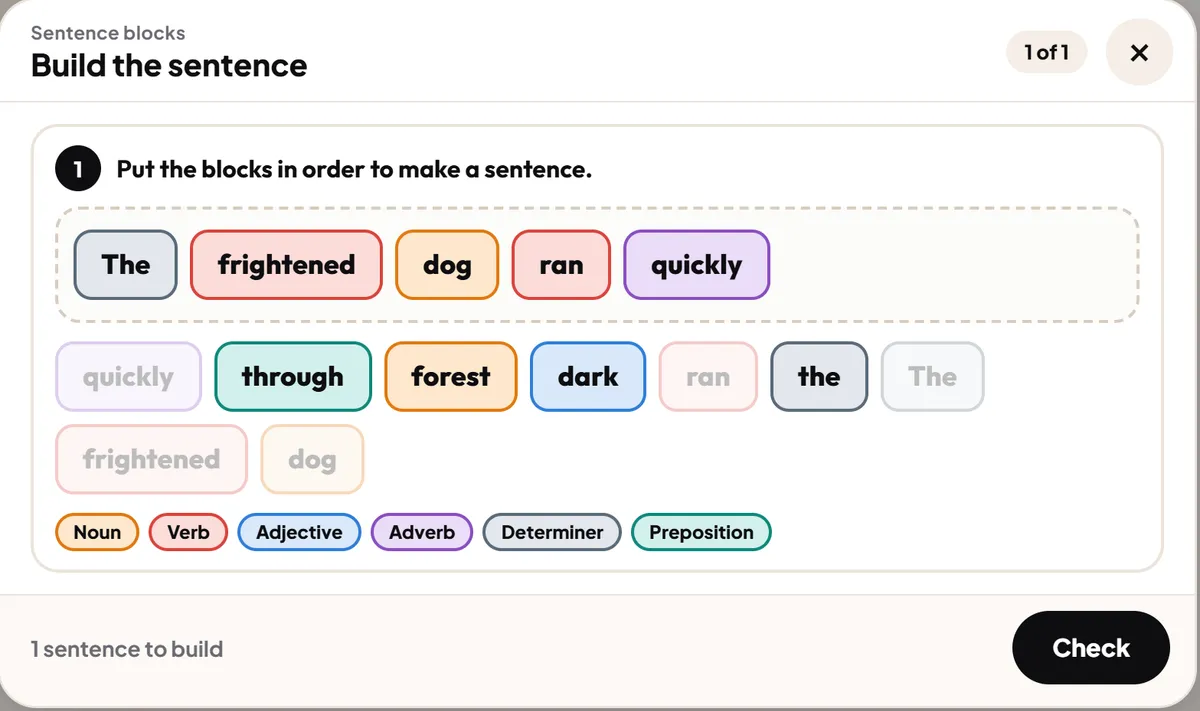
Colour-coded word blocks for nouns, verbs, adjectives and more. Pupils build, expand and combine sentences.
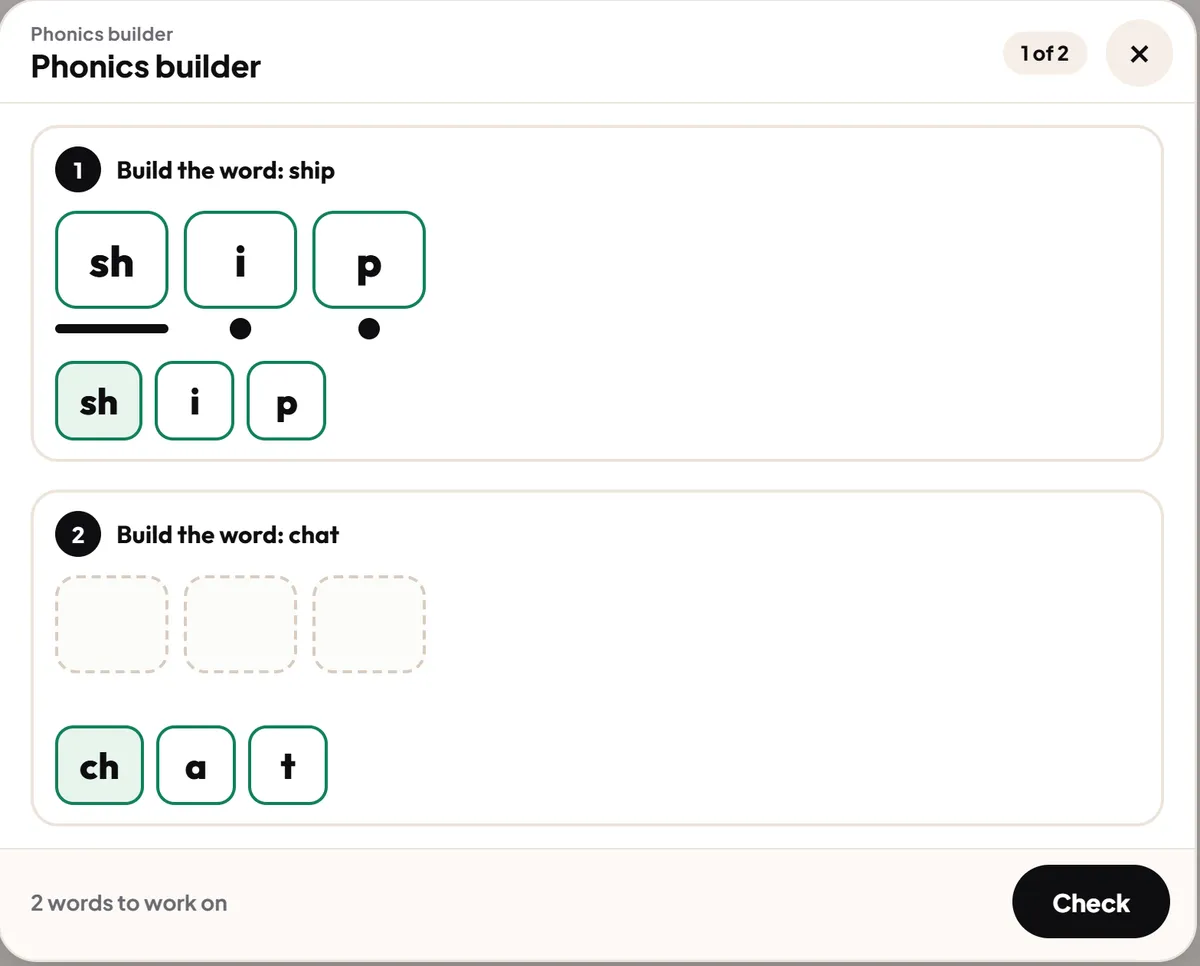
Build a word from sound tiles, one box per sound. Ship, chat, thin: pupils split it and put it back together.
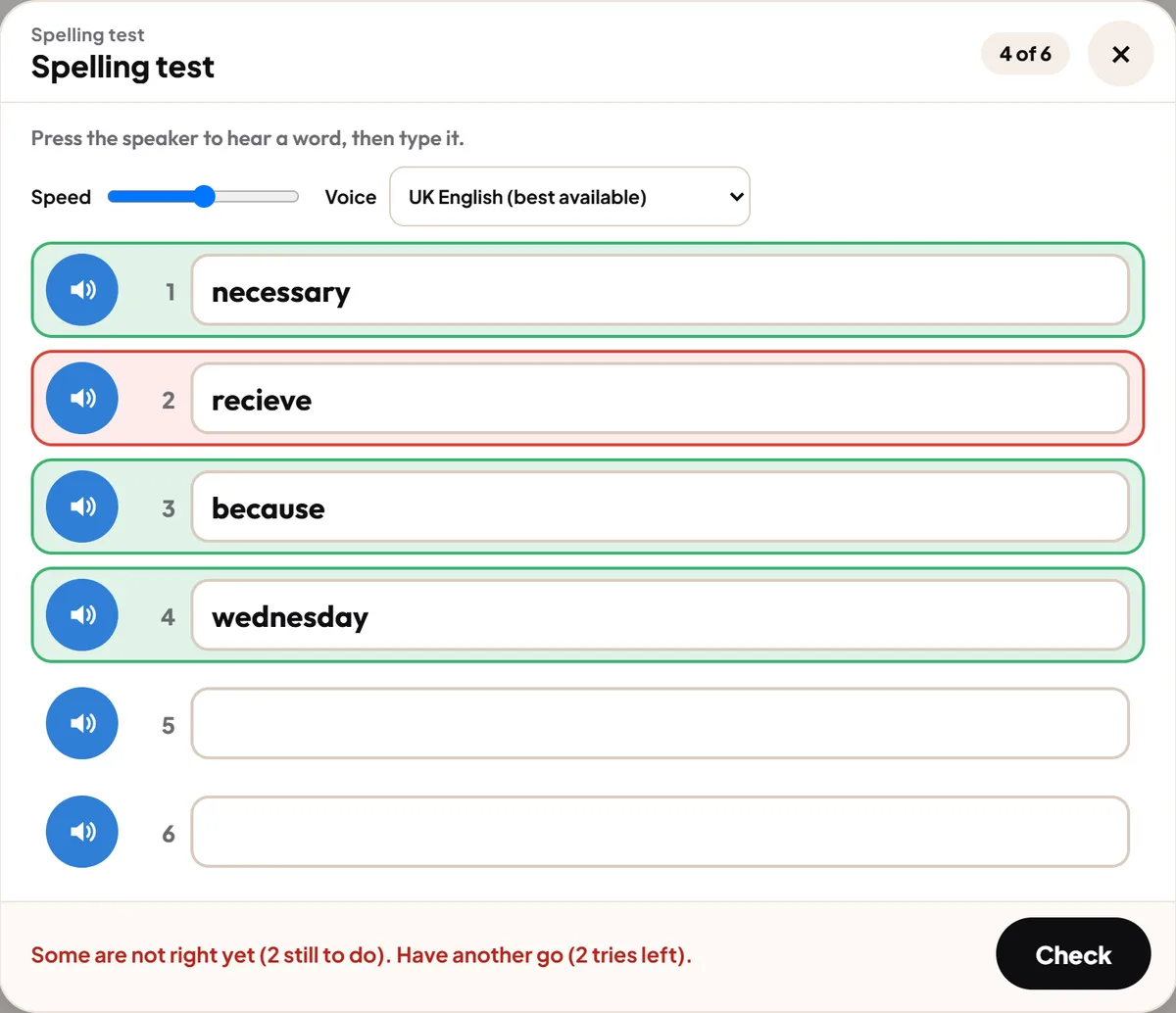
Pupils hear each word and type it. Marked for you, with the tricky words saved to each pupil’s record.
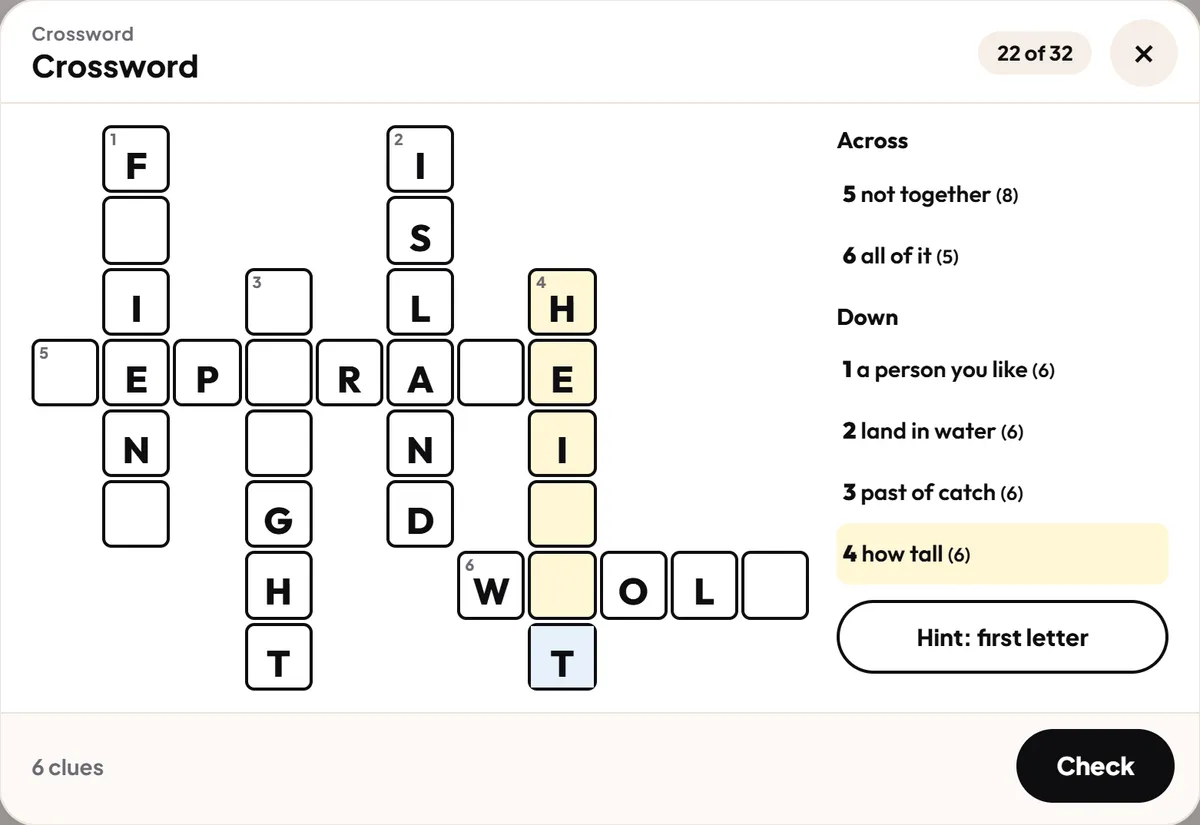
Clues across and down, with a first-letter hint for anyone who needs it.
In the writing box, Ella speaks her sentence and it appears as text. For a first draft you can hide the checklist, and bring it back when she is ready to edit.
The science tools appear for teachers who teach science, and quick search finds them for everyone else.
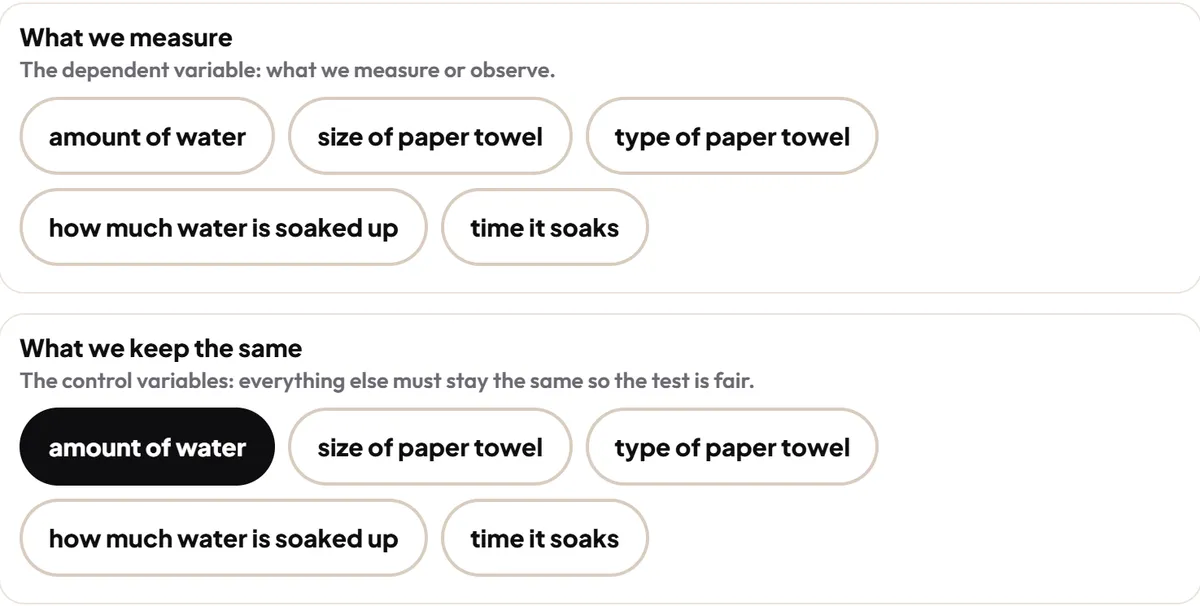
Question, prediction, what we change, what we measure, what we keep the same. Unfair comparisons get a gentle flag.
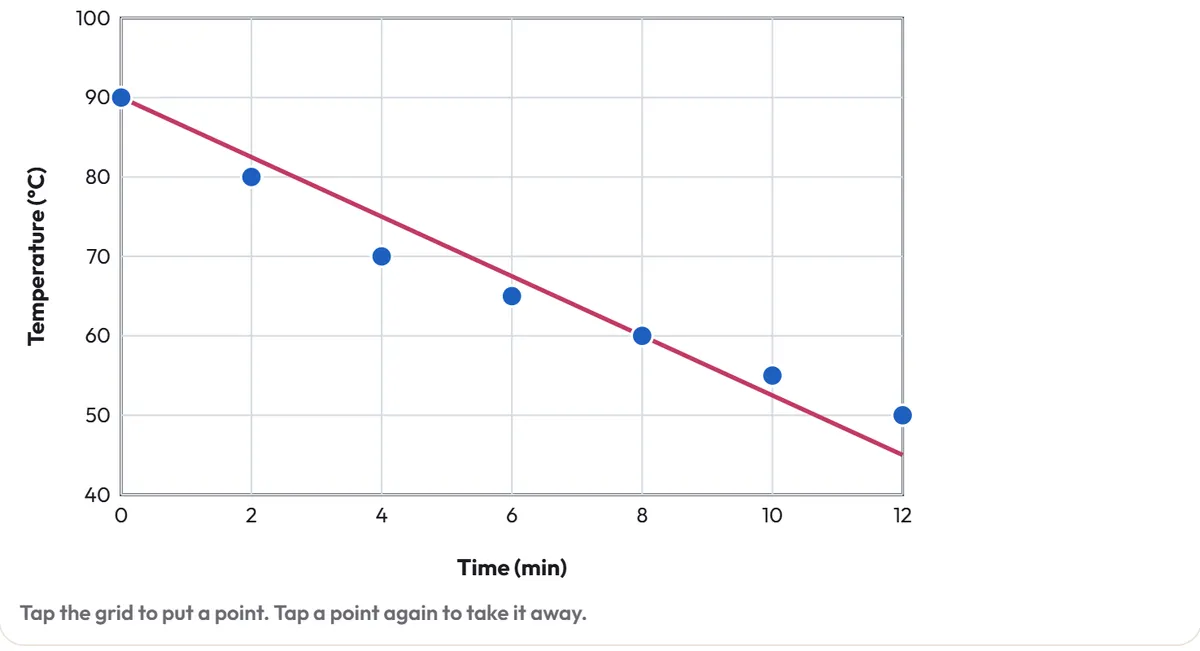
Pupils plot their own points, draw a line of best fit and describe the pattern in a sentence.
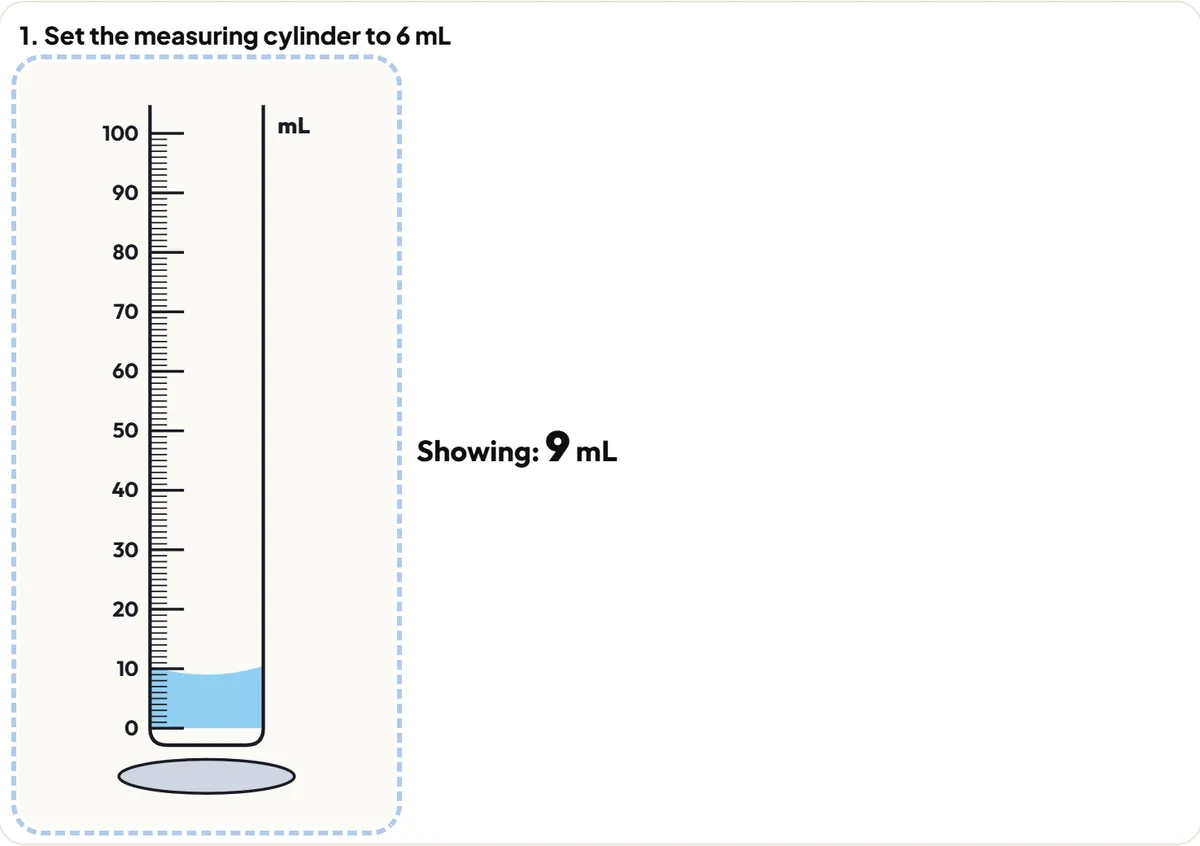
Set a measuring cylinder to a reading or read a scale. Every pupil gets a different reading.
Colour it by family, highlight the halogens, then hide the symbols for a quick quiz. Pupils can type in the elements you have picked, and it is marked like an answer box.
Pick “Making water” or type your own equation. Pupils change the numbers in front of each formula and watch the atoms on each side turn green when it balances.
Cover the labels on a diagram of the eye. Pupils type them in on their own copy, and you reveal them one at a time when the class is ready.
You plot five close points and each label stays next to its own dot, with a short line when it is crowded, so the class can read the graph without squinting.
Instruments are drawn as clear pictures to read and set. Label a diagram, sort into a Venn or connect with arrows works for science too. See Jotoro for science.
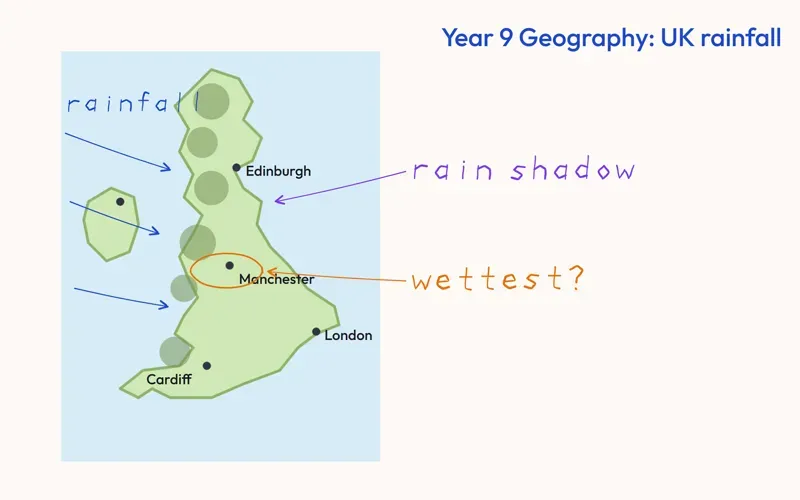
Circle, arrow and label any picture or page.
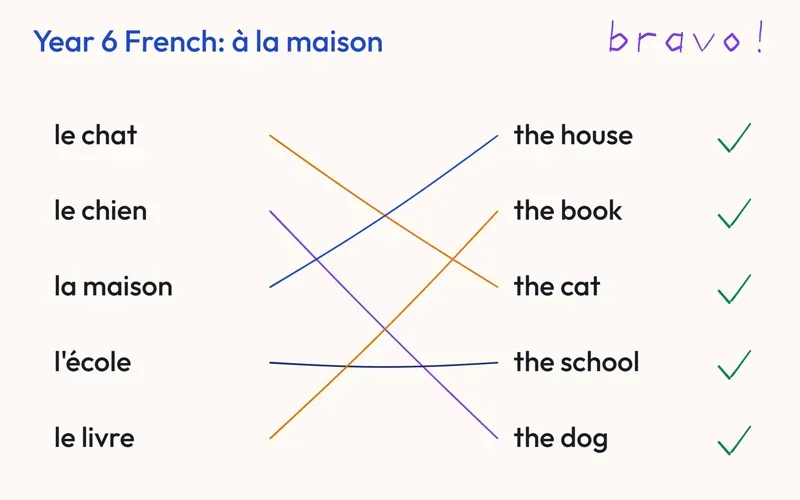
Draw the pairs. Good for vocabulary of any language.
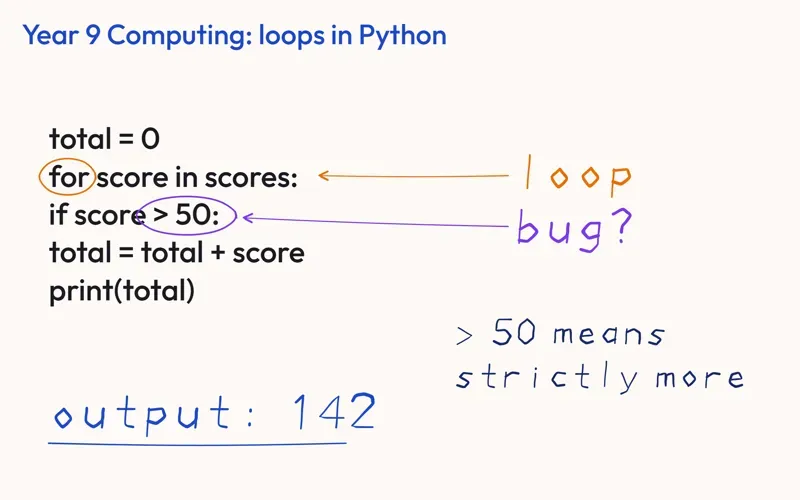
Annotate code on the board the way you would on paper.
Sort cards place events in order.
Coming soonA dedicated timeline tool.
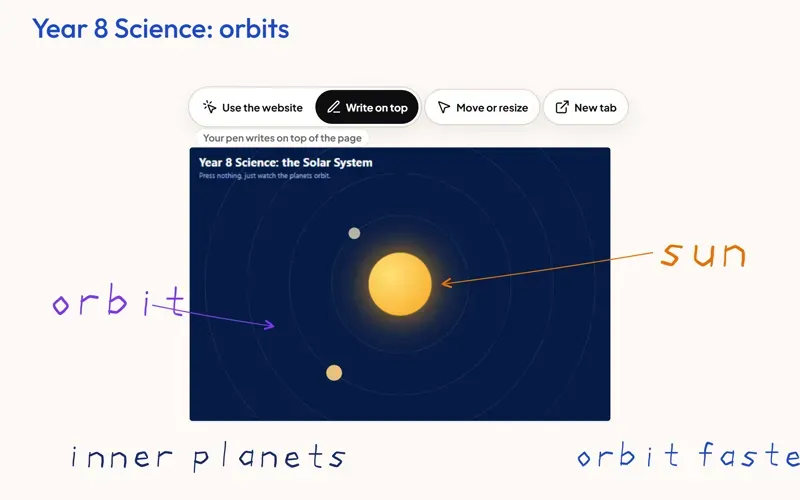
Drop in a video or a website (Groups and above). Use the page as it is, or switch to Write on top and annotate it like any other page.
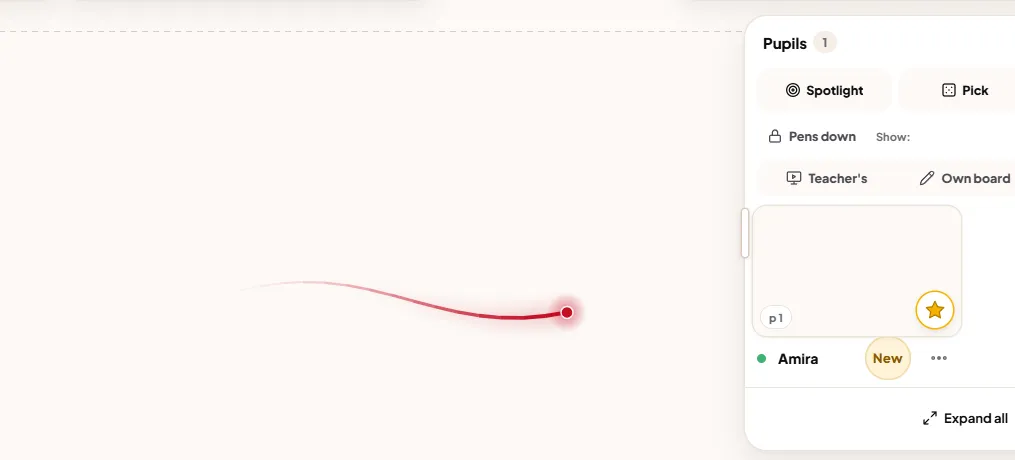
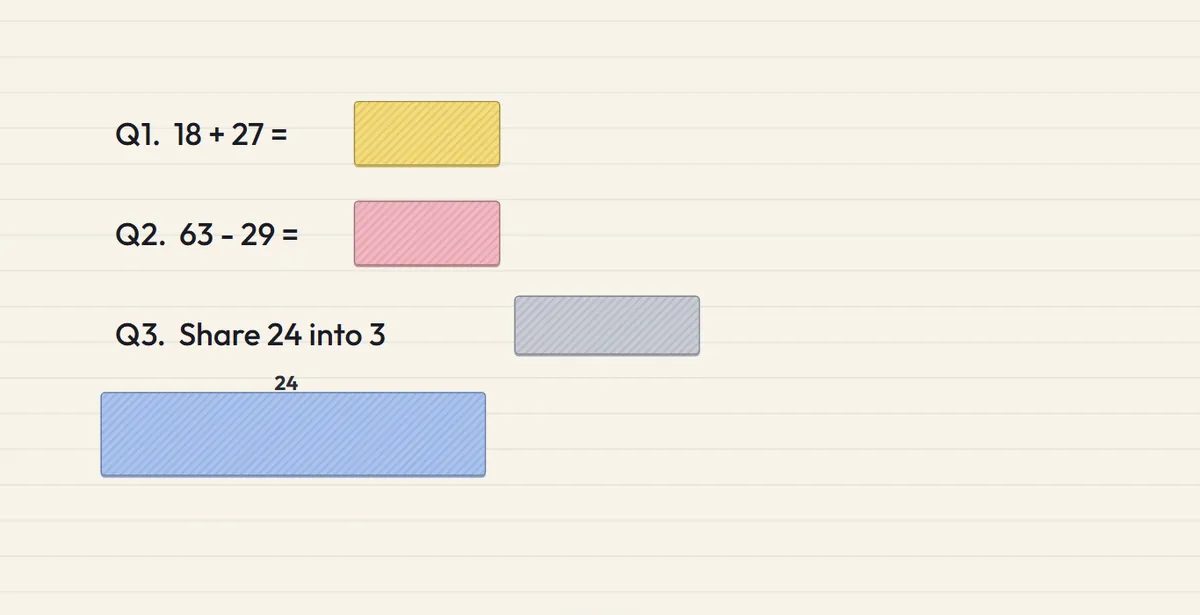
Whether it is a spelling test, a fair-test plan or a set of sentence blocks, it behaves like any other activity on the board.
Every pupil gets a copy to work on, so nobody waits for a turn.
You see who is right, who is wrong and who has not started, while the lesson is still running.
Results are saved with each pupil’s record, ready for Monday. See assessment and marking.
The tools wait in the tray until you reach for them, then get out of the way, so the lesson stays about the children and the idea.
See the board they all sit onBack to all Jotoro features, or see plans and prices.
PDFs, pen and every tool on one board.
Turn a worksheet into a lesson the class can answer.
Maths, English, science and humanities, one page each.
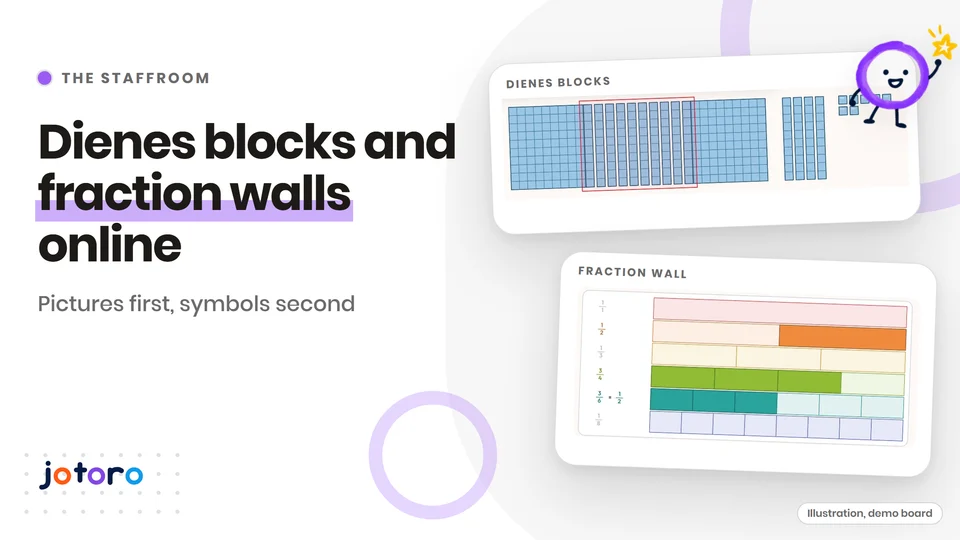 From the StaffroomDienes blocks and fraction walls onlineTwo short sequences, one for place value and one for fractions, the mistakes to expect and how to keep every child moving the blocks.Read the post
Yes. When you send a tool, every pupil gets their own copy on their own board, so they can move things, draw and answer without disturbing anyone. You see all of them as they work.
Where there is a right answer, yes. The spelling test, sentence blocks, measuring instruments and the like are marked by Jotoro, and each one becomes one row in your question tracker and one line in the pupil’s record.
Maths, English and science have their own tools today. Languages, computing and humanities have the pen, the label, sort and match activities, and sort cards for putting things in order. A dedicated timeline tool is coming soon. See Jotoro by subject.
Yes, on Groups and above. Put a video or a website on the board and write on top of it. For a map, drop in a picture and mark it up with the pen.
No. Dienes blocks, fraction walls, clocks, coins, protractors and compasses are all on the board, with nothing to carry, count or tidy away.
The maths tools, bar models and geometry tools are part of the Jotoro board. See plans and prices for what each plan includes. Pupils are always free.
Register interest and we will tell you the day payments open. Pupils are always free, and there is a 14-day money-back guarantee on every paid plan.
Pupils join by link: no app to install, no sign-up for them. See plans and prices.