
Online whiteboard for 11+ tutors with papers that mark themselves
Bring your own practice papers, run timed mocks and keep a record for parents.

In short
Jotoro is an online whiteboard for 11+ tutors. You bring your own practice papers as PDFs, pupils answer multiple-choice questions by tapping A to E, and Jotoro marks them as they work. You can run timed mock papers and keep a record for parents.
- Your own papers, with multiple-choice questions found for you
- Marking as pupils work, and timed mock papers
- A record for each pupil that parents can see on Pro
Bring in your own paper. Pupils tap their answers.
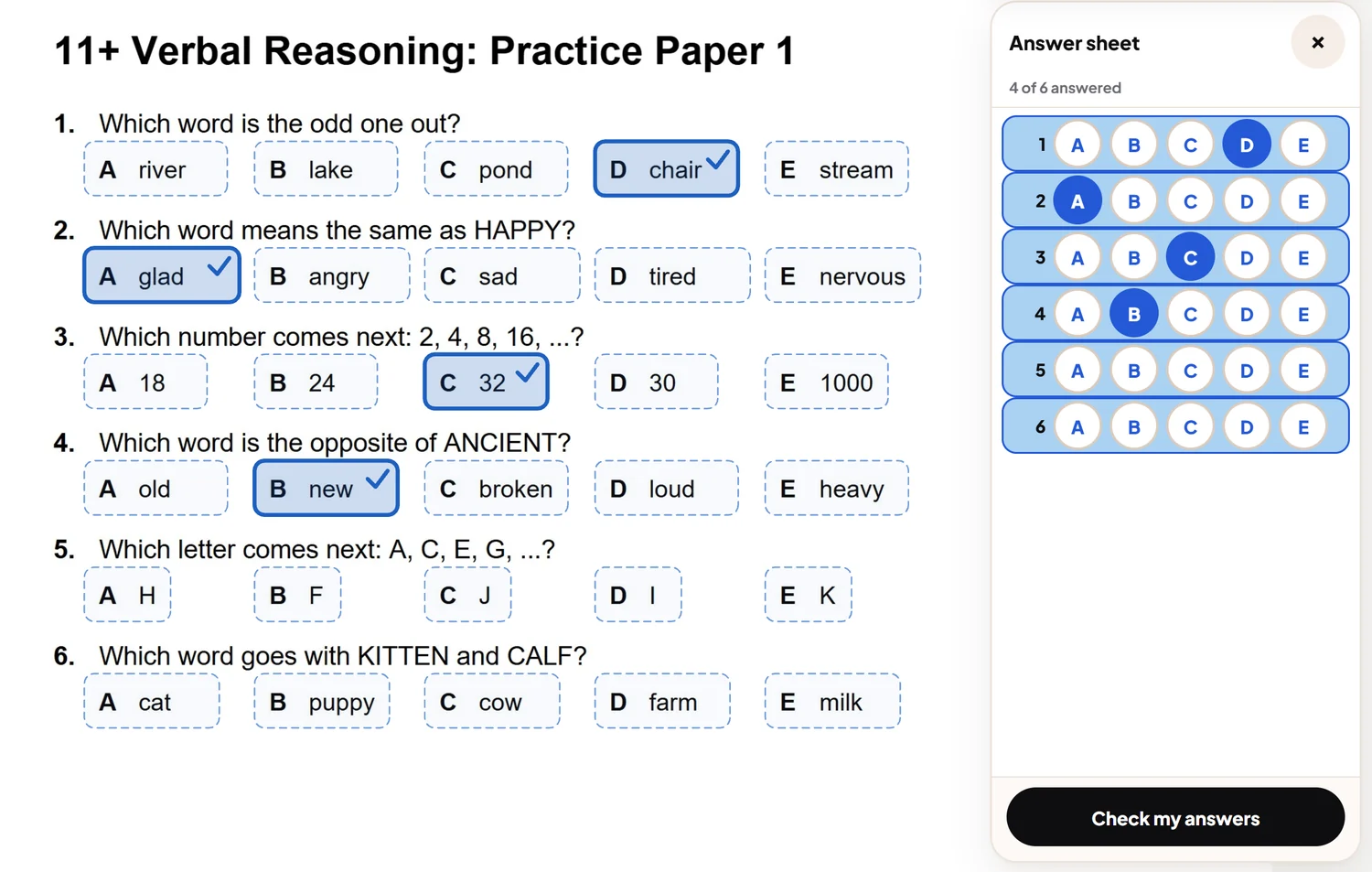
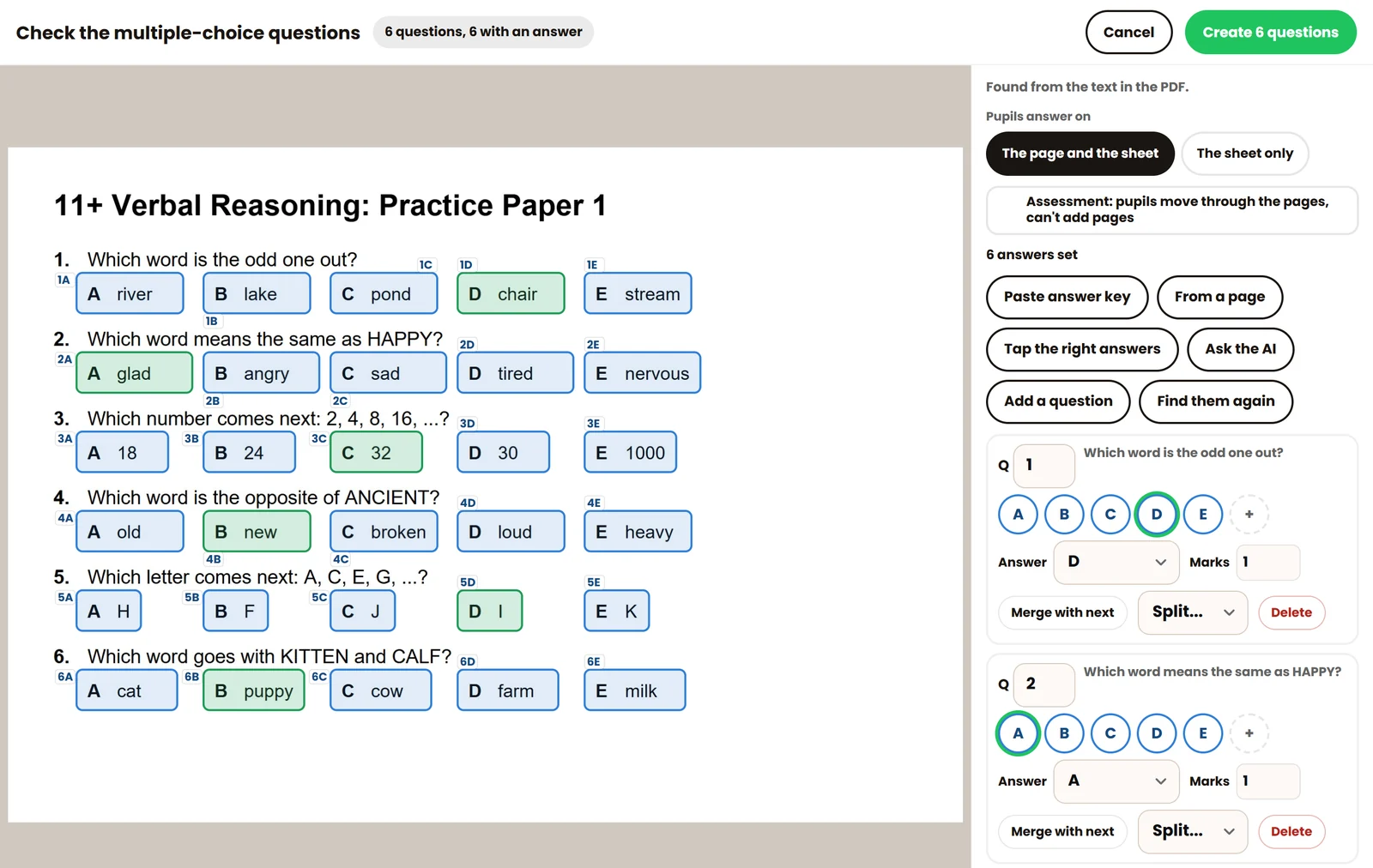
Import your PDF and Jotoro finds the multiple-choice questions. It tells you how many it found, such as “Found 38 of 40 questions”, and which ones it could not read.
- You check the questions and add the answers, for example by pasting a key like “1 C, 2 A, 3 E”.
- Pupils tap A to E on the page, or on an answer sheet beside it.
- The answer key never reaches a pupil’s screen.
Answers are marked as pupils work.
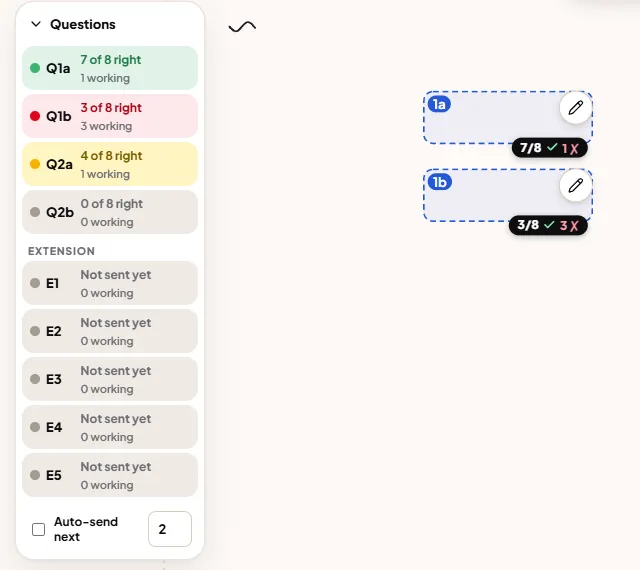
Typed answers and multiple-choice answers are marked straight away. You see how many pupils got each question right, so you know when to stop and explain.
- The live tracker shows “6 of 8 right” for each question.
- Tap a question to see who got it right and who has not tried it yet.
- You can still tick and circle in red on a pupil’s own board.
Run a mock paper with a timer.
Set a timer and run the paper as a sitting. Pupils get one go at each question, with answers and help hidden. When time is up, pens go down by themselves.
- Pupils see nothing until you release the results.
- You see the average, median, highest and lowest scores.
- A question-by-question table shows the common wrong answers.
- Run the same paper again later and compare the sittings.
Maths, English, verbal and non‑verbal reasoning on one board.
Bring your own papers. Jotoro does not supply a question bank.
Show the working
Bar models, place value, fractions and number lines beside the question.
Read and annotate
Put a text on the board and annotate it with your pupil. Spelling and punctuation tools are there too.
Tap A to E
Bring in your own papers as PDFs. Pupils tap the word they choose, and it is marked for you.
Picture questions
The pictures stay as they are on your paper. Pupils tap an option or use the answer sheet beside it.
A record for every pupil, with the exam and targets.
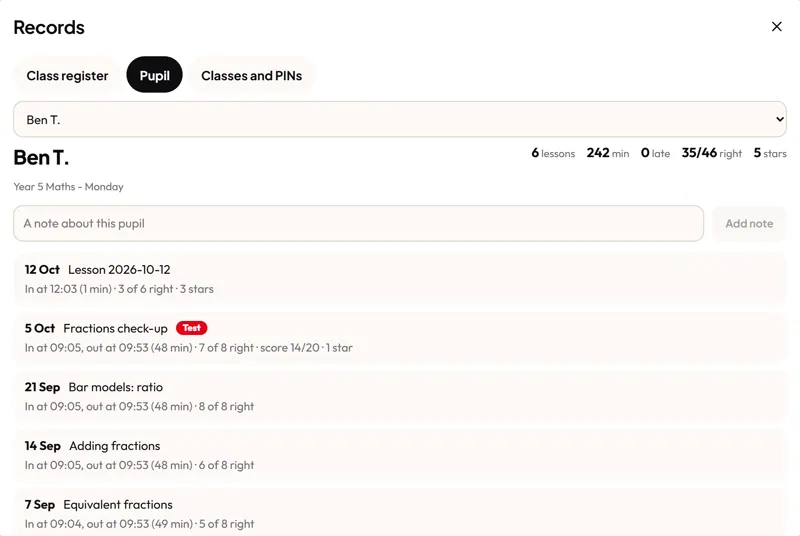
Results, stars and notes are saved for you after every lesson. When a parent asks how it is going, the answer is already there.
- Choose the exam, the month and the year on each pupil’s profile.
- Add the schools they are aiming for and the score they need.
- Write their strengths and gaps, to plan the next lesson.
- On Pro, parents have access too, and you choose what they see.
- Download a pupil’s record as a PDF.
Teach one pupil or a group.
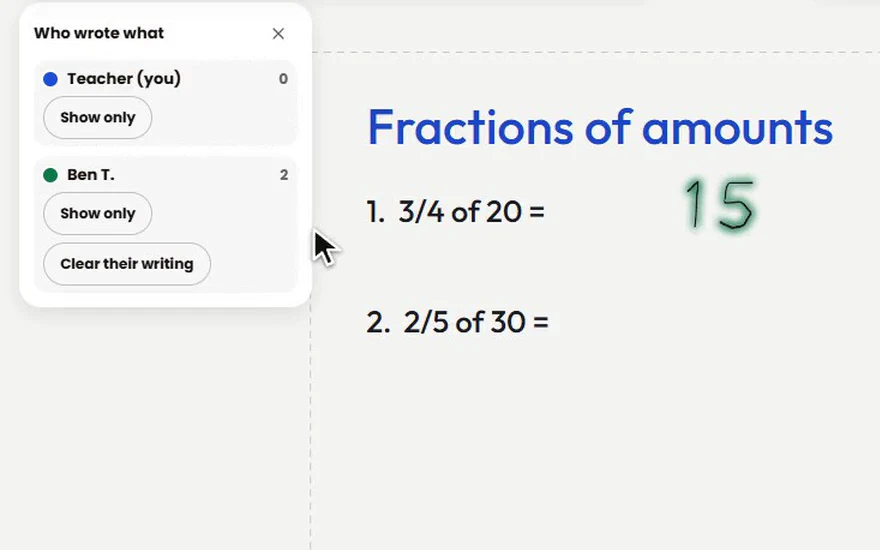
One-to-one
You and your pupil both write on the board. The Free and Solo plans are for one pupil at a time.
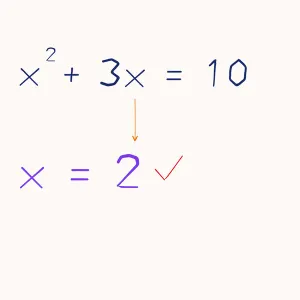
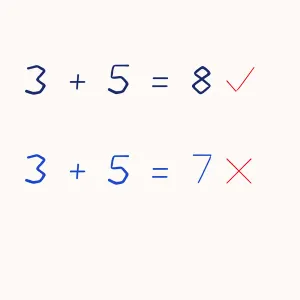

A group
Each pupil has their own board, and you see them all on your screen. The Groups plan is for up to 20 pupils and Pro for up to 40.
What teachers say
Read more reviews →I mean, my mind is blown. This is brilliant. Honestly, I’m really amazed by it all.
Lots of interactive features to make it more engaging for the learner. Easier to monitor.
That is true reflective practice, because then you are going back and you are making sure that what you offer caters to exactly who your students are.
Plans for tutors.
Pupils and parents never pay. Schools and tuition centres have their own plans.
Solo
£6.99 a month, billed once for the year
For the tutor with one pupil at a time.
Groups
£9.99 a month, billed once for the year
For the tutor who teaches groups and wants a recording.
Pro
£14.99 a month, billed once for the year
For the tutor with big groups, a curriculum to follow and parents to keep in the picture.
Teaching one pupil, one-to-one? The Free plan is £0. One pupil, one board, no card. Register interest
Payments open soon. Register interest and we will tell you the day. Nothing is charged today.
Questions tutors ask.
Can I use my own 11+ practice papers?
Yes. Import any paper as a PDF and put it on the board. Jotoro does not supply a question bank, so you bring the papers you already use.
Does it mark multiple-choice questions?
Yes. Jotoro finds the multiple-choice questions on your paper, you check them and add the answers, and pupils tap A to E. Jotoro marks the answers, and the answer key never reaches a pupil’s screen.
Can I run a timed mock paper?
Yes. Run the paper as a timed sitting. Pupils get one go at each question, answers and help stay hidden, pens go down by themselves when the timer ends, and pupils see their scores only when you release them.
What do parents see?
On the Pro plan, parents can see what you choose to share, such as what their child is aiming for, what they do well at, what they are still working on, stars and homework. You decide what is shown, and you can check it before you share it.
Do I need a video call tool?
Jotoro has no video call of its own, so it runs beside the video call you already use. Your pupil opens a link in a browser and writes on the board while you talk.
What does it cost?
The Free plan covers one-to-one lessons with one pupil. Paid plans start at £6.99 a month when billed once for 12 months, or £11.99 a month if you pay monthly. Prices are in pounds sterling, and pupils never pay.
Bring a lesson you already teach, and see it on your own board.
Register interest and we will tell you the day payments open. Pupils are always free, and there is a 14-day money-back guarantee on every paid plan.
Pupils join by link: no app to install, no sign-up for them. See plans and prices.
