A language lesson has a particular problem. Pupils can sit through a whole lesson, nod at every word and still leave unable to produce any of it. The ideas below all make pupils produce something: a word from memory, a label, a sentence, an answer to a question about what they heard. Then you can see who has it. The examples are in French and Spanish, but nothing here depends on the language.
How do you teach vocabulary so it sticks?
Copying a word list is the least useful thing a pupil can do with it. They can finish without thinking about a single word. The words stick when pupils have to pull them out of memory, so build the lesson around that.
- Hear it, say it, then write it. Say the word, the class repeats it, and only then do they see it written. A pupil who has heard a French or Spanish word first usually spells it better.
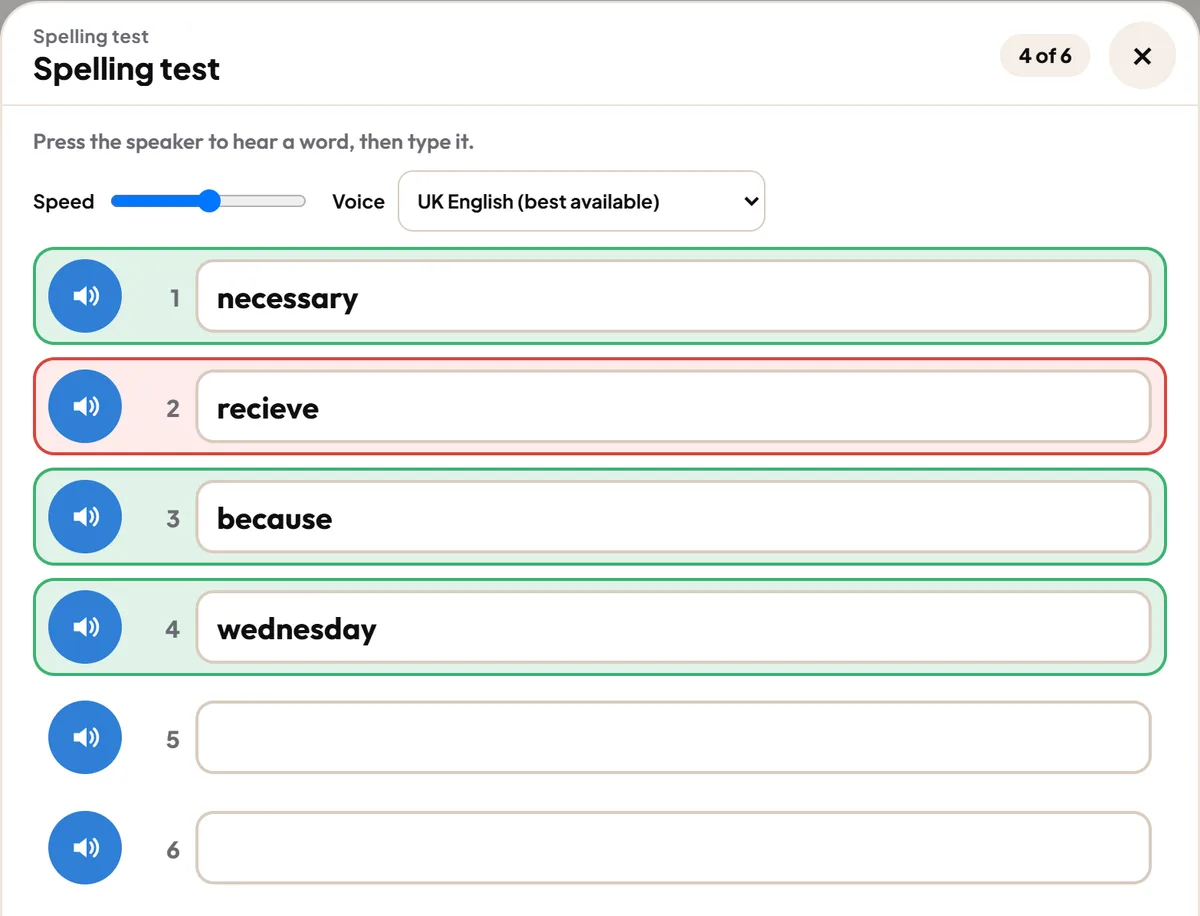
- Test a few, test again. Five or six words, tested quickly with no notes. The same words a week later, and the tricky ones again after that.
- Look, cover, write, check. Still good, as long as the cover step is real.
- Keep a list per pupil. The words each pupil keeps missing are their whole revision plan. Look for the pattern too: if half the class writes je suis where it should be j’ai, that is a lesson, not five mistakes.
In Jotoro you make a word list once and use it several ways: a spelling test, look-cover-write-check, missing letters, unscramble, a word search, a crossword or a gap-fill. For a test, you press Next and Repeat on your own screen and the class hears each word through your speakers or your call, while pupils see only the word number. If you want the words said in the right accent, there is an option to use your own recorded voice. When the test is over you get the words the class got wrong most often, and each pupil’s tricky words go into their record, so next week’s list nearly writes itself.
How do you practise matching words to meanings?
Matching is the gentlest way to get new vocabulary in front of pupils, and it is quick to check. Give a column of words and a column of meanings, jumbled, and ask pupils to join them. Then ask for the harder move: cover the meanings and recall them.
Three variations are worth having. First, match the word to a picture, not an English word, so pupils start to connect it to the thing. Second, add a spare meaning that does not belong, so pupils cannot use up whatever is left. Third, match the two halves of a phrase, such as me llamo and Sara, so pupils see words working together.
Notice which pairs get swapped. If a whole row puts la salle against the wrong picture, that is a shared confusion to talk about. Amira swapping two words that look alike is a gift: you can ask the class what makes them easy to mix up.
On a Jotoro board pupils can draw the lines between words with the pen, and you see each pupil’s board while they do it. If you want the checking done for you, the quiz maker has a match-pairs question that is marked automatically, and a sort-into-groups question for words by theme or gender. Answers stay on the server and never reach a pupil’s screen. You can build each question by hand.
How do you use labelled pictures in a language lesson?
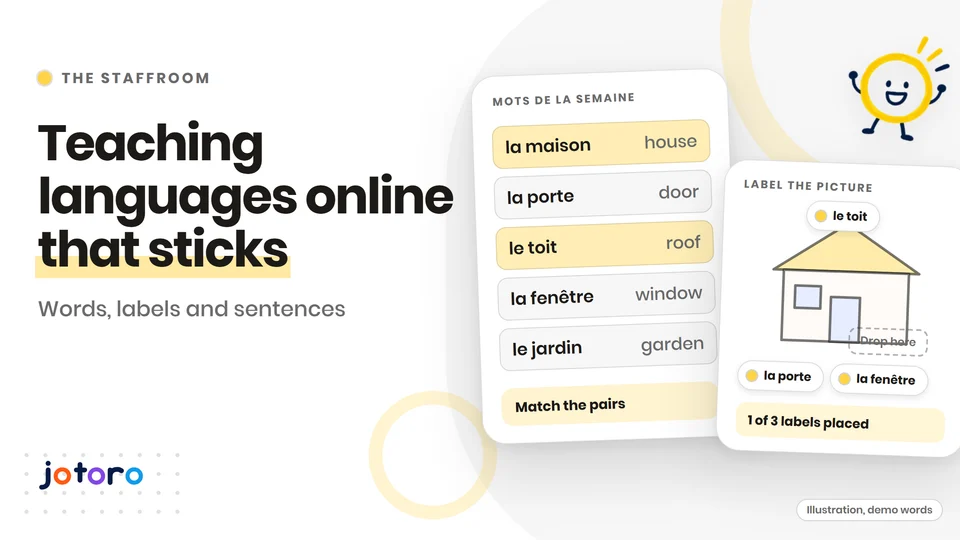
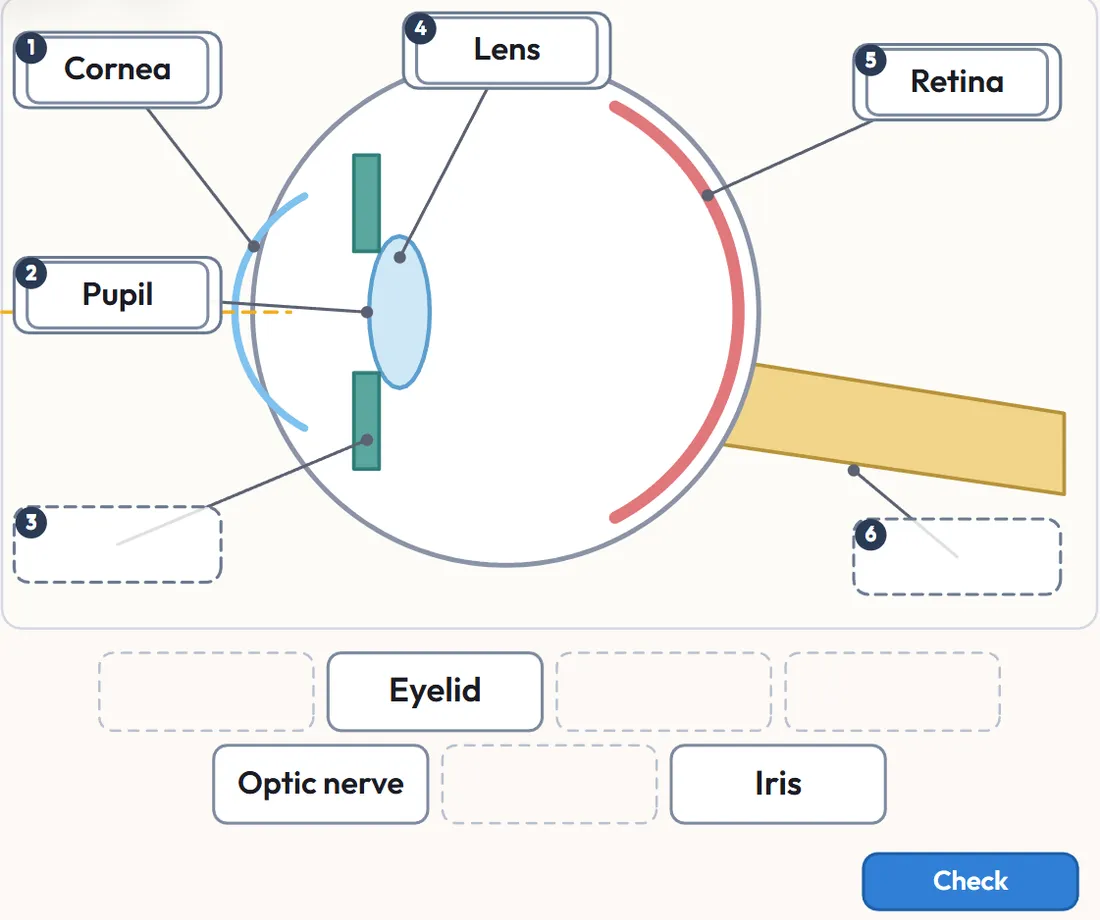
Labelling is the quickest way to get pupils to attach a word to a thing. Put up a picture, a map, a room or a person, hide the words and give a bank of labels. It works for body parts, rooms in a house, clothes, food, a town map and the weather.
Here is a routine. Show the picture with the labels for two minutes and say each word aloud, with the class echoing. Hide the labels and hand out the blank picture. Pupils place the labels from the bank, then you reveal the answers and ask them to circle only the ones they got wrong. Those are the words to revisit next lesson. Add one label that does not belong, so pupils decide instead of using up what is left.
You can take it further. Ask pupils to write a full sentence about one label: la cocina está al lado del salón. Labelling checks the word, and the sentence checks whether they can use it.
In Jotoro you put drop zones on any picture or PDF page, give pupils a bank of labels, and each pupil drags theirs into place. You see who has finished and where the labels landed, and the answers never reach a pupil’s screen. Use your own picture, a page from a textbook or a scan.
How do you teach sentence building, word order and agreement?
Vocabulary does not turn into language until pupils can put words together. The common stumbles are word order (the adjective after the noun in French and Spanish), agreement (la casa blanca, not la casa blanco) and verb endings. Give each one its own small, regular practice.
- Build it. Give a sentence on word cards in the wrong order and ask for a sentence that makes sense. There is often more than one right answer, which is the point.
- Fix it. Give a sentence with one deliberate error, such as the wrong ending or a missing agreement, and ask pupils to find it and say why.
- Change one thing. Mi hermano es alto. Now make it my sister. What else has to change? That second question is where agreement gets taught.
- Expand it. Add a reason, a time or an opinion. J’aime le chocolat. Why? Parce que c’est délicieux.
In Jotoro you can make each word a card to drag into order, and pupils can type their sentence in a writing box, with a checklist of your success criteria and a timer. You see every pupil’s page as they work, so Leo putting the adjective before the noun is something you spot while he is still writing. Sort cards help with agreement drills: sort nouns into masculine and feminine columns, or verbs by ending. The ready-made sentence blocks colour words by English word class, so for another language plain word cards are the better fit. The writing comes to you to read, because Jotoro does not mark a pupil’s own sentences.
How do you teach listening with a video clip?
Good listening practice gives pupils a job. Play a short clip, such as a weather forecast, a train announcement or someone introducing their family, and ask for one thing at a time. A first listen for gist: what is this about? A second for detail: which three words did you catch? A third with a question to answer.
A few habits make it work. Give the questions before the clip, so pupils know what to listen for. Play the clip more than once; the pupils who catch it first time are not the ones who need the practice. Ask pupils to write what they heard, even if only a word or two, because writing shows you what they actually caught. And talk through the answers afterwards, replaying the moment that tripped them.
On Groups and above you can put a web page on the board, such as a video clip, and play it for the class with the questions beside it. Pupils answer in answer boxes or a writing box, and you see the answers arrive. This is available now for pupils on their own devices, in the room or at home. Jotoro does not mark anything pupils say or hear. It marks what they type, drag or tick.
How can recorded moments help with modelling?
Modelling is a core language-teaching move. You say the sentence, show how it is built, think aloud about why vais and not va, and pupils hear what good sounds like. The trouble is that it vanishes when the lesson ends.
- Record the model. Build a sentence on the board while you talk it through. The recording captures the board and your voice.
- Replay it for support. A pupil who is stuck on how to form the past tense can watch you do it again, at their own pace.
- Keep the best moments. A short clip of your explanation of a tricky rule can be saved and found again later.
In Jotoro one Record button captures the board and your voice. Replays are saved inside the lesson, and you can set any replay, or a trimmed part of one, as a support video: pupils get a “Watch how” button to rewatch the method on their own device. You can also save a short clip of a moment, and it lands in a searchable library, tagged by lesson, class and date, with pupil names hidden by default. A pupil’s own spoken work stays with you and a conversation. It is not something Jotoro marks.
How do you get the most out of your language lessons?
You do not need every idea in one lesson. A good language lesson has a small version of three or four of them, and spends the most time on pupils speaking, where you need no software at all. Here is a shape that works for an hour and shrinks well for a thirty-minute tutoring session.
A language lesson in five parts
- Retrieval (5 minutes). Last week’s words, a quick test with no notes.
- New words (10 minutes). Say them, match them, label a picture.
- Build sentences (10 minutes). Order, agreement, then change one thing.
- Listen (10 minutes). One short clip, one job, played more than once.
- Speak (20 minutes). Pairs and live talk, with your ear on every group. This part is yours.
Keep a note of what you see: the word half the class missed, the agreement that tripped three pupils, the detail in the clip nobody caught. That note is your plan for next time. It is the same habit as formative assessment in live lessons, and it is why seeing every pupil’s answer while they work matters.
To see how the tools fit together, Jotoro for every subject shows what is available for each subject, Jotoro for English describes the shared word tools, and the teaching tools cover the rest of the board. To check understanding as pupils work, see marking and assessment. You can register interest to try Jotoro on your own worksheet, and plans and prices are there when you want them. There is a 14-day money-back guarantee.